A partly populated destination often needs new source files without replacing receiver-side copies that are already there. The --ignore-existing option makes rsync create missing paths while leaving every existing destination file untouched.
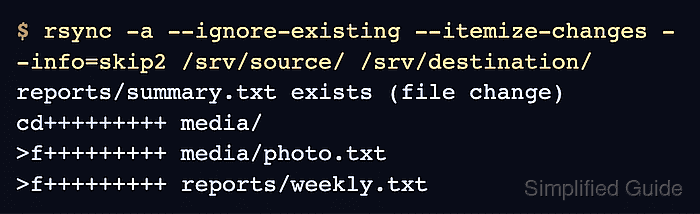
The --ignore-existing option is a transfer rule rather than a file-list filter. rsync still enters existing destination directories to find missing files below them, and the rule applies because a path exists—not because its content is complete or valid.
A partial, corrupt, or locally edited destination file is therefore skipped just like a good copy. Verify important receiver-side files before relying on this mode, and keep deletion options out of the command when destination-only content must remain.
Steps to skip existing destination files with rsync:
- List the files already present in the source and destination.
$ find /srv/source /srv/destination -type f -printf '%p\n'
/srv/source/reports/summary.txt
/srv/source/reports/weekly.txt
/srv/source/media/photo.txt
/srv/destination/keep-local.txt
/srv/destination/reports/summary.txt
Replace /srv/source and /srv/destination with the real paths. Here, reports/summary.txt is the existing file to protect, and keep-local.txt exists only on the destination.
- Record the source and destination hashes for the protected path.
$ sha256sum /srv/source/reports/summary.txt /srv/destination/reports/summary.txt
5c393d41616d9c296fb363b3058f460297c20f32fd1ff7ca2054af9c7c4c67da  /srv/source/reports/summary.txt
e3c66916c0a2674465034667f11856db98884f216e461f9425f84556e0c97d48  /srv/destination/reports/summary.txt
The different hashes establish that the destination file has different content before the transfer.
- Preview the transfer with skipped-file reasons and itemized changes.
$ rsync -a --ignore-existing --dry-run --itemize-changes --info=skip2 /srv/source/ /srv/destination/
reports/summary.txt exists (file change)
cd+++++++++ media/
>f+++++++++ media/photo.txt
>f+++++++++ reports/weekly.txt
The exists (file change) line identifies the protected path. A >f+++++++++ line identifies a missing file that rsync would create.
Related: How to preview rsync changes before syncing
Related: How to read rsync itemized changes - Run the same transfer without --dry-run after the preview shows only intended creates and skips.
$ rsync -a --ignore-existing --itemize-changes --info=skip2 /srv/source/ /srv/destination/
reports/summary.txt exists (file change)
cd+++++++++ media/
>f+++++++++ media/photo.txt
>f+++++++++ reports/weekly.txt
Do not add --delete when destination-only files must stay. --ignore-existing prevents updates to existing destination files, but transfer rules do not protect extra destination files from a requested deletion pass.
- Repeat the hash comparison for the protected path.
$ sha256sum /srv/source/reports/summary.txt /srv/destination/reports/summary.txt
5c393d41616d9c296fb363b3058f460297c20f32fd1ff7ca2054af9c7c4c67da  /srv/source/reports/summary.txt
e3c66916c0a2674465034667f11856db98884f216e461f9425f84556e0c97d48  /srv/destination/reports/summary.txt
The destination hash is unchanged from the pre-transfer value, while its difference from the source hash confirms that rsync did not replace the file.
- Compare the source and destination hashes for the newly copied files.
$ sha256sum /srv/source/reports/weekly.txt /srv/destination/reports/weekly.txt /srv/source/media/photo.txt /srv/destination/media/photo.txt
1f8aa92f5d89dc27b82e182c312d88a88394259859ffbde0db07e2cf9e730c10  /srv/source/reports/weekly.txt
1f8aa92f5d89dc27b82e182c312d88a88394259859ffbde0db07e2cf9e730c10  /srv/destination/reports/weekly.txt
9dd921aa831fdc66fce32a85416d5d9ba8dbbbd0e503594a18672560839f84ba  /srv/source/media/photo.txt
9dd921aa831fdc66fce32a85416d5d9ba8dbbbd0e503594a18672560839f84ba  /srv/destination/media/photo.txt
- List the final destination files.
$ find /srv/destination -type f -printf '%P\n'
keep-local.txt
reports/summary.txt
reports/weekly.txt
media/photo.txt
reports/weekly.txt and media/photo.txt are the missing files that were added. reports/summary.txt remains the protected existing file, and keep-local.txt confirms that destination-only content was retained.

Mohd Shakir Zakaria is a cloud architect with deep roots in software development and open-source advocacy. Certified in AWS, Red Hat, VMware, ITIL, and Linux, he specializes in designing and managing robust cloud and on-premises infrastructures.


