CPU workloads can slow down when more threads compete for processor time than the machine can supply. PyTorch lets you set the CPU intra-operation thread count, limiting the parallelism available within an operation such as matrix multiplication.
The thread setting applies to the current Python process and must be established before tensor operations, model execution, or autograd work. It controls CPU operation parallelism rather than imposing a limit on every thread in the application.
The best count depends on the workload and CPU capacity available alongside other processes. A comparison needs identical inputs, warm-up operations, and timed work in each run; a lower thread count is not a promise of faster execution.
Steps to set CPU threads in PyTorch:
- Create cpu_threads.py in your text editor with the thread-selection code.
- cpu_threads.py
import argparse
from time import perf_counter

import torch

parser = argparse.ArgumentParser()
parser.add_argument("--threads", type=int)
args = parser.parse_args()

if args.threads is not None:
    torch.set_num_threads(args.threads)
This requires a Python environment with PyTorch installed. The optional argument is a positive integer; without it, the process retains its initial thread count. The setter runs before any tensor work.
Related: How to install PyTorch with pip - Append the CPU matrix workload at the end of cpu_threads.py.
torch.manual_seed(0)
a = torch.randn(1024, 1024, device="cpu")
b = torch.randn(1024, 1024, device="cpu")

for _ in range(5):
    result = a @ b
The seeded inputs and five untimed multiplications keep input generation and warm-up outside the measurement.
- Append the timing loop and result display after the warm-up loop.
repeats = 50
start = perf_counter()
for _ in range(repeats):
    result = a @ b
elapsed = perf_counter() - start

print(f"CPU threads: {torch.get_num_threads()}")
print(f"Mean matrix multiplication: {elapsed * 1000 / repeats:.3f} ms")
print(f"Result device: {result.device}; shape: {tuple(result.shape)}")
The reported mean covers the same 50 CPU multiplications in both runs, excluding process startup and imports.
- Save cpu_threads.py in your project directory.
- Measure the workload with the initial thread count in the Python environment containing PyTorch.
$ python cpu_threads.py
CPU threads: 8
Mean matrix multiplication: 80.091 ms
Result device: cpu; shape: (1024, 1024)
The reported count depends on the environment, including any threading environment variables already set.
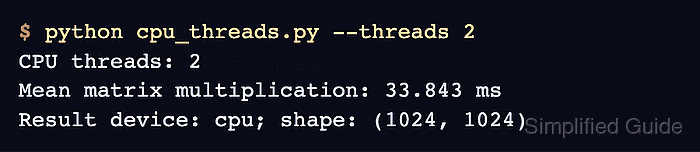
- Verify the two-thread setting with the same CPU workload.
$ python cpu_threads.py --threads 2
CPU threads: 2
Mean matrix multiplication: 33.843 ms
Result device: cpu; shape: (1024, 1024)
The count should read CPU threads: 2, followed by a timing and a CPU result of shape (1024, 1024). An exception or a different count means the selection did not take effect. Each invocation starts a fresh process, so the setting precedes tensor work in both runs. A lower mean than the baseline indicates a faster run for this workload. Two threads are a starting value, not a universal optimum; timings can be higher or lower depending on competing work and the operation being measured.