Package installs can keep using cached downloads or locally built wheels after an index, build input, or project environment has changed. Clearing the active pip cache removes those saved files so the next install fetches or rebuilds them instead of relying on stale local entries.
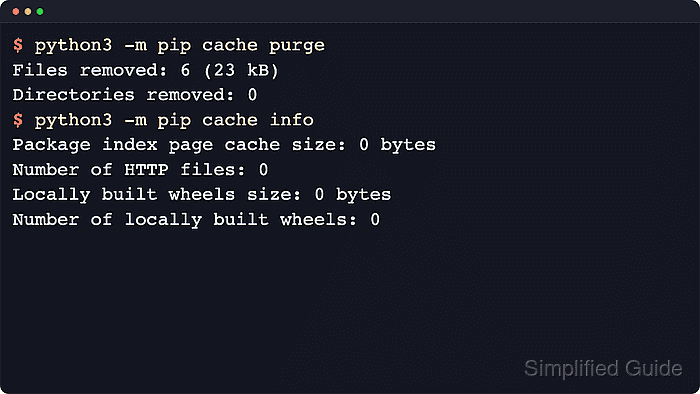
Run pip through the interpreter that owns the environment, usually as python -m pip or python3 -m pip on POSIX shells and py -m pip on Windows. The cache dir command shows the cache root, and cache info separates the HTTP response cache from the wheel cache before the purge.
Cache paths and directory names vary by operating system and pip version. Current upstream documentation treats the cache layout as an implementation detail and notes that newer HTTP entries use http-v2 instead of the older http directory. Overrides such as PIP_CACHE_DIR or --cache-dir can redirect the cache elsewhere, and the next install or download can take longer after a purge.
Related: How to show the pip cache location
Steps to clear the pip cache:
- Show the active pip cache directory before removing anything.
$ python -m pip cache dir
/home/alex/.cache/pip
If the reported path is not the cache that should be cleared, stop and confirm the active interpreter, virtual environment, or PIP_CACHE_DIR override first. On Windows, run py -m pip cache dir.
- Review the current cache summary so the HTTP cache path, wheel cache path, file counts, and sizes are known before the purge.
$ python -m pip cache info
Package index page cache location (pip v23.3+): /home/alex/.cache/pip/http-v2
Package index page cache location (older pips): /home/alex/.cache/pip/http
Package index page cache size: 1.9 MB
Number of HTTP files: 12
Locally built wheels location: /home/alex/.cache/pip/wheels
Locally built wheels size: 0 bytes
Number of locally built wheels: 0
Current pip releases store new HTTP cache entries under http-v2, but upgraded environments can still show the older http path. pip cache list reports wheel entries only, so use pip cache info for the full cache view.
- Purge the active pip cache.
$ python -m pip cache purge
Files removed: 12 (1.9 MB)
Directories removed: 0
python -m pip cache purge clears both the HTTP cache and the wheel cache for the active pip context. If only one cached wheel is the problem, python -m pip cache remove <package> is a narrower alternative.
- Confirm that the active cache summary has returned to zero.
$ python -m pip cache info
Package index page cache location (pip v23.3+): /home/alex/.cache/pip/http-v2
Package index page cache location (older pips): /home/alex/.cache/pip/http
Package index page cache size: 0 bytes
Number of HTTP files: 0
Locally built wheels location: /home/alex/.cache/pip/wheels
Locally built wheels size: 0 bytes
Number of locally built wheels: 0
The cache directory itself may remain in place after the purge. Zero sizes and zero file counts confirm that the active cache contents were cleared.

Mohd Shakir Zakaria is a cloud architect with deep roots in software development and open-source advocacy. Certified in AWS, Red Hat, VMware, ITIL, and Linux, he specializes in designing and managing robust cloud and on-premises infrastructures.


