Intermittent PostgreSQL latency is difficult to tune when the only visible symptom is an application timeout or a vague dashboard spike. Slow query logging records statements that exceed a chosen execution-time threshold, turning those incidents into timestamped database evidence.
PostgreSQL emits a duration: log line for statements slower than log_min_duration_statement. The setting accepts millisecond values such as 500ms, with -1 disabling slow-statement logging and 0 logging every statement.
Slow-statement logs can grow quickly and may include SQL text with sensitive literals, so start with a conservative threshold and lower it only for a short sampling window. Server-wide changes through ALTER SYSTEM require superuser privileges, write to postgresql.auto.conf, and take effect after a configuration reload; managed database services usually expose the same parameter through their own parameter group or settings page.
Related: How to analyze slow queries in PostgreSQL \\
Related: How to optimize PostgreSQL performance
Steps to log slow queries in PostgreSQL:
- Check the current slow query logging threshold.
$ sudo -u postgres psql -Atc "SHOW log_min_duration_statement;"
-1
A value of -1 means slow-statement logging is disabled. Use a higher threshold first, such as 1s or 500ms, when log volume is unknown.
- Set the server-wide slow query threshold with ALTER SYSTEM.
$ sudo -u postgres psql -c "ALTER SYSTEM SET log_min_duration_statement = '500ms';"
ALTER SYSTEM
Very low thresholds on busy systems can create large logs and expose SQL literals. Use short sampling windows and confirm log retention before lowering the threshold broadly.
- Reload the PostgreSQL configuration to apply the threshold.
$ sudo -u postgres psql -c "SELECT pg_reload_conf();"
 pg_reload_conf
----------------
 t
(1 row)
- Verify the effective log_min_duration_statement value.
$ sudo -u postgres psql -Atc "SHOW log_min_duration_statement;"
500ms
- Run a test statement that exceeds the threshold.
$ sudo -u postgres psql -d postgres -c "SELECT pg_sleep(0.6);"
 pg_sleep
----------

(1 row)
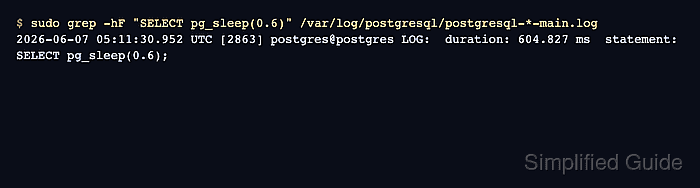
- Confirm the test statement appears in the PostgreSQL log with a duration: entry.
$ sudo grep -hF "SELECT pg_sleep(0.6)" /var/log/postgresql/postgresql-*-main.log
2026-06-07 05:11:30.952 UTC [2863] postgres@postgres LOG:  duration: 604.827 ms  statement: SELECT pg_sleep(0.6);
Debian and Ubuntu packages commonly write cluster logs under /var/log/postgresql. If the server logs to the systemd journal or a managed-service log viewer, search that log surface for the same duration: and statement: fields.

Mohd Shakir Zakaria is a cloud architect with deep roots in software development and open-source advocacy. Certified in AWS, Red Hat, VMware, ITIL, and Linux, he specializes in designing and managing robust cloud and on-premises infrastructures.


