Revoke PostgreSQL privileges when an application role, analyst account, or temporary support role no longer needs database access. Removing the grant before it becomes stale limits who can read, change, or delete data after a handoff, credential rotation, or access review.
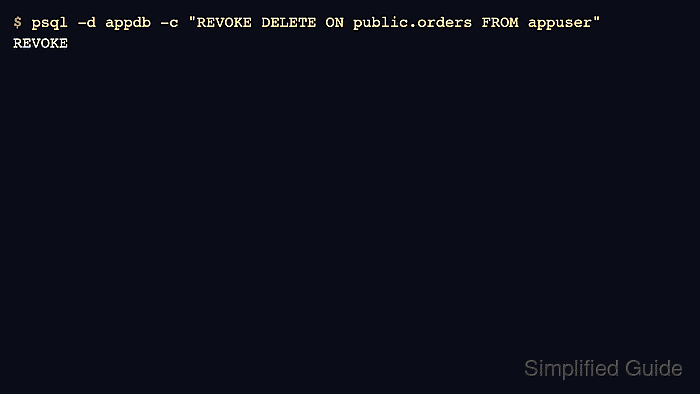
PostgreSQL authorization is role-based, with privileges stored on databases, schemas, tables, sequences, and other objects as access control lists (ACLs). A REVOKE statement removes only the grant targeted by that statement; effective access can still come from role membership, object ownership, or grants to PUBLIC.
Privilege changes apply immediately to new statements and can break applications with permission denied errors. Existing sessions remain connected after database CONNECT changes, and default privileges affect only future objects created by the owner or migration role, so current object privileges and future-object defaults must be reviewed separately.
Related: How to grant privileges in PostgreSQL \\
Related: How to create roles in PostgreSQL
Steps to revoke privileges in PostgreSQL:
- List role grants for the account to catch inherited privileges.
$ sudo -u postgres psql -d appdb -c "\drg appuser"
                List of role grants
 Role name |  Member of   |   Options    | Grantor
-----------+--------------+--------------+----------
 appuser   | appreadwrite | INHERIT, SET | postgres
(1 row)
Replace appdb, appuser, appowner, and schema names to match the target database.
- Revoke role membership that should no longer apply.
$ sudo -u postgres psql -d appdb -c "REVOKE appreadwrite FROM appuser;"
REVOKE ROLE
Revoking role membership can remove many privileges at once.
- List current privileges on the target table before changes.
$ sudo -u postgres psql -d appdb -c "\dp public.orders"
                                  Access privileges
 Schema |  Name  | Type  |     Access privileges      | Column privileges | Policies
--------+--------+-------+----------------------------+-------------------+----------
 public | orders | table | appowner=arwdDxtm/appowner+|                   |
        |        |       | appuser=arwd/appowner      |                   |
(1 row)
Common table privilege letters: a=INSERT, r=SELECT, w=UPDATE, d=DELETE, D=TRUNCATE, x=REFERENCES, t=TRIGGER, m=MAINTAIN.
- Revoke a specific privilege from a role on a table.
$ sudo -u postgres psql -d appdb -c "REVOKE DELETE ON TABLE public.orders FROM appuser;"
REVOKE
- Re-check the table privileges to confirm the ACL entry changed.
$ sudo -u postgres psql -d appdb -c "\dp public.orders"
                                  Access privileges
 Schema |  Name  | Type  |     Access privileges      | Column privileges | Policies
--------+--------+-------+----------------------------+-------------------+----------
 public | orders | table | appowner=arwdDxtm/appowner+|                   |
        |        |       | appuser=arw/appowner       |                   |
(1 row)
In current PostgreSQL releases, m is the table MAINTAIN privilege. It appears for the object owner in the sample output.
- Revoke the same privilege from PUBLIC when the grant was available to every role.
$ sudo -u postgres psql -d appdb -c "REVOKE DELETE ON TABLE public.orders FROM PUBLIC;"
REVOKE
Revoking from PUBLIC affects every role in the database.
- Revoke privileges on all existing tables in a schema to remove broad table access.
$ sudo -u postgres psql -d appdb -c "REVOKE ALL PRIVILEGES ON ALL TABLES IN SCHEMA public FROM appuser;"
REVOKE
This affects existing objects only; default privileges can still grant access to new tables.
- Revoke privileges on all sequences in a schema to block nextval(), currval(), and setval() access.
$ sudo -u postgres psql -d appdb -c "REVOKE ALL PRIVILEGES ON ALL SEQUENCES IN SCHEMA public FROM appuser;"
REVOKE
- Revoke direct schema USAGE when the role should not resolve objects in the schema.
$ sudo -u postgres psql -d appdb -c "REVOKE USAGE ON SCHEMA public FROM appuser;"
REVOKE
Effective schema access can remain through PUBLIC or inherited roles. Verify with has_schema_privilege() before treating schema access as removed.
- Revoke schema USAGE from PUBLIC when the schema should require explicit role grants.
$ sudo -u postgres psql -d appdb -c "REVOKE USAGE ON SCHEMA public FROM PUBLIC;"
REVOKE
Revoking schema USAGE from PUBLIC can break roles that relied on the default grant.
- Revoke a direct database CONNECT grant from the role.
$ sudo -u postgres psql -d appdb -c "REVOKE CONNECT ON DATABASE appdb FROM appuser;"
REVOKE
This removes an explicit grant to appuser, but it does not override CONNECT inherited from PUBLIC or another role.
- Revoke database CONNECT from PUBLIC when new sessions should require explicit database grants.
$ sudo -u postgres psql -d appdb -c "REVOKE CONNECT ON DATABASE appdb FROM PUBLIC;"
REVOKE
Existing sessions remain connected until they disconnect or are terminated. Grant CONNECT back to roles that should continue opening new sessions.
- List default privileges to find grants that apply to future objects.
$ sudo -u postgres psql -d appdb -c "\ddp"
              Default access privileges
  Owner   | Schema |   Type   |   Access privileges
----------+--------+----------+-----------------------
 appowner | public | sequence | appuser=rwU/appowner
 appowner | public | table    | appuser=arwd/appowner
(2 rows)
Default privileges are stored per owner role; target the role that creates objects using FOR ROLE.
- Remove default table privileges for the owning role to prevent new tables from granting access.
$ sudo -u postgres psql -d appdb -c "ALTER DEFAULT PRIVILEGES FOR ROLE appowner IN SCHEMA public REVOKE ALL ON TABLES FROM appuser;"
ALTER DEFAULT PRIVILEGES
- Remove default sequence privileges for the owning role to prevent new sequences from granting access.
$ sudo -u postgres psql -d appdb -c "ALTER DEFAULT PRIVILEGES FOR ROLE appowner IN SCHEMA public REVOKE ALL ON SEQUENCES FROM appuser;"
ALTER DEFAULT PRIVILEGES
- Verify that the revoked privileges are no longer effective.
$ sudo -u postgres psql -d appdb -c "SELECT has_table_privilege('appuser','public.orders','DELETE') AS can_delete, has_schema_privilege('appuser','public','USAGE') AS can_use_schema, has_database_privilege('appuser','appdb','CONNECT') AS can_connect;"
 can_delete | can_use_schema | can_connect
------------+----------------+-------------
 f          | f              | f
(1 row)
Run the has_*_privilege() checks that match the privileges changed during the access review.
- Run an application smoke test using the revoked role credentials.
Permission failures commonly surface as SQLSTATE 42501 (insufficient_privilege).

Mohd Shakir Zakaria is a cloud architect with deep roots in software development and open-source advocacy. Certified in AWS, Red Hat, VMware, ITIL, and Linux, he specializes in designing and managing robust cloud and on-premises infrastructures.


