Active connection checks matter when a PostgreSQL server starts timing out, waiting on locks, or approaching its connection limit. Listing only client backends that are executing queries keeps idle pool sessions and the monitoring query itself from being mistaken for application load.
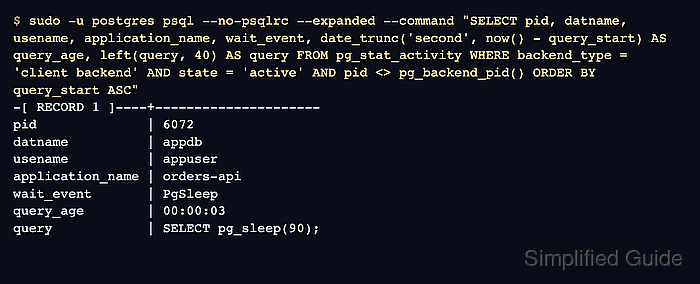
PostgreSQL reports live backend state through pg_stat_activity. The state column marks query execution as active, backend_type separates client connections from internal server processes, and wait_event_type plus wait_event show whether an active query is waiting on a lock, timeout, client, or I/O event.
Local shell access on a Linux host with sudo and the default postgres administrative account is assumed. Query text visibility depends on track_activities and database privileges; use a superuser or a role with pg_read_all_stats when sessions owned by other database roles must be visible.
Steps to list active PostgreSQL connections:
- Open a terminal on the PostgreSQL host with sudo privileges.
$ whoami
user
- Confirm that PostgreSQL is collecting current query activity.
$ sudo -u postgres psql --no-psqlrc --tuples-only --no-align --command "SHOW track_activities;"
on
track_activities is enabled by default. If it is off, pg_stat_activity reports disabled instead of current query details.
- List active client backends from pg_stat_activity and omit the monitoring backend itself.
$ sudo -u postgres psql --no-psqlrc --expanded --command "SELECT pid, datname, usename, application_name, client_addr, wait_event_type, wait_event, date_trunc('second', now() - query_start) AS query_age, left(query, 80) AS query FROM pg_stat_activity WHERE backend_type = 'client backend' AND state = 'active' AND pid <> pg_backend_pid() ORDER BY query_start ASC;"
-[ RECORD 1 ]----+---------------------
pid              | 6072
datname          | appdb
usename          | appuser
application_name | orders-api
client_addr      |
wait_event_type  | Timeout
wait_event       | PgSleep
query_age        | 00:00:03
query            | SELECT pg_sleep(90);
A blank client_addr usually means the client is connected through a local Unix socket. TCP clients show an IP address.
- Filter active sessions to one database when investigating one application.
$ sudo -u postgres psql --no-psqlrc --expanded --command "SELECT pid, usename, application_name, date_trunc('second', now() - query_start) AS query_age, left(query, 80) AS query FROM pg_stat_activity WHERE backend_type = 'client backend' AND datname = 'appdb' AND state = 'active' AND pid <> pg_backend_pid() ORDER BY query_start ASC;" -[ RECORD 1 ]----+--------------------- pid | 6072 usename | appuser application_name | orders-api query_age | 00:00:03 query | SELECT pg_sleep(90); - Summarize client backends by state to compare active work against idle sessions.
$ sudo -u postgres psql --no-psqlrc --command "SELECT coalesce(state, 'background') AS state, count(*) AS sessions FROM pg_stat_activity WHERE backend_type = 'client backend' AND pid <> pg_backend_pid() GROUP BY 1 ORDER BY sessions DESC;"
 state  | sessions
--------+----------
 active |        1
 idle   |        1
(2 rows)
Many idle sessions with few active sessions often points to pooling behavior rather than currently running queries.
- Compare client backend count with max_connections to check connection pressure.
$ sudo -u postgres psql --no-psqlrc --command "SELECT current_setting('max_connections')::int AS max_connections, count(*) AS current_connections, round(count(*) * 100.0 / current_setting('max_connections')::int, 2) AS pct_used FROM pg_stat_activity WHERE backend_type = 'client backend' AND pid <> pg_backend_pid();"
 max_connections | current_connections | pct_used
-----------------+---------------------+----------
             100 |                   2 |     2.00
(1 row)

Mohd Shakir Zakaria is a cloud architect with deep roots in software development and open-source advocacy. Certified in AWS, Red Hat, VMware, ITIL, and Linux, he specializes in designing and managing robust cloud and on-premises infrastructures.


