Playwright Test Agents let an AI coding tool turn a written browser scenario into an executable Playwright Test while using the same runner and fixtures as the rest of the suite. They fit smoke flows that already have clear acceptance criteria but still need a checked-in spec file.
The init-agents command writes client-specific agent definitions for planner, generator, and healer roles. For Codex, those definitions live under .codex/agents and give the generator agent the Playwright tools it needs to inspect the page, use a seed setup, and write a test file.
Treat the generated spec as a draft until it has stable locators, neutral test data, and a passing runner result. Keep credentials out of prompts and specs, and put login setup, fixtures, or local server startup in seed files instead of pasting secrets into agent instructions.
Related: How to generate Playwright tests with codegen
Related: How to run specific Playwright tests
Related: How to run Codex exec with a prompt
Steps to generate Playwright tests with an AI agent:
- Open a terminal at the Playwright project root.
$ pwd
/home/user/projects/playwright-demo
Run the AI agent from the repository that contains the Playwright config, test fixtures, and application source. Codex also needs the directory to pass its repository trust check.
Related: How to fix the Codex trusted-directory error - Add the Playwright Test Agent definitions for Codex.
$ npx playwright init-agents --loop=codex
Using project "" as a primary project
specs/README.md - directory for test plans
seed.spec.ts - default environment seed file
.codex/agents/playwright_test_generator.toml - agent definition
.codex/agents/playwright_test_healer.toml - agent definition
.codex/agents/playwright_test_planner.toml - agent definition
Done.
Regenerate these definitions after upgrading Playwright so the agent instructions and tool list stay aligned with the installed version.
- Set the seed file to reach the application state the generated test should start from.
import { test, expect } from '@playwright/test';

test.describe('Test group', () => {
  test('seed', async ({ page }) => {
    await page.goto('/');
    await expect(page.getByRole('heading', { name: 'Playwright fixture ready' })).toBeVisible();
  });
});
Use / when playwright.config.ts owns the baseURL and any webServer startup. The seed can log in, create data, or open the starting page. Keep secret values in the same environment or auth-state mechanism used by the rest of the test suite.
Related: How to set base URL in Playwright tests - Write the test plan in specs/home-ready.md.
# Home ready smoke test

## Scenario
Verify that the home page renders the ready heading and status text.

## Steps
1. Open the fixture page.
2. Confirm the "Playwright fixture ready" heading is visible.
3. Confirm the status text says "Ready for agent-generated tests".
- Ask the generator agent to create the spec from the plan.
Use the playwright_test_generator agent to generate tests/home-ready.spec.ts from specs/home-ready.md.
Use seed.spec.ts as the environment seed.
Keep the test title "home page shows ready state".
In Codex, run the prompt from the same repository so .codex/agents can be loaded with the project context.
Related: How to run Codex exec with a prompt - Review the generated test file before running it.
import { test, expect } from '@playwright/test';

test('home page shows ready state', async ({ page }) => {
  await page.goto('/');

  await expect(page.getByRole('heading', { name: 'Playwright fixture ready' })).toBeVisible();
  await expect(page.getByTestId('status')).toHaveText('Ready for agent-generated tests');
});
Replace any brittle selectors, hard-coded credentials, or environment-only data before the file is committed.
- Run the generated spec file.
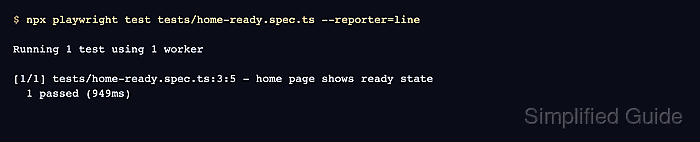
$ npx playwright test tests/home-ready.spec.ts --reporter=line

Running 1 test using 1 worker

[1/1] tests/home-ready.spec.ts:3:5 - home page shows ready state
  1 passed (949ms)
A passing run proves the generated file is discoverable by Playwright Test and that the assertions match the current page state.
Related: How to run specific Playwright tests

Mohd Shakir Zakaria is a cloud architect with deep roots in software development and open-source advocacy. Certified in AWS, Red Hat, VMware, ITIL, and Linux, he specializes in designing and managing robust cloud and on-premises infrastructures.


