Playwright request routing lets a test take control of browser network traffic before a matching request leaves the page. That control fits frontend tests that need to block tracking pixels, keep heavy assets out of a scenario, or prove that an app tried to load a specific resource.
The page.route() handler runs only for URL patterns that match the outgoing request. A handler can inspect route.request(), abort the request, continue it with overrides, or fulfill it with a response; for a full response stub, use a dedicated mock-response test.
Register the route before the page action that triggers the request, and keep the pattern narrow enough that real backend failures are still visible. Native Playwright routing does not see requests handled by a service worker, so test projects that rely on interception should block service workers unless the service worker itself is the feature under test.
Steps to intercept Playwright network requests:
- Open the existing Playwright project.
$ cd ~/projects/playwright-demo
Install Playwright first when the project does not already have @playwright/test.
Related: How to install Playwright with npm - Block service workers for the test project that uses native routing.
import { defineConfig } from '@playwright/test';

export default defineConfig({
  use: {
    serviceWorkers: 'block',
  },
});
Omit this setting only when the spec intentionally verifies service worker behavior. Native page.route() and browserContext.route() handlers do not see requests intercepted by service workers.
- Create tests/network-intercept.spec.ts with a route handler before the request starts.
import { test, expect } from '@playwright/test';

test('intercepts image requests before they reach the network', async ({ page }) => {
  const blockedImages: string[] = [];

  await page.route('**/*.{png,jpg,jpeg,svg}', async route => {
    blockedImages.push(route.request().url());
    await route.abort('blockedbyclient');
  });

  await page.setContent(`
    <h1>Playwright fixture ready</h1>
    <img src="https://cdn.example.test/tracker.png" alt="tracking pixel">
  `);

  await expect(page.getByRole('heading', { name: 'Playwright fixture ready' })).toBeVisible();
  expect(blockedImages).toContain('https://cdn.example.test/tracker.png');
});
The glob matches image file extensions, and the handler records the intercepted URL before route.abort('blockedbyclient') stops that request.
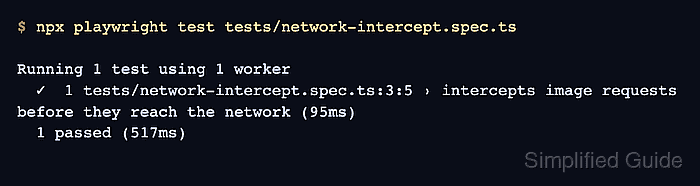
- Run the interception spec.
$ npx playwright test tests/network-intercept.spec.ts

Running 1 test using 1 worker
  ✓  1 tests/network-intercept.spec.ts:3:5 › intercepts image requests before they reach the network (95ms)
  1 passed (517ms)
A passing run proves the route saw the image request and blocked it while the page content stayed testable. If the assertion never records the URL, register the route before navigation or content setup and check that the glob matches the full request URL.
Related: How to run specific Playwright tests

Mohd Shakir Zakaria is a cloud architect with deep roots in software development and open-source advocacy. Certified in AWS, Red Hat, VMware, ITIL, and Linux, he specializes in designing and managing robust cloud and on-premises infrastructures.


