A browser download leaves the DOM and becomes a browser-managed artifact as soon as the transfer starts. Playwright exposes that transition through a Download event, so the event waiter must be active before the click that can emit it.
The browser derives a suggested filename from response metadata or the link's download attribute. testInfo.outputPath() supplies an isolated destination for each test, while saveAs() preserves the payload beyond the browser context's temporary download storage.
An inline CSV link keeps the filename and bytes deterministic without introducing a web server. Replace that controlled page fixture with the application's report screen and export control while retaining the same waiter, filename assertion, save, and byte-verification sequence.
Related: How to run Playwright tests
Related: How to set Playwright output directory
Steps to assert the Playwright download lifecycle:
Prepare an isolated download target
- Define the test-owned destination at the start of a new tests/download.spec.ts test.
- tests/download.spec.ts
import { test, expect } from '@playwright/test';
import { readFile } from 'node:fs/promises';

test('download report', async ({ page }, testInfo) => {
  const destination = testInfo.outputPath('report.csv');
An existing Playwright Test project with a browser installed is the required starting state.
Related: How to install Playwright with npm
Establish the browser fixture
- Render a deterministic CSV download link below the destination declaration.
  await page.setContent(`
    <a
      download="report.csv"
      href="data:text/csv,month%2Ctotal%0AJune%2C42%0A"
    >
      Download report
    </a>
  `);
The link's download attribute supplies the suggested filename, and its data URL supplies the exact CSV bytes used by the final assertion. An application test should navigate to the real report page instead.
Capture the user-initiated transfer
- Arm the page's download event waiter immediately below the browser fixture.
const downloadPromise = page.waitForEvent('download');Keep this statement before the click because an immediate response can emit the event before a later waiter exists.
- Trigger the CSV transfer through Playwright's Download report locator while the event waiter is active.
await page.getByRole('link', { name: 'Download report' }).click(); - Resolve the pending event into Playwright's Download object after the click.
const download = await downloadPromise;
Inspect and preserve the payload
- Assert report.csv as the browser-suggested filename.
expect(download.suggestedFilename()).toBe('report.csv'); - Persist the completed payload at the test-owned destination.
await download.saveAs(destination);
saveAs() waits for the transfer to finish before copying the payload.
- Verify the saved CSV bytes at that destination.
  expect(await readFile(destination, 'utf8')).toBe('month,total\nJune,42\n');
});
Exercise the complete lifecycle
- Run the download spec in the Chromium project.
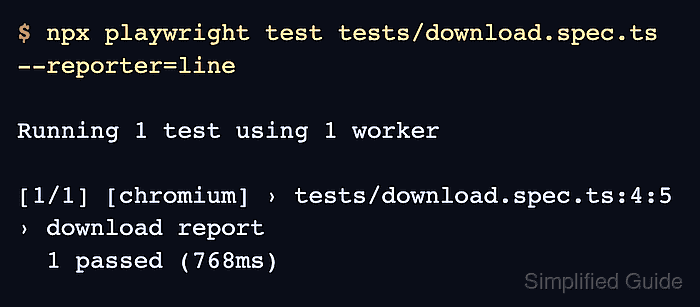
$ npx playwright test tests/download.spec.ts --project=chromium --reporter=line

Running 1 test using 1 worker

[1/1] [chromium] › tests/download.spec.ts:4:5 › download report
  1 passed (943ms)
A missing download event, unexpected filename, failed save, or byte mismatch prevents the runner from printing 1 passed.
Related: How to run specific Playwright tests

Mohd Shakir Zakaria is a cloud architect with deep roots in software development and open-source advocacy. Certified in AWS, Red Hat, VMware, ITIL, and Linux, he specializes in designing and managing robust cloud and on-premises infrastructures.


