A relational schema is easier to review when its foreign-key paths are visible as a map instead of scattered across separate table screens. phpMyAdmin Designer turns an existing database into a canvas of linked table cards and can retain the layout for later checks.
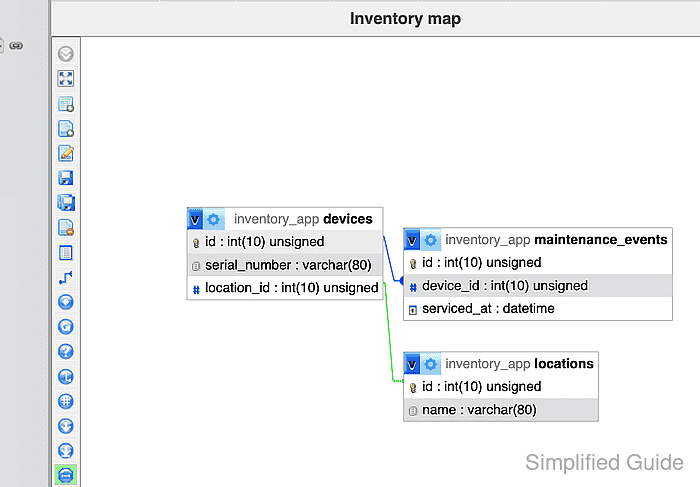
Designer reads relationships already defined in the database. Saving a named layout also requires phpMyAdmin configuration storage, including its table-coordinate storage, so enable that feature before opening Designer.
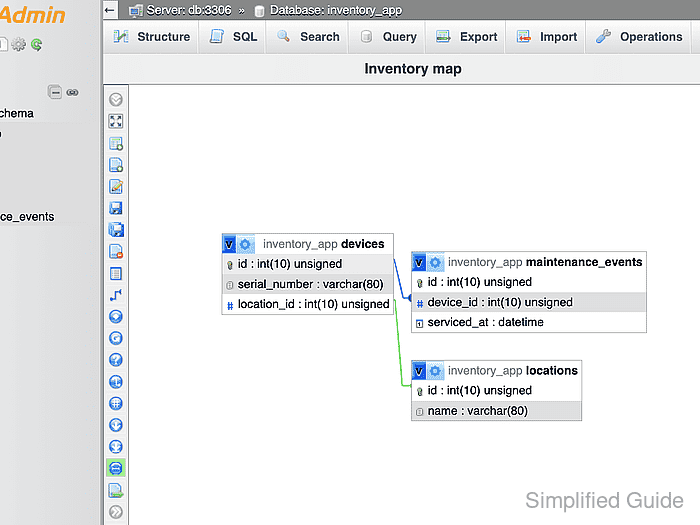
An inventory_app database with devices, locations, and maintenance_events tables provides a clear relationship map. The finished Inventory map page reopens with all three cards and both foreign-key lines visible.
Steps to create a database diagram with phpMyAdmin Designer:
- Select the inventory_app database in the navigation panel.
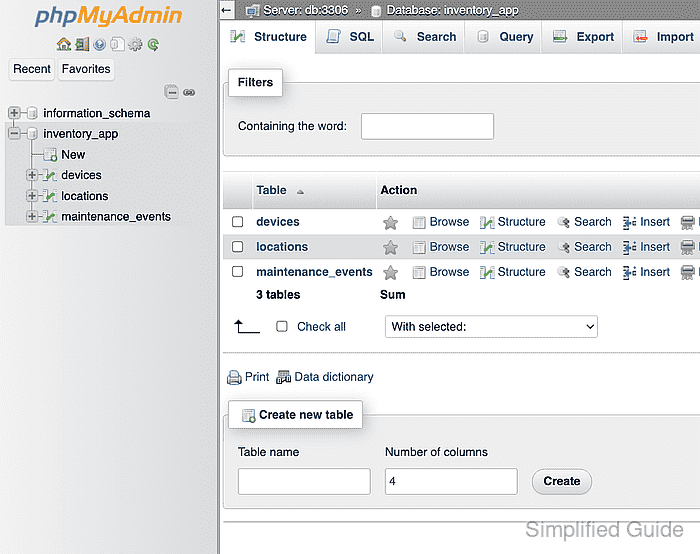
- Open the More menu in the database toolbar.
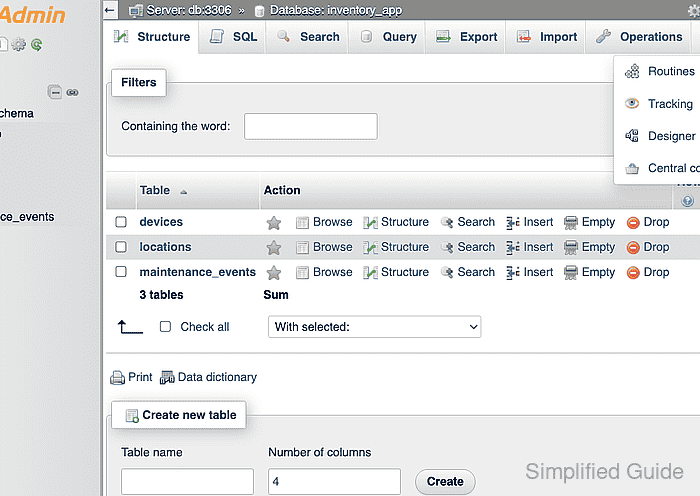
- Select Designer from the More menu.
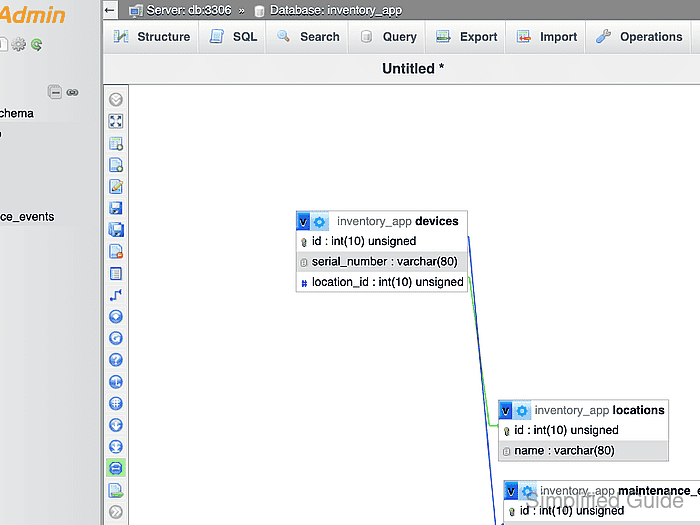
- Arrange the devices, locations, and maintenance_events cards into a readable relationship map.
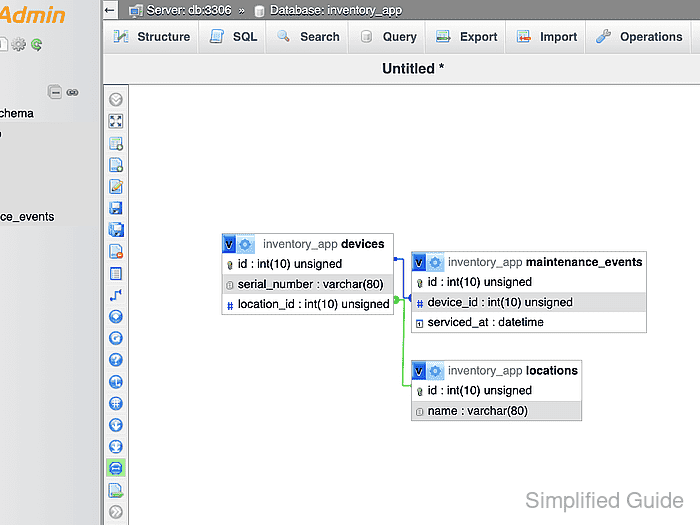
- Choose Save page as from the Designer toolbar.
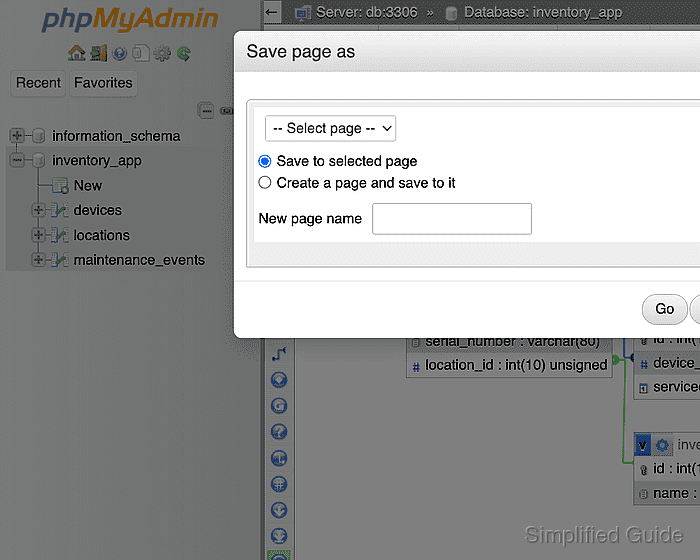
- Select the create-page radio option in the Save page as dialog.
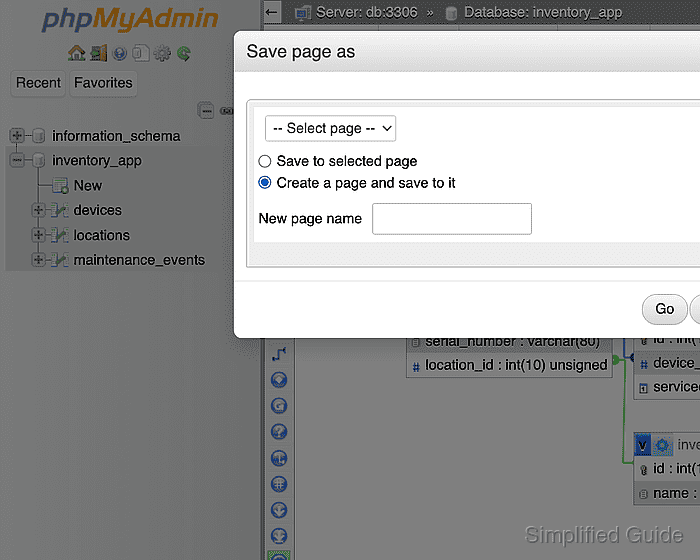
- Enter Inventory map in the New page name field.
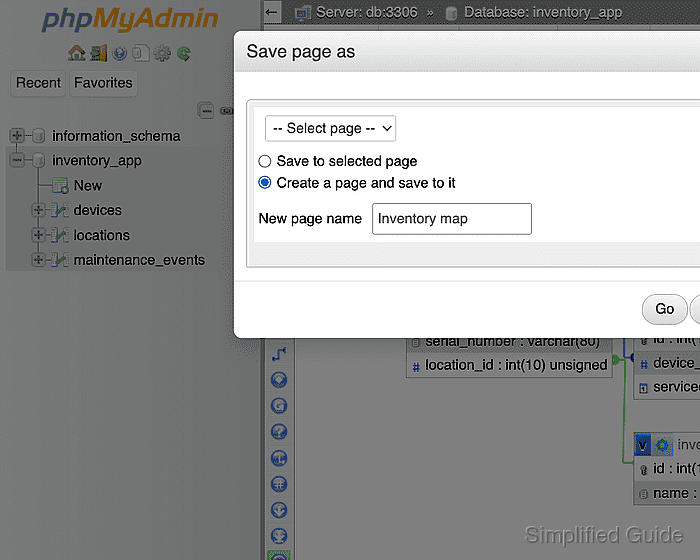
- Click Go to save the named Designer page.
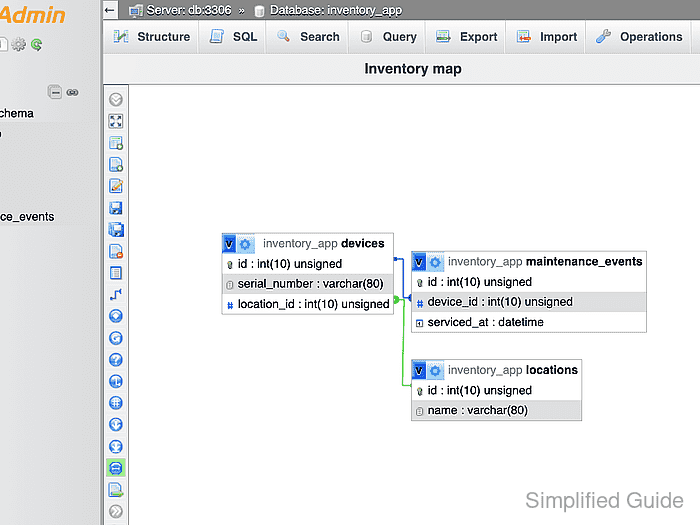
- Select inventory_app in the navigation panel to leave Designer.
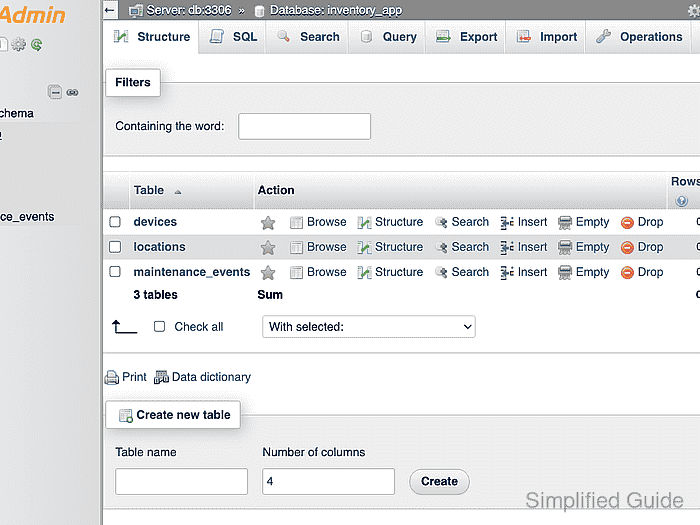
- Open the More menu in the database toolbar again.
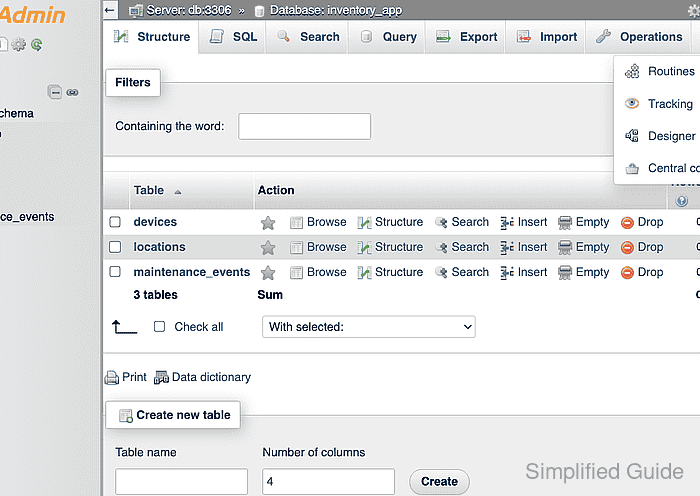
- Select Designer to confirm that Inventory map reopens with all three related tables.

Author: Mohd
Shakir Zakaria
Mohd Shakir Zakaria is a cloud architect with deep roots in software development and open-source advocacy. Certified in AWS, Red Hat, VMware, ITIL, and Linux, he specializes in designing and managing robust cloud and on-premises infrastructures.


Mohd Shakir Zakaria is a cloud architect with deep roots in software development and open-source advocacy. Certified in AWS, Red Hat, VMware, ITIL, and Linux, he specializes in designing and managing robust cloud and on-premises infrastructures.