Database dumps preserve table definitions and rows in a portable set of SQL statements. phpMyAdmin can apply those statements through the browser when shell access is unavailable, but it runs them against whichever database is selected.
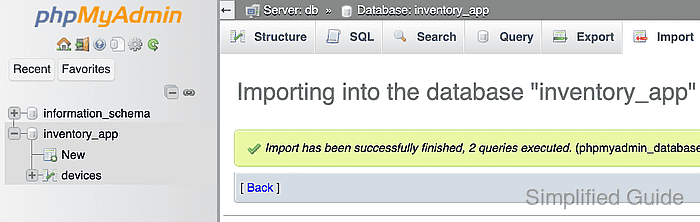
The selected database determines where unqualified CREATE TABLE and INSERT statements run. The breadcrumb above the tabs should name the intended database before a local file is chosen.
An SQL dump can drop, replace, or alter existing objects as well as create them. A recoverable export matters when the target contains data that must survive an incorrect file or an interrupted restore.
Steps to import an SQL file into a database with phpMyAdmin:
- Inspect the SQL file for unexpected destructive statements.
- Select the target database in phpMyAdmin's navigation panel.
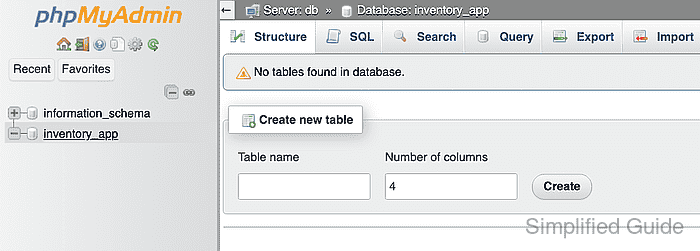
- Open the Import tab for the selected database.
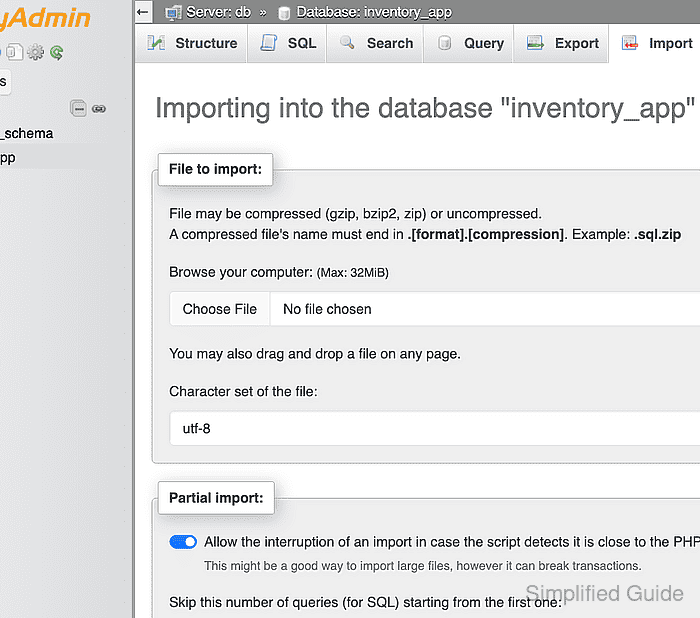
- Choose the SQL file under File to import.
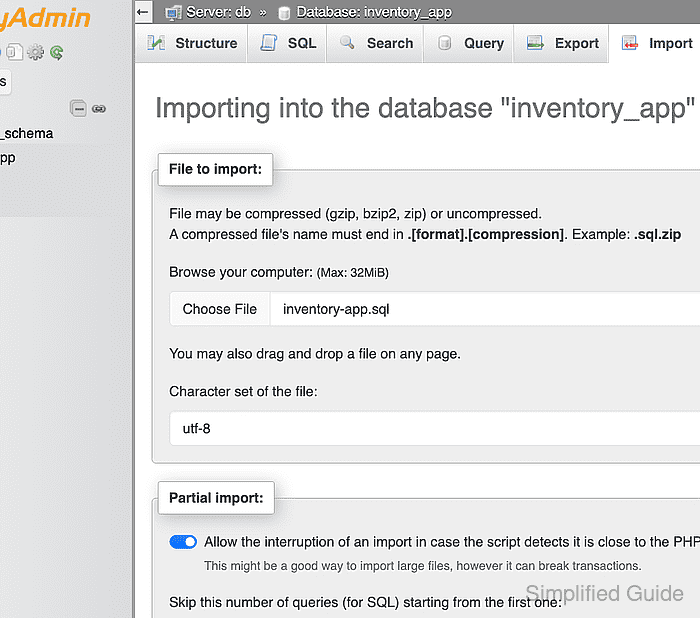
phpMyAdmin executes every statement in the file against the selected database; DROP, ALTER, DELETE, and overwrite-style statements can remove existing data.
- Submit the selected SQL file with the Import button.
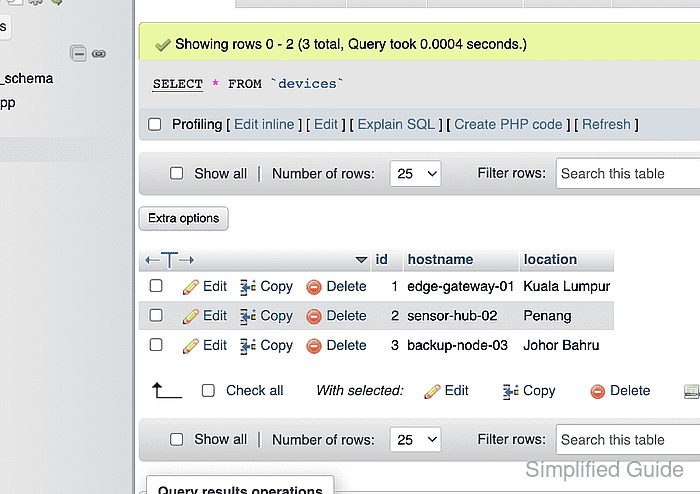
- Open a table created or populated by the SQL file from the navigation panel.
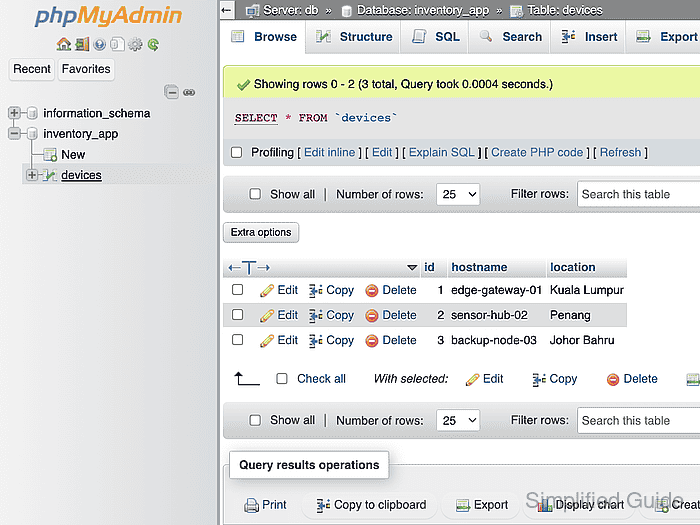
- Confirm the Browse result grid contains the expected row count and representative values from the SQL file.