PHP cURL requests need explicit proxy options when a script must leave through a controlled outbound proxy. Without those options, the same API call can work from a developer machine but fail in production with connection timeouts, proxy authentication errors, or traffic from the wrong egress address.
Set CURLOPT_PROXY on the cURL handle before calling curl_exec(). Add CURLOPT_PROXYAUTH and CURLOPT_PROXYUSERPWD only when the proxy requires credentials, and keep those credentials outside source code so copied scripts, logs, and support tickets do not expose them.
Use a proxy URL with a scheme such as http://proxy.example.net:3128 or socks5h://proxy.example.net:1080 so libcurl can choose the proxy type from the URL. Test the request in the same PHP runtime that will run the application, keep normal timeouts enabled, and continue checking cURL transport errors separately from the HTTP status returned by the target service.
Related: How to send a GET request with PHP cURL
Related: How to handle HTTP errors with PHP cURL
Related: How to set a timeout in PHP cURL
Related: How to configure SSL verification in PHP cURL
Steps to use a proxy with PHP cURL:
- Confirm that the PHP cURL extension is loaded in the runtime that will run the request.
$ php -r 'var_export(extension_loaded("curl")); echo PHP_EOL;'
true
Install or enable the platform cURL extension package, such as php-curl on Debian or Ubuntu systems, when this command prints false.
- Create a local origin endpoint that shows whether the request arrived through the test proxy.
- proxy-origin.php
<?php
header('Content-Type: application/json');

echo json_encode([
    'path' => parse_url($_SERVER['REQUEST_URI'], PHP_URL_PATH),
    'via_proxy' => $_SERVER['HTTP_X_PROXY_LAB'] ?? 'missing',
    'message' => 'request reached origin through proxy',
], JSON_PRETTY_PRINT | JSON_UNESCAPED_SLASHES) . PHP_EOL;
- Start the local origin endpoint in a second terminal.
$ php -S 127.0.0.1:8081 proxy-origin.php
Stop the built-in PHP server with Ctrl+C after the proxy test is complete.
- Create a minimal authenticated HTTP proxy for the repeatable local test.
- auth-proxy.py
from http.server import BaseHTTPRequestHandler, ThreadingHTTPServer
from urllib.parse import urlsplit
import base64
import http.client

expected = "Basic " + base64.b64encode(b"proxy-user:proxy-pass").decode()


class ProxyHandler(BaseHTTPRequestHandler):
    def do_GET(self):
        if self.headers.get("Proxy-Authorization") != expected:
            self.send_response(407)
            self.send_header("Proxy-Authenticate", 'Basic realm="proxy-lab"')
            self.end_headers()
            return

        target = urlsplit(self.path)
        if target.scheme != "http" or target.hostname != "127.0.0.1" or target.port != 8081:
            self.send_error(502, "proxy lab only forwards to http://127.0.0.1:8081")
            return

        path = target.path or "/"
        if target.query:
            path += "?" + target.query

        connection = http.client.HTTPConnection(target.hostname, target.port, timeout=5)
        connection.request("GET", path, headers={"X-Proxy-Lab": "authenticated-proxy"})
        response = connection.getresponse()
        body = response.read()

        self.send_response(response.status)
        self.send_header("Content-Type", response.getheader("Content-Type", "application/octet-stream"))
        self.send_header("Content-Length", str(len(body)))
        self.end_headers()
        self.wfile.write(body)
        connection.close()

    def log_message(self, format, *args):
        return


ThreadingHTTPServer(("127.0.0.1", 8888), ProxyHandler).serve_forever()
The local proxy accepts only proxy-user:proxy-pass and forwards only to http://127.0.0.1:8081. Use it as disposable test infrastructure, not as an application component.
- Start the local proxy in a third terminal.
$ python3 auth-proxy.py
Stop the proxy with Ctrl+C after the cURL request has been tested.
- Create the PHP cURL client script.
- proxied-request.php
<?php
$url = getenv('TARGET_URL') ?: 'http://127.0.0.1:8081/status';
$proxy = getenv('HTTP_PROXY_URL') ?: 'http://127.0.0.1:8888';
$proxyCredentials = getenv('HTTP_PROXY_CREDENTIALS');
if ($proxyCredentials === false) {
    $proxyCredentials = 'proxy-user:proxy-pass';
}

$curl = curl_init($url);
if ($curl === false) {
    fwrite(STDERR, 'Could not initialize cURL' . PHP_EOL);
    exit(1);
}

$options = [
    CURLOPT_RETURNTRANSFER => true,
    CURLOPT_PROXY => $proxy,
    CURLOPT_TIMEOUT => 10,
];

if ($proxyCredentials !== '') {
    $options[CURLOPT_PROXYAUTH] = CURLAUTH_BASIC;
    $options[CURLOPT_PROXYUSERPWD] = $proxyCredentials;
}

curl_setopt_array($curl, $options);

$response = curl_exec($curl);

if ($response === false) {
    $errno = curl_errno($curl);
    $error = curl_error($curl);
    curl_close($curl);

    fwrite(STDERR, "cURL error {$errno}: {$error}" . PHP_EOL);
    exit(1);
}

$status = curl_getinfo($curl, CURLINFO_RESPONSE_CODE);
curl_close($curl);

echo "HTTP status: {$status}" . PHP_EOL;
echo $response;

if ($status < 200 || $status >= 300) {
    exit(1);
}
When the proxy URL includes http://, https://, socks4://, socks4a://, socks5://, or socks5h://, libcurl can infer the proxy type from the URL. Set CURLOPT_PROXYTYPE only when the proxy string omits a scheme or application policy requires an explicit type.
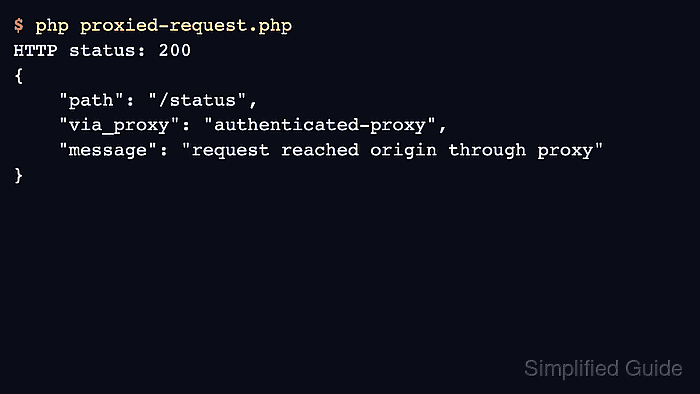
- Run the client script and confirm the origin sees the proxy-added marker.
$ php proxied-request.php
HTTP status: 200
{
    "path": "/status",
    "via_proxy": "authenticated-proxy",
    "message": "request reached origin through proxy"
}
The via_proxy value proves the request passed through the proxy before reaching the origin. A 407 response points to proxy credentials or proxy authentication method; a cURL error before any HTTP status points to proxy address, DNS, TLS, timeout, or connectivity problems.
- Replace the local defaults with the real proxy and target endpoint in the application environment.
$ HTTP_PROXY_URL=http://proxy.example.net:3128 HTTP_PROXY_CREDENTIALS="$PROXY_USER:$PROXY_PASS" TARGET_URL=https://api.example.com/status php proxied-request.php
Do not embed production proxy credentials in the PHP file or commit them to source control. Read them from the runtime environment, secret manager, or deployment configuration used by the application.

Mohd Shakir Zakaria is a cloud architect with deep roots in software development and open-source advocacy. Certified in AWS, Red Hat, VMware, ITIL, and Linux, he specializes in designing and managing robust cloud and on-premises infrastructures.


