HTTP Basic endpoints reject requests that do not send a valid username and password in the Authorization header. In PHP cURL, let libcurl build that header from CURLOPT_USERPWD and then check both the cURL transfer result and the HTTP status returned by the API.
Basic authentication sends credentials as an encoded value, not an encrypted secret, so use it over HTTPS for real API calls. The local http://127.0.0.1 endpoint in the steps is only a repeatable smoke test for the cURL options.
Setting CURLOPT_HTTPAUTH to CURLAUTH_BASIC makes the intended authentication scheme explicit. Store real credentials outside source code, avoid printing verbose cURL traces that include request headers, and use CURLOPT_USERNAME plus CURLOPT_PASSWORD instead of CURLOPT_USERPWD when a username can contain a colon.
Steps to use basic authentication with PHP cURL:
- Confirm that the PHP cURL extension is loaded in the runtime that will run the script.
$ php -r "var_export(extension_loaded('curl')); echo PHP_EOL;"
true
Install the platform package for the extension, such as php-curl on Debian or Ubuntu systems, when this command prints false.
- Create a local Basic Auth endpoint for a repeatable test, or skip this step when an existing protected HTTPS API endpoint is available.
<?php
$user = 'apiuser';
$pass = 'correct-horse-battery-staple';

if (!isset($_SERVER['PHP_AUTH_USER'], $_SERVER['PHP_AUTH_PW']) || $_SERVER['PHP_AUTH_USER'] !== $user || $_SERVER['PHP_AUTH_PW'] !== $pass) {
    header('WWW-Authenticate: Basic realm="Example API"');
    http_response_code(401);
    echo "authentication required";
    return;
}

header('Content-Type: text/plain');
echo "Authenticated as " . $_SERVER['PHP_AUTH_USER'];
Run the local endpoint in a second terminal with php -S 127.0.0.1:8080 basic-auth-server.php while testing the client script.
- Create the PHP cURL client script.
<?php
$url = 'http://127.0.0.1:8080/secure';
$username = 'apiuser';
$password = 'correct-horse-battery-staple';

$ch = curl_init($url);
curl_setopt_array($ch, [
    CURLOPT_RETURNTRANSFER => true,
    CURLOPT_USERPWD => $username . ':' . $password,
    CURLOPT_HTTPAUTH => CURLAUTH_BASIC,
]);

$response = curl_exec($ch);
if ($response === false) {
    fwrite(STDERR, 'cURL error: ' . curl_error($ch) . PHP_EOL);
    exit(1);
}

$httpCode = curl_getinfo($ch, CURLINFO_RESPONSE_CODE);
curl_close($ch);

if ($httpCode < 200 || $httpCode >= 300) {
    fwrite(STDERR, "HTTP status: {$httpCode}" . PHP_EOL);
    fwrite(STDERR, "Response body: {$response}" . PHP_EOL);
    exit(1);
}

echo "HTTP status: {$httpCode}" . PHP_EOL;
echo "Response body: {$response}" . PHP_EOL;
Replace the local http://127.0.0.1:8080/secure URL with an https:// API URL before sending real credentials. Do not commit production usernames, passwords, tokens, or copied Authorization headers into the application repository.
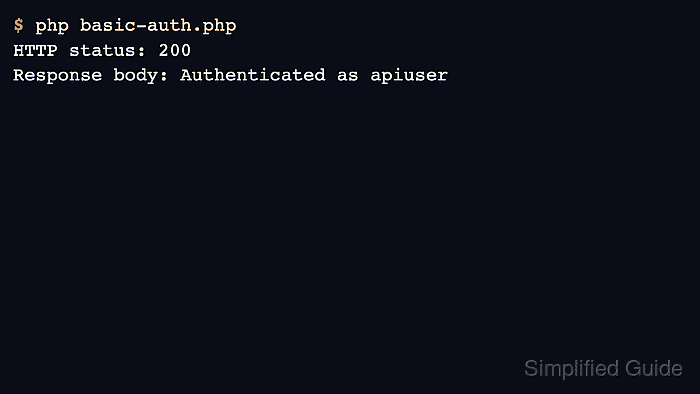
- Run the client script and confirm the endpoint accepts the credentials.
$ php basic-auth.php
HTTP status: 200
Response body: Authenticated as apiuser
- Test the failure path before using the pattern in application code. Change the password temporarily and run the same script again; the server should return 401 and the script should exit with an error instead of treating the response body as authenticated data.
A 401 status usually means the username, password, realm, or target endpoint is wrong. A cURL error printed before any HTTP status points to a transport problem such as DNS, TLS trust, connection refusal, or a proxy setting.

Mohd Shakir Zakaria is a cloud architect with deep roots in software development and open-source advocacy. Certified in AWS, Red Hat, VMware, ITIL, and Linux, he specializes in designing and managing robust cloud and on-premises infrastructures.


