Video files often need still-image samples before labeling, debugging, thumbnail creation, or downstream measurement. OpenCV handles that job by opening the file with VideoCapture and saving selected frames as image files with imwrite().
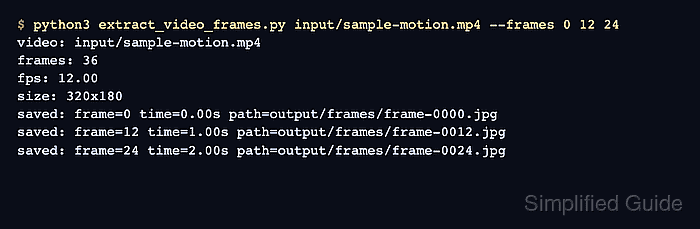
The Python script opens one video file, reads its metadata, seeks to requested zero-based frame indexes, and writes each selected frame into an output folder. Keeping the frame numbers explicit makes the saved filenames match the points sampled from the source video.
Frame seeking depends on the local video backend and codec. For fixed-frame-rate files, the timestamp printed by the script comes from the requested frame number and the FPS reported by the video file, so adjacent frame numbers may be needed when the exact visual moment sits between frames.
Steps to extract video frames with OpenCV:
- Create folders for the source video and extracted frames.
$ mkdir -p input output
- Copy the video file into the input folder.
$ cp ~/Videos/sample-motion.mp4 input/sample-motion.mp4
Replace ~/Videos/sample-motion.mp4 with the video to sample. If the filename changes, use the same path when running the script.
- Save the frame extraction script.
- extract_video_frames.py
#!/usr/bin/env python3
import argparse
import sys
from pathlib import Path

import cv2 as cv


parser = argparse.ArgumentParser(description="Extract selected frames from a video with OpenCV.")
parser.add_argument("video", help="video file to read")
parser.add_argument(
    "--output-dir",
    default="output/frames",
    help="directory for extracted images",
)
parser.add_argument(
    "--frames",
    nargs="+",
    type=int,
    required=True,
    help="0-based frame numbers to save",
)
parser.add_argument("--prefix", default="frame", help="output filename prefix")
args = parser.parse_args()

video_path = Path(args.video)
output_dir = Path(args.output_dir)

capture = cv.VideoCapture(str(video_path))
if not capture.isOpened():
    sys.exit(f"Could not open video: {video_path}")

try:
    total_frames = int(capture.get(cv.CAP_PROP_FRAME_COUNT))
    fps = capture.get(cv.CAP_PROP_FPS)
    width = int(capture.get(cv.CAP_PROP_FRAME_WIDTH))
    height = int(capture.get(cv.CAP_PROP_FRAME_HEIGHT))
    output_dir.mkdir(parents=True, exist_ok=True)

    print(f"video: {video_path}")
    print(f"frames: {total_frames}")
    print(f"fps: {fps:.2f}")
    print(f"size: {width}x{height}")

    for frame_number in args.frames:
        if frame_number < 0:
            sys.exit(f"Frame index must be zero or greater: {frame_number}")
        if total_frames and frame_number >= total_frames:
            sys.exit(
                f"Frame {frame_number} is outside the video length of {total_frames} frames"
            )

        capture.set(cv.CAP_PROP_POS_FRAMES, frame_number)
        ok, frame = capture.read()
        if not ok or frame is None:
            sys.exit(f"Could not read frame {frame_number}")

        output_path = output_dir / f"{args.prefix}-{frame_number:04d}.jpg"
        if not cv.imwrite(str(output_path), frame):
            sys.exit(f"Could not write frame image: {output_path}")

        timestamp = frame_number / fps if fps > 0 else None
        time_label = f"{timestamp:.2f}s" if timestamp is not None else "unknown"
        print(f"saved: frame={frame_number} time={time_label} path={output_path}")
finally:
    capture.release()
Frame indexes are zero-based. The script exits before writing a file when a requested index is negative, outside the reported frame count, or unreadable.
- Run the script for the frames to extract.
$ python3 extract_video_frames.py input/sample-motion.mp4 --frames 0 12 24
video: input/sample-motion.mp4
frames: 36
fps: 12.00
size: 320x180
saved: frame=0 time=0.00s path=output/frames/frame-0000.jpg
saved: frame=12 time=1.00s path=output/frames/frame-0012.jpg
saved: frame=24 time=2.00s path=output/frames/frame-0024.jpg
Use frame numbers that match the sampling points needed from the source video. If FPS metadata is unavailable, the script still writes the frames and prints time=unknown.
- List the extracted frame files.
$ ls output/frames
frame-0000.jpg
frame-0012.jpg
frame-0024.jpg
- Verify that OpenCV can open one extracted frame.
$ python3 -c "import cv2 as cv; image = cv.imread('output/frames/frame-0012.jpg'); print(image.shape if image is not None else 'not readable')"
(180, 320, 3)
The tuple is height, width, and color channels. A not readable result means OpenCV could not decode the saved image file.

Mohd Shakir Zakaria is a cloud architect with deep roots in software development and open-source advocacy. Certified in AWS, Red Hat, VMware, ITIL, and Linux, he specializes in designing and managing robust cloud and on-premises infrastructures.


