Affine transforms move an image plane through translation, rotation, scale, and shear while keeping straight parallel lines parallel. In OpenCV, they fit preprocessing work before measurement, matching, or annotation when a source image needs to line up with the coordinate frame expected by later code.
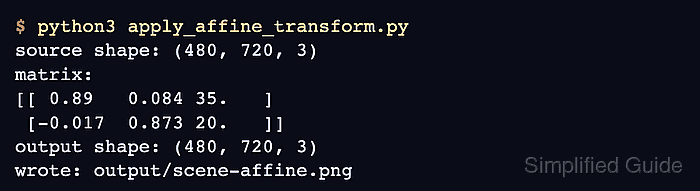
Python code uses three point pairs because three non-collinear source points determine the affine mapping. cv.getAffineTransform() returns a 2×3 matrix, and cv.warpAffine() samples the input image through that matrix into a destination image.
The destination size passed to cv.warpAffine() uses width, height order. Keep that order separate from image shapes, which OpenCV and NumPy report as height, width, channels, or the transformed image can be clipped or sized incorrectly.
Steps to apply an affine transform with OpenCV:
- Create the input directory for the source image.
$ mkdir -p input
- Copy the image into the expected path.
$ cp scene.png input/scene.png
Replace scene.png with the image to transform. Keep input_path aligned with the project layout when the image already lives somewhere else.
- Create the affine transform script.
- apply_affine_transform.py
from pathlib import Path

import cv2 as cv
import numpy as np


input_path = Path("input/scene.png")
output_path = Path("output/scene-affine.png")

image = cv.imread(str(input_path))
if image is None:
    raise SystemExit(f"Could not read {input_path}")

height, width = image.shape[:2]
source_points = np.float32([
    [0, 0],
    [width - 1, 0],
    [0, height - 1],
])
target_points = np.float32([
    [35, 20],
    [width - 45, 8],
    [75, height - 42],
])

matrix = cv.getAffineTransform(source_points, target_points)
warped = cv.warpAffine(
    image,
    matrix,
    (width, height),
    flags=cv.INTER_LINEAR,
    borderMode=cv.BORDER_REFLECT,
)

output_path.parent.mkdir(parents=True, exist_ok=True)
if not cv.imwrite(str(output_path), warped):
    raise SystemExit(f"Could not write {output_path}")

print(f"source shape: {image.shape}")
print("matrix:")
print(np.array2string(matrix, precision=3, suppress_small=True))
print(f"output shape: {warped.shape}")
print(f"wrote: {output_path}")
- Run the script and confirm that OpenCV wrote the transformed image.
$ python3 apply_affine_transform.py
source shape: (480, 720, 3)
matrix:
[[ 0.89   0.084 35.   ]
 [-0.017  0.873 20.   ]]
output shape: (480, 720, 3)
wrote: output/scene-affine.png
- Change the source and destination point pairs for the required alignment.
source_points = np.float32([
    [0, 0],
    [width - 1, 0],
    [0, height - 1],
])
target_points = np.float32([
    [35, 20],
    [width - 45, 8],
    [75, height - 42],
])
The three source points must not sit on one straight line. Match each destination point to the same corner or landmark position in the output image.
- Keep the warp size in width, height order.
warped = cv.warpAffine(
    image,
    matrix,
    (width, height),
    flags=cv.INTER_LINEAR,
    borderMode=cv.BORDER_REFLECT,
)
cv.INTER_LINEAR uses bilinear interpolation for general image warps. cv.BORDER_REFLECT fills newly exposed edges from nearby pixels; use cv.BORDER_CONSTANT with borderValue when the output should have a solid background.
- Review the transformed output image.
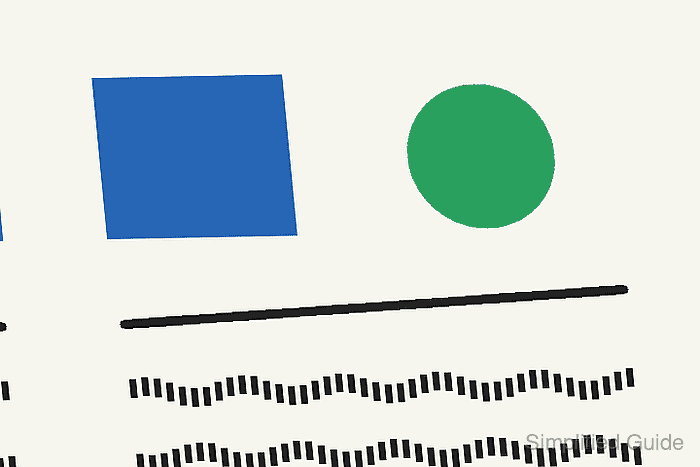
The rectangle, circle, line, and lower marks should shift and shear together while straight parallel edges stay parallel.
- Remove the sample script after adapting the transform.
$ rm apply_affine_transform.py

Mohd Shakir Zakaria is a cloud architect with deep roots in software development and open-source advocacy. Certified in AWS, Red Hat, VMware, ITIL, and Linux, he specializes in designing and managing robust cloud and on-premises infrastructures.


