Administrators of a shared Open WebUI instance change settings that affect every user, while people sign in from different browsers and networks. An audit log makes Open WebUI write those requests to a separate file as JSON entries, so a settings change can be traced to the administrator who saved it and every sign-in attempt leaves a timestamped record.
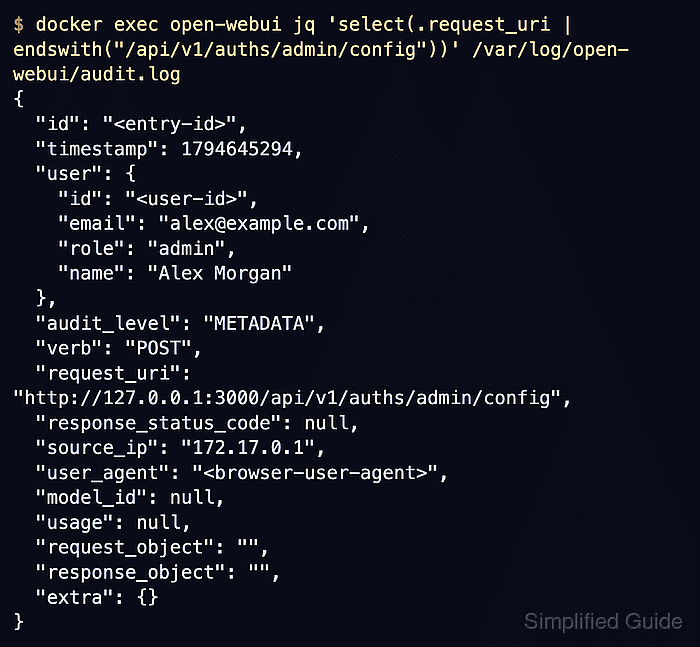
Audit logging stays off until the AUDIT_LOG_LEVEL environment variable names a level, and Open WebUI reads that value only when its container is created. At METADATA, each entry holds the time, request path, source address, browser and, for a signed-in request, the account's name, email and role, without any request or response content. Sign-in requests are recorded before a session exists, so their entries name neither the account nor the outcome, and a mistyped password leaves the same entry as a successful sign-in.
REQUEST and REQUEST_RESPONSE also store request and response bodies, which can include prompts, notes and personal settings, so a log at those levels needs the same protection as the conversations themselves. Only REQUEST_RESPONSE records HTTP status codes and so separates failed sign-ins from successful ones, although sign-in bodies stay out of the log at every level. The audit file is separate from the container output read with docker logs, and its own Docker volume keeps it apart from the application data volume that backups and restores replace.
Steps to enable audit logging in Open WebUI with Docker:
- Change to the ~/open-webui directory that holds open-webui.env.
$ cd ~/open-webui
The directory, env file, open-webui container and open-webui data volume match a standard single-container installation. An installation that uses other names needs them substituted.
Related: How to run Open WebUI with Docker - Open open-webui.env in your text editor.
The file already holds the WEBUI_SECRET_KEY line, which stays unchanged because a different key signs every user out and can make stored integration credentials unreadable.
- Add the following lines at the end of open-webui.env to enable audit logging at the METADATA level.
- open-webui.env
AUDIT_LOG_LEVEL=METADATA
AUDIT_LOGS_FILE_PATH=/var/log/open-webui/audit.log
Without AUDIT_LOGS_FILE_PATH, the log is written to /app/backend/data/audit.log inside the data volume. Only POST, PUT, PATCH and DELETE requests are recorded, and requests under /chat, /chats and /folders are skipped unless AUDIT_EXCLUDED_PATHS changes. The file rotates into a zip archive beside it at 10MB, set by AUDIT_LOG_FILE_ROTATION_SIZE.
Setting REQUEST or REQUEST_RESPONSE instead stores up to 2048 bytes of each recorded request body, and response bodies at REQUEST_RESPONSE, so the audit file can then hold prompts, notes and user settings. JSON fields named like passwords, tokens, secrets or keys are masked in those bodies, but other personal content is not.
- Save open-webui.env.
The file must stay readable only by its owner because it holds the secret key.
- Display the image that the current open-webui container runs.
$ docker inspect --format '{{.Config.Image}}' open-webui
ghcr.io/open-webui/open-webui:v0.13.3
The replacement container uses this same image so that enabling audit logging does not also upgrade Open WebUI. The audit settings and log fields shown here are those of Open WebUI 0.13.3.
Related: How to update Open WebUI in Docker - Stop the open-webui container.
$ docker stop open-webui
open-webui
Open WebUI is unavailable to every user from now until the replacement container finishes starting.
- Remove the stopped open-webui container.
$ docker rm open-webui
open-webui
This removes only the container. Users, chats and settings stay in the named open-webui volume for the replacement container.
- Start a replacement open-webui container with the audit log volume.
$ docker run --detach \
  --name open-webui \
  --publish 127.0.0.1:3000:8080 \
  --add-host=host.docker.internal:host-gateway \
  --env-file open-webui.env \
  --mount type=volume,source=open-webui,target=/app/backend/data \
  --mount type=volume,source=open-webui-audit,target=/var/log/open-webui \
  --restart unless-stopped \
  ghcr.io/open-webui/open-webui:v0.13.3
The image on the last line is the one that docker inspect displayed, and the command prints the new container ID. The second --mount creates the named volume open-webui-audit on first use and keeps the audit file through later re-creations. Every other option repeats the original container, so an installation started with extra environment variables, ports or mounts needs those options here too. docker restart would keep the old environment and leave audit logging off.
- Confirm that audit.log exists on the audit volume.
$ docker exec open-webui ls -l /var/log/open-webui
total 0
-rw-r--r-- 1 root root 0 Nov 14 08:34 audit.log
The empty file appears as soon as Open WebUI starts with audit logging enabled. An empty listing means the container started without AUDIT_LOG_LEVEL or with a different AUDIT_LOGS_FILE_PATH. A container that is not running needs its startup errors read with docker logs.
Related: How to view Open WebUI Docker logs - Open http://127.0.0.1:3000 in a private browser window.
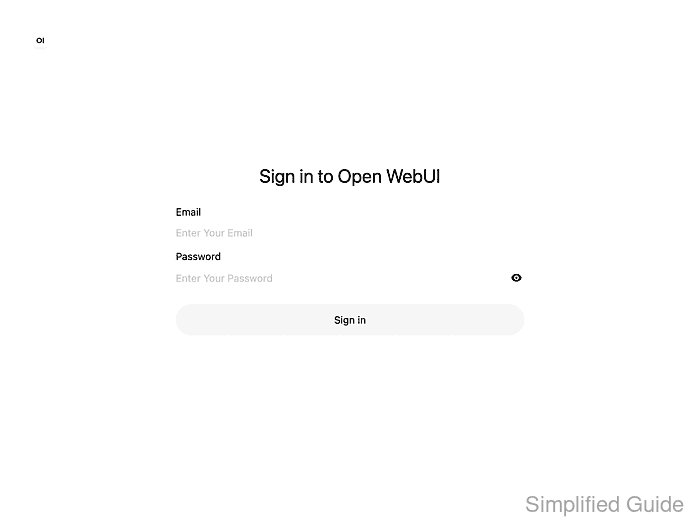
A private window has no existing session, so the next sign-in is a new one. Startup can take up to a minute after the container starts.
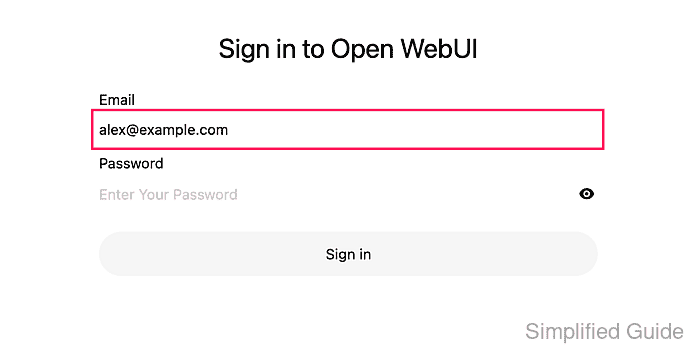
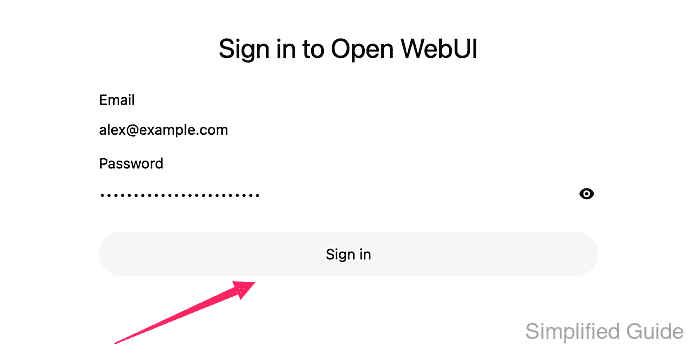
- Enter the administrator's email address in Email.
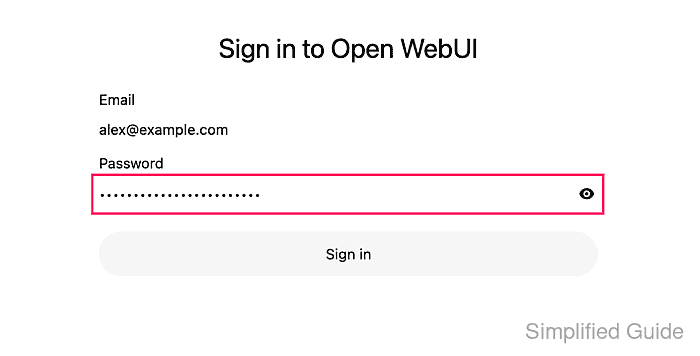
- Enter the administrator's password in Password.
- Click Sign in.
- Click the account avatar in the lower-left corner of the workspace.
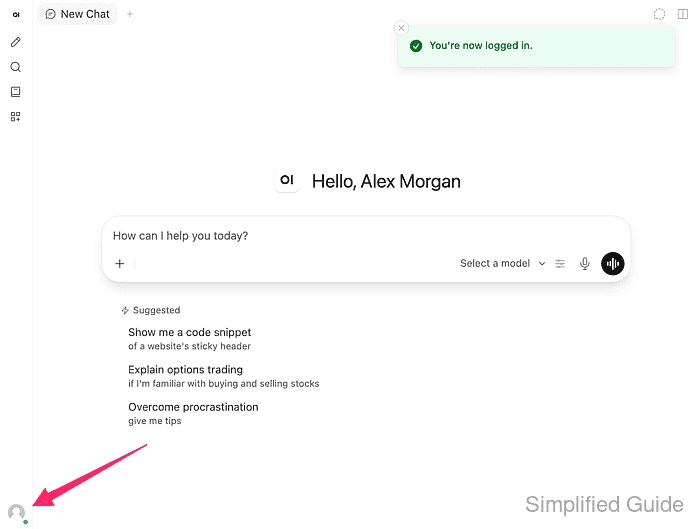
You're now logged in. confirms the sign-in.
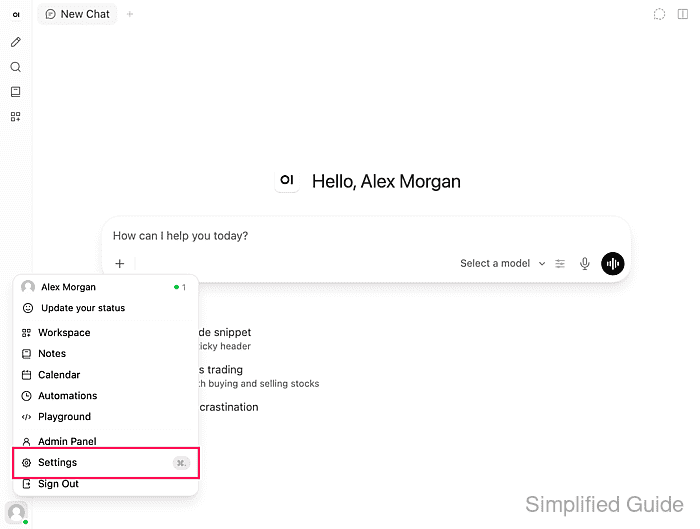
- Select Settings in the user menu.
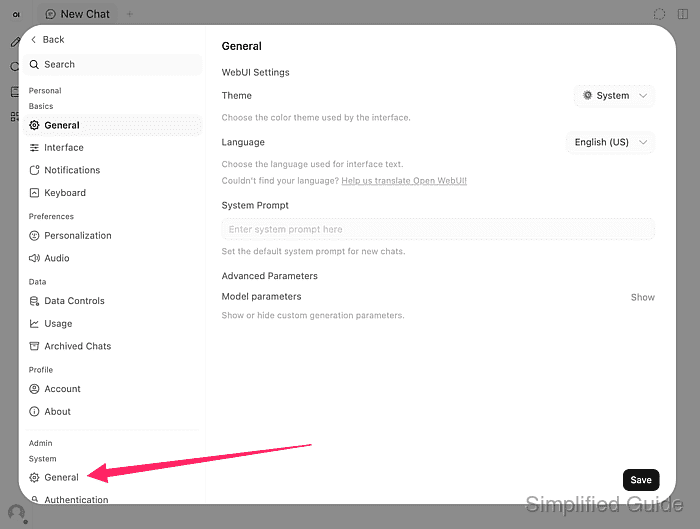
- Select General under Admin in the settings sidebar.
- Turn off Community Sharing.
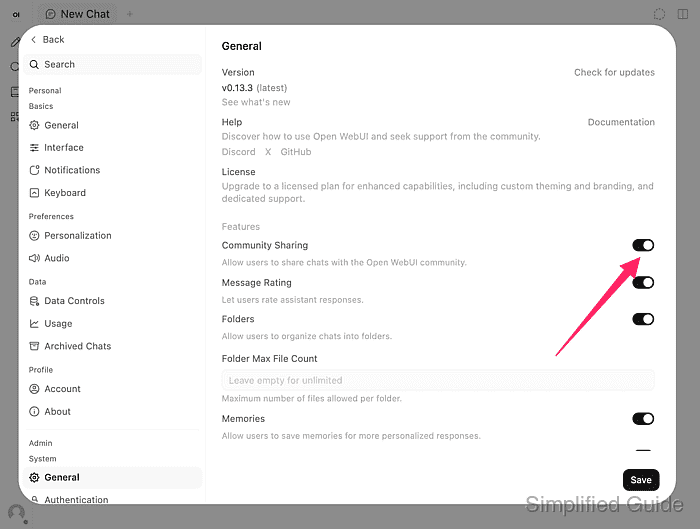
Any saved change in the administrator settings serves as the test. Community Sharing lets users share chats with the Open WebUI community; switching it back on later is recorded as another settings save.
- Click Save.
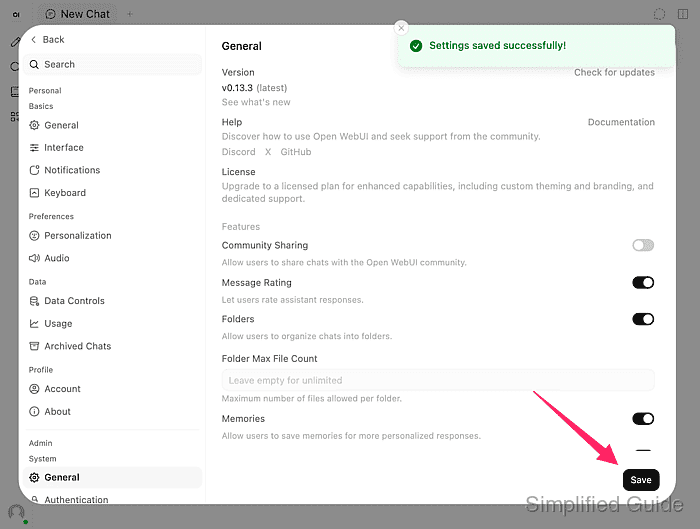
Settings saved successfully! appears when the change is stored.
- Show the audit entry for the sign-in.
$ docker exec open-webui jq \
  'select(.request_uri | endswith("/api/v1/auths/signin"))' \
  /var/log/open-webui/audit.log
{
  "id": "<entry-id>",
  "timestamp": 1794645284,
  "user": {},
  "audit_level": "METADATA",
  "verb": "POST",
  "request_uri": "http://127.0.0.1:3000/api/v1/auths/signin",
  "response_status_code": null,
  "source_ip": "172.17.0.1",
  "user_agent": "<browser-user-agent>",
  "model_id": null,
  "usage": null,
  "request_object": "",
  "response_object": "",
  "extra": {}
}
The jq program in the Open WebUI image prints each matching log line as indented JSON. timestamp is in Unix seconds. The empty user and the null status appear on every sign-in entry at METADATA, whether the password was right or wrong. A browser sign-in is followed in the same second by an /api/v1/auths/update/timezone entry that names the account. A browser on the Docker host appears with the Docker network gateway as source_ip. Entry IDs, the user ID and the browser string are replaced here.
- Show the audit entry for the settings save.
$ docker exec open-webui jq \
  'select(.request_uri | endswith("/api/v1/auths/admin/config"))' \
  /var/log/open-webui/audit.log
{
  "id": "<entry-id>",
  "timestamp": 1794645294,
  "user": {
    "id": "<user-id>",
    "email": "alex@example.com",
    "role": "admin",
    "name": "Alex Morgan"
  },
  "audit_level": "METADATA",
  "verb": "POST",
  "request_uri": "http://127.0.0.1:3000/api/v1/auths/admin/config",
  "response_status_code": null,
  "source_ip": "172.17.0.1",
  "user_agent": "<browser-user-agent>",
  "model_id": null,
  "usage": null,
  "request_object": "",
  "response_object": "",
  "extra": {}
}
user names the administrator who saved the change, and timestamp places it ten seconds after the sign-in here. METADATA does not record which setting changed or its new value. The same save also writes an /api/v1/configs/banners entry.