Large text files are safer to process incrementally when a Node.js job needs only a bounded amount of data in memory at once. A readable file stream supplies chunks as the file system makes them available, which suits log scans and import jobs.
The fs.createReadStream() method returns a readable stream, and async iteration consumes it to end-of-file while propagating a read failure to the surrounding try / catch block. Setting encoding to utf8 makes each chunk a string instead of a Buffer.
A chunk can end halfway through a line, so the parser must carry the unfinished suffix into the next chunk. The sample lowers highWaterMark to 32 bytes only to expose that boundary; application code should keep the default unless measurements justify tuning it.
Steps to read a file stream in Node.js:
- Create the sample log file as events.log.
- events.log
2026-06-28T09:00:00Z INFO stream opened
2026-06-28T09:00:01Z INFO chunk accepted
2026-06-28T09:00:02Z ERROR payment retry queued
2026-06-28T09:00:03Z INFO stream closed
- Create read-stream.mjs with the stream configuration and counters.
- read-stream.mjs
import { createReadStream } from "node:fs";

const filePath = process.argv[2] ?? "events.log";
const stream = createReadStream(filePath, {
  encoding: "utf8",
  highWaterMark: 32,
});

let chunks = 0;
let bytes = 0;
let lines = 0;
let errorLines = 0;
let carry = "";
- Append the record-counting helper to read-stream.mjs.
- read-stream.mjs
function countRecord(record) {
  if (record === "") return;

  lines += 1;
  if (record.includes("ERROR")) {
    errorLines += 1;
  }
}
- Append the chunk loop after countRecord().
- read-stream.mjs
try {
  for await (const chunk of stream) {
    chunks += 1;
    bytes += Buffer.byteLength(chunk, "utf8");

    const records = (carry + chunk).split("\n");
    carry = records.pop() ?? "";

    for (const record of records) {
      countRecord(record);
    }
  }
- Append the completion and error-handling section below the chunk loop.
- read-stream.mjs
  countRecord(carry);

  console.log(`file=${filePath}`);
  console.log(`chunks=${chunks}`);
  console.log(`bytes=${bytes}`);
  console.log(`lines=${lines}`);
  console.log(`errorLines=${errorLines}`);
} catch (error) {
  console.error(`Failed to read ${filePath}: ${error.code ?? error.message}`);
  process.exitCode = 1;
}
The try / catch block receives stream errors from async iteration and leaves the process with exit status 1 after a failed read.
- Compare the assembled read-stream.mjs with the complete source.
- read-stream.mjs
import { createReadStream } from "node:fs";

const filePath = process.argv[2] ?? "events.log";
const stream = createReadStream(filePath, {
  encoding: "utf8",
  highWaterMark: 32,
});

let chunks = 0;
let bytes = 0;
let lines = 0;
let errorLines = 0;
let carry = "";

function countRecord(record) {
  if (record === "") return;

  lines += 1;
  if (record.includes("ERROR")) {
    errorLines += 1;
  }
}

try {
  for await (const chunk of stream) {
    chunks += 1;
    bytes += Buffer.byteLength(chunk, "utf8");

    const records = (carry + chunk).split("\n");
    carry = records.pop() ?? "";

    for (const record of records) {
      countRecord(record);
    }
  }

  countRecord(carry);

  console.log(`file=${filePath}`);
  console.log(`chunks=${chunks}`);
  console.log(`bytes=${bytes}`);
  console.log(`lines=${lines}`);
  console.log(`errorLines=${errorLines}`);
} catch (error) {
  console.error(`Failed to read ${filePath}: ${error.code ?? error.message}`);
  process.exitCode = 1;
}
- Check the missing-file error path.
$ node read-stream.mjs missing.log
Failed to read missing.log: ENOENT
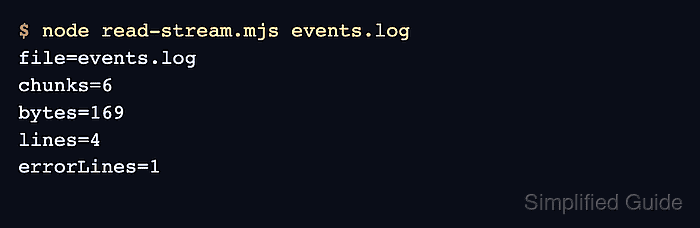
- Run the stream reader against events.log.
$ node read-stream.mjs events.log
file=events.log
chunks=6
bytes=169
lines=4
errorLines=1