Programs that generate reports or export data need an explicit filesystem boundary between in-memory values and a durable artifact. Node.js provides promise-based filesystem methods that let a program wait for a completed write without using synchronous file calls.
The writeFile() method from node:fs/promises suits small payloads that are already held in memory. Resolving the destination from import.meta.url keeps the output beside the script, while flag: “wx” refuses an existing path instead of truncating its content.
Large or incremental payloads belong in a writable stream. For a small text file, reading the completed file back and comparing it with the prepared string exposes a partial or altered write before the program reports success.
Steps to write a text file with Node.js fs promises:
- Create write-report.mjs with the filesystem boundary for the generated report.
- write-report.mjs
import { mkdir, readFile, writeFile } from "node:fs/promises";

const outputDirectory = new URL("./output/", import.meta.url);
const reportUrl = new URL("daily-report.txt", outputDirectory);
- Append UTF-8 report content derived from an in-memory record array to write-report.mjs.
- write-report.mjs
const records = [
  { id: 101, status: "ready" },
  { id: 102, status: "ready" },
  { id: 103, status: "queued" },
];

const body = [
  "Daily job report",
  `Items written: ${records.length}`,
  `Ready items: ${records.filter((record) => record.status === "ready").length}`,
  "",
].join("\n");
- Append the create-only filesystem writer to write-report.mjs.
- write-report.mjs
async function writeReport() {
  await mkdir(outputDirectory, { recursive: true });
  await writeFile(reportUrl, body, { encoding: "utf8", flag: "wx" });
}
flag: “wx” rejects an existing destination with EEXIST. The default flag: “w” would replace its content.
- Append the read-back verification function to write-report.mjs.
- write-report.mjs
async function verifyReport() {
  const saved = await readFile(reportUrl, "utf8");

  if (saved !== body) {
    throw new Error("Saved report does not match generated text");
  }

  return saved;
}
- Append the main execution block with existing-file error handling to write-report.mjs.
- write-report.mjs
try {
  await writeReport();
  const saved = await verifyReport();

  console.log("wrote=output/daily-report.txt");
  console.log(`bytes=${Buffer.byteLength(saved)}`);
  console.log(saved.trimEnd());
} catch (error) {
  if (error.code === "EEXIST") {
    console.error("output/daily-report.txt already exists");
    process.exitCode = 1;
  } else {
    throw error;
  }
}
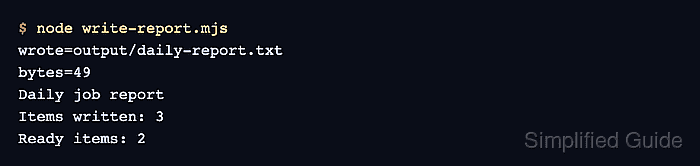
- Run write-report.mjs to create output/daily-report.txt with immediate read-back verification.
$ node write-report.mjs
wrote=output/daily-report.txt
bytes=49
Daily job report
Items written: 3
Ready items: 2
- Run write-report.mjs again to confirm that create-only mode refuses the existing file.
$ node write-report.mjs
output/daily-report.txt already exists
The second run exits with status 1 and leaves the first file unchanged.
- Read output/daily-report.txt after the refused write to confirm that its original content remains.
$ cat output/daily-report.txt
Daily job report
Items written: 3
Ready items: 2