LDAP authentication lets Nextcloud use an existing directory for user lookup while keeping files, shares, and app settings inside the Nextcloud instance. It is most useful when accounts, names, email addresses, and group membership already live in a central directory and Nextcloud should not become another place to create the same users by hand.
The LDAP user and group backend app stores its connection profile as a named configuration such as s01. The web wizard can create the same profile, but the occ ldap:* commands are easier to audit, repeat, and validate during a server migration or staged rollout.
Use a read-only bind account and narrow search bases before activating the configuration. A broad base DN or loose filter can expose service accounts, disabled users, or unrelated directory branches to Nextcloud search and login checks.
Steps to connect Nextcloud to LDAP with occ:
- Gather the directory values that Nextcloud should use.
LDAP host: ldap.example.com
Port: 389
Base DN: dc=example,dc=com
User base DN: ou=people,dc=example,dc=com
Group base DN: ou=groups,dc=example,dc=com
Bind DN: cn=nextcloud-reader,ou=service,dc=example,dc=com
User object class: inetOrgPerson
Login attributes: uid and mail
Use the actual directory suffix, bind account, and object classes from the LDAP administrator. For LDAPS or StartTLS environments, match the port and TLS policy required by the directory service.
- Open a shell in the Nextcloud installation directory.
$ cd /var/www/nextcloud
Use the directory that contains the occ file. On Debian and Ubuntu web-server installs, the web user is usually www-data.
Related: How to run Nextcloud occ commands - Confirm that occ can read the installed instance.
$ sudo -E -u www-data php occ status
  - installed: true
##### snipped #####
  - maintenance: false
- Enable the LDAP user backend app.
$ sudo -E -u www-data php occ app:enable user_ldap
user_ldap 1.24.0 enabled
If the app is already enabled, continue with the configuration.
Related: How to install a Nextcloud app - Create an empty LDAP configuration profile.
$ sudo -E -u www-data php occ ldap:create-empty-config
Created new configuration with configID s01
Keep the returned config ID. The remaining commands use s01; replace it if your server returns another ID.
- Set the LDAP host and port.
$ sudo -E -u www-data php occ ldap:set-config s01 ldapHost ldap.example.com
$ sudo -E -u www-data php occ ldap:set-config s01 ldapPort 389
Use a hostname that the Nextcloud server can resolve from the web-server environment, not only from an administrator workstation.
- Set the base DNs for users and groups.
$ sudo -E -u www-data php occ ldap:set-config s01 ldapBase 'dc=example,dc=com'
$ sudo -E -u www-data php occ ldap:set-config s01 ldapBaseUsers 'ou=people,dc=example,dc=com'
$ sudo -E -u www-data php occ ldap:set-config s01 ldapBaseGroups 'ou=groups,dc=example,dc=com'
Narrow user and group bases reduce search time and prevent unrelated directory branches from appearing in Nextcloud.
- Set the LDAP bind account.
$ sudo -E -u www-data php occ ldap:set-config s01 ldapAgentName 'cn=nextcloud-reader,ou=service,dc=example,dc=com'
$ sudo -E -u www-data php occ ldap:set-config s01 ldapAgentPassword 'directory-bind-password'
The bind password can appear in shell history, terminal logs, or process listings while the command runs. Use a dedicated low-privilege directory account and rotate the password if it is exposed.
- Set the user object class and search filter.
$ sudo -E -u www-data php occ ldap:set-config s01 ldapUserFilterObjectclass inetOrgPerson
$ sudo -E -u www-data php occ ldap:set-config s01 ldapUserFilter '(objectclass=inetOrgPerson)'
- Set the login filter.
$ sudo -E -u www-data php occ ldap:set-config s01 ldapLoginFilter '(&(|(objectclass=inetOrgPerson))(|(uid=%uid)(mail=%uid)))'
This example lets users sign in with either uid or mail. Keep the filter aligned with the attributes that are unique and reliable in the directory.
- Set the group filter.
$ sudo -E -u www-data php occ ldap:set-config s01 ldapGroupFilter '(objectclass=groupOfNames)'
Use the group object class from the directory, such as groupOfNames or the class used by your LDAP server.
- Set the display and internal username attributes.
$ sudo -E -u www-data php occ ldap:set-config s01 ldapUserDisplayName cn
$ sudo -E -u www-data php occ ldap:set-config s01 ldapExpertUsernameAttr uid
The display name controls what administrators and users see in the interface. The internal username attribute should be stable because it becomes part of the Nextcloud account mapping.
- Activate the LDAP configuration.
$ sudo -E -u www-data php occ ldap:set-config s01 ldapConfigurationActive 1
- Test the LDAP connection.
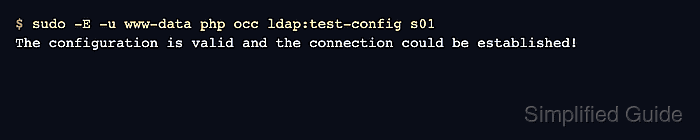
$ sudo -E -u www-data php occ ldap:test-config s01
The configuration is valid and the connection could be established!
A valid connection confirms that Nextcloud can reach the directory and bind with the saved account.
- Search for a known directory user.
$ sudo -E -u www-data php occ ldap:search ada
Ada Lovelace (ada)
Search for a user who belongs inside the configured user base. A missing result usually means the base DN, object class, login filter, or bind permissions are too narrow or pointed at the wrong branch.
- Sign in with the directory user or ask the user to complete a controlled login test.
Username: ada
Password: directory account password
The final proof is a successful login for a directory-backed user. Review Administration settings → Overview afterward so LDAP warnings, background jobs, and security checks are handled together.
Related: How to check Nextcloud administration overview warnings

Mohd Shakir Zakaria is a cloud architect with deep roots in software development and open-source advocacy. Certified in AWS, Red Hat, VMware, ITIL, and Linux, he specializes in designing and managing robust cloud and on-premises infrastructures.


