Nagios Core object templates keep repeated host or service settings out of each individual object definition. They fit monitoring environments where many hosts share check timing, retry behavior, notification windows, or contact groups while each real object keeps its own name and address.
Templates use the same define host or define service syntax as registered objects, but a template carries a name directive and register 0. A registered object inherits from a template with use, and any value set directly on the registered object overrides the inherited value.
Ubuntu and Debian packages commonly load /etc/nagios4/conf.d from /etc/nagios4/nagios.cfg. Source installs or older layouts may load a different directory from cfg_file or cfg_dir, so place the template file in a directory that the active Nagios Core configuration already reads.
Related: How to add a host in Nagios Core
Related: How to add a service check in Nagios Core
Related: How to define a Nagios Core check command
Steps to create a Nagios Core object template:
- List the object directories loaded by the active main configuration.
$ grep '^cfg_dir=' /etc/nagios4/nagios.cfg
cfg_dir=/etc/nagios-plugins/config
cfg_dir=/etc/nagios4/conf.d
Use /etc/nagios4/conf.d for site-specific objects on Ubuntu and Debian package installs, or add a separate custom object directory first. Nagios Core processes files ending in .cfg from cfg_dir directories.
Related: How to add a Nagios Core object configuration directory - Open a new object file in the custom object directory.
$ sudoedit /etc/nagios4/conf.d/\
object-template-create.cfg
Source installs commonly use /usr/local/nagios/etc/objects or another path named by cfg_file or cfg_dir in the main configuration.
- Add a reusable host template.
- object-template-create.cfg
define host {
    name                    web-host-template
    use                     linux-server
    check_interval          5
    retry_interval          1
    max_check_attempts      3
    notification_interval   60
    notification_period     24x7
    notification_options    d,u,r
    contact_groups          admins
    register                0
}
name is the template name that other objects reference, use lets this template inherit from an existing template, and register 0 prevents Nagios Core from treating the partial definition as a real host. register 0 is not inherited, so every partial template needs its own line.
- Add a host object that inherits the template.
- object-template-create.cfg
define host {
    use                     web-host-template
    host_name               web01.example.net
    alias                   Web application host
    address                 192.0.2.10
}
Local values such as host_name, alias, and address stay on the real host object. The retry, interval, notification, and contact settings come from web-host-template unless the host overrides them.
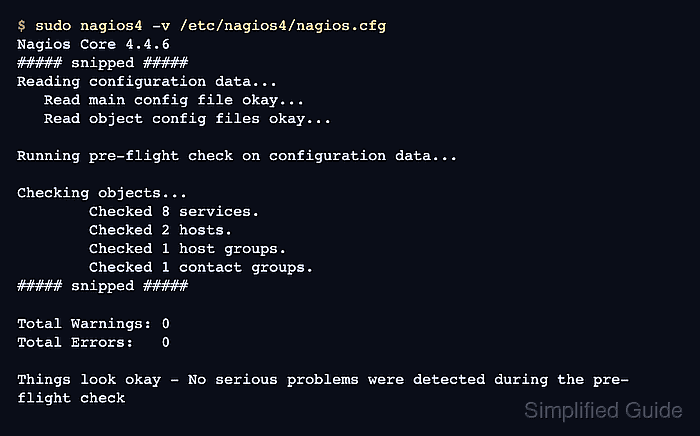
- Validate the Nagios Core object configuration.
$ sudo nagios4 -v \
  /etc/nagios4/nagios.cfg
Nagios Core 4.4.6
##### snipped #####
Reading configuration data...
   Read main config file okay...
   Read object config files okay...

Running pre-flight check on configuration data...

Checking objects...
	Checked 8 services.
	Checked 2 hosts.
	Checked 1 host groups.
	Checked 0 service groups.
	Checked 1 contacts.
	Checked 1 contact groups.
	Checked 180 commands.
	Checked 5 time periods.
##### snipped #####

Total Warnings: 0
Total Errors:   0

Things look okay - No serious problems were detected during the pre-flight check
- Reload the nagios4 service to apply the accepted object definitions.
$ sudo systemctl reload nagios4
Use a restart window instead when your platform does not provide a reload-capable nagios4 service unit.
Related: How to manage the Nagios Core system service - Confirm the inherited host was loaded into the object cache.
$ sudo grep web01.example.net \
  /var/lib/nagios4/objects.cache
	host_name	web01.example.net
Use the object_cache_file path from /etc/nagios4/nagios.cfg when your installation stores the runtime object cache somewhere else.

Mohd Shakir Zakaria is a cloud architect with deep roots in software development and open-source advocacy. Certified in AWS, Red Hat, VMware, ITIL, and Linux, he specializes in designing and managing robust cloud and on-premises infrastructures.


