NCPA gives Nagios Core and Nagios XI a token-protected HTTPS agent on Linux hosts that need local metrics, plugin execution, and optional passive submissions. It fits servers where the monitoring system should poll CPU, memory, disk, process, and agent-version data through one listener instead of maintaining separate agents for each check style.
Current NCPA 3 Linux packages install under /usr/local/ncpa and keep the main configuration in /usr/local/ncpa/etc/ncpa.cfg. The Ubuntu and Debian package path uses the Nagios APT repository with the current vendor signing key; supported RPM-based hosts should use the matching Nagios repository and then continue with the same token, service, firewall, and API checks.
Change the default API token before exposing TCP port 5693, and allow the listener only from the Nagios server or another trusted monitoring network. A completed install should show the ncpa service active and return authenticated JSON from /api/system/agent_version over the package-generated self-signed TLS certificate.
Steps to install the NCPA agent on Linux:
- Open a terminal on the monitored Linux host with sudo privileges.
- Refresh the package index.
$ sudo apt update
- Install the repository helper packages.
$ sudo apt install curl ca-certificates gnupg lsb-release
- Create the APT keyring directory.
$ sudo mkdir --mode=0755 --parents /etc/apt/keyrings
- Add the Nagios repository signing key.
$ curl --fail --silent --show-error --location https://repo.nagios.com/GPG-KEY-NAGIOS-V3 | sudo gpg --dearmor --yes --output /etc/apt/keyrings/GPG-KEY-NAGIOS-V3.gpg
The current Nagios repository page publishes GPG-KEY-NAGIOS-V3 for supported package repositories.
- Add the Nagios APT source.
$ echo "Types: deb
URIs: https://repo.nagios.com/deb/$(lsb_release -cs)
Suites: /
Signed-By: /etc/apt/keyrings/GPG-KEY-NAGIOS-V3.gpg" | sudo tee /etc/apt/sources.list.d/nagios.sources > /dev/null
Use the Nagios RPM repository instead on RHEL, CentOS Stream, Oracle Linux, or SUSE hosts, then install the ncpa package with the local package manager.
- Refresh the package index with the Nagios repository enabled.
$ sudo apt update
- Check that the host uses the supported DEB package architecture.
$ dpkg --print-architecture
amd64
The current Nagios DEB repository publishes amd64 packages. On ARM Linux hosts, use a Nagios-supported build path for that architecture before continuing.
- Confirm that the repository exposes an NCPA package for the host.
$ apt-cache policy ncpa
ncpa:
  Installed: (none)
  Candidate: 3.4.2-1
  Version table:
     3.4.2-1 500
        500 https://repo.nagios.com/deb/resolute  Packages
##### snipped #####
The exact package version changes as Nagios publishes updates. Look for a candidate from the Nagios repository for the host release.
- Install the NCPA package.
$ sudo apt install ncpa
Reading package lists...
The following NEW packages will be installed:
  ncpa
##### snipped #####
Setting up ncpa (3.4.2-1) ...
Started NCPA
The exact package version changes as Nagios publishes updates. Look for the ncpa package, /usr/local/ncpa tree, and started listener service.
- Open the NCPA configuration file.
$ sudoedit /usr/local/ncpa/etc/ncpa.cfg
- Set the API token under the [api] section.
[api]
community_string = strong-ncpa-token
The package default is mytoken. Use a unique token and avoid shell-special characters such as ! when the same token will be passed through Nagios command definitions.
Tool: API Key Generator - Restart the NCPA service.
$ sudo systemctl restart ncpa
Restarting applies the changed [api] community_string value to the HTTPS listener.
- Enable NCPA at boot.
$ sudo systemctl enable ncpa
- Confirm the service is active.
$ systemctl is-active ncpa
active
- Allow the monitoring server through UFW when UFW protects the host.
$ sudo ufw allow from 192.0.2.20 to any port 5693 proto tcp
Rule added
Replace 192.0.2.20 with the Nagios server address. On hosts that use firewalld, nftables, iptables, or cloud security groups instead of UFW, allow TCP port 5693 only from the monitoring server.
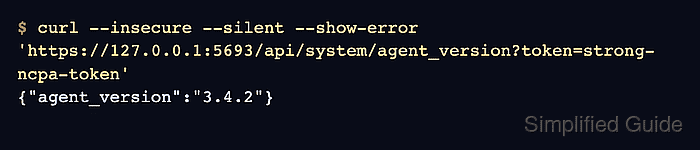
- Test the local NCPA API.
$ curl --insecure --silent --show-error 'https://127.0.0.1:5693/api/system/agent_version?token=strong-ncpa-token'
{"agent_version":"3.4.2"}
The --insecure option is expected when testing the package-generated self-signed certificate locally. Replace it with normal certificate validation if the listener uses a certificate trusted by the client.
- Test the listener from the Nagios server.
$ curl --insecure --silent --show-error 'https://web01.example.net:5693/api/system/agent_version?token=strong-ncpa-token'
{"agent_version":"3.4.2"}
Replace web01.example.net with the agent host name or address. A timeout points to routing, firewall, or bind-address problems; an authentication error points to the token in /usr/local/ncpa/etc/ncpa.cfg.
Related: How to monitor a Linux host with NCPA in Nagios Core

Mohd Shakir Zakaria is a cloud architect with deep roots in software development and open-source advocacy. Certified in AWS, Red Hat, VMware, ITIL, and Linux, he specializes in designing and managing robust cloud and on-premises infrastructures.


