New tables can silently use the wrong storage engine when CREATE TABLE omits an explicit ENGINE clause. That matters during restores, application deployments, and manual schema work because an unexpected non-transactional table can change locking, rollback, crash recovery, or foreign-key behavior after the table already exists.
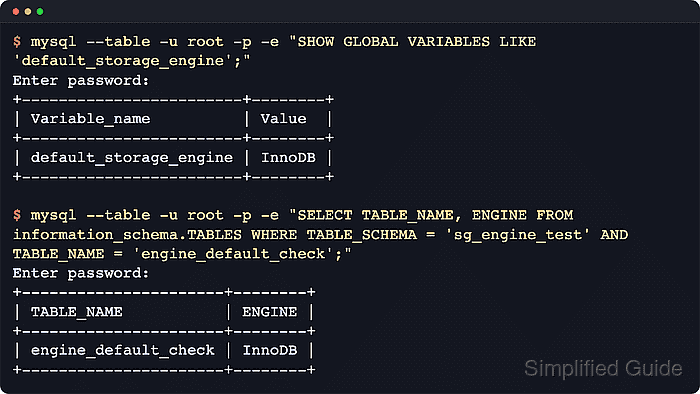
MySQL and MariaDB take the implicit engine for permanent tables from the default_storage_engine system variable. The global value applies to new client sessions, a session value can override it temporarily, and an explicit ENGINE=… clause still wins for an individual table.
Changing the startup default requires administrative access to the server configuration or a MySQL persisted variable. The chosen engine must already be available on the server, default_tmp_storage_engine controls temporary tables separately, and existing tables keep their current engine until they are rebuilt or converted.
Steps to set MySQL or MariaDB default storage engine:
- Check the current global default.
$ mysql --table -u root -p -e "SHOW GLOBAL VARIABLES LIKE 'default_storage_engine'"
Enter password:
+------------------------+--------+
| Variable_name          | Value  |
+------------------------+--------+
| default_storage_engine | InnoDB |
+------------------------+--------+
Use mariadb instead of mysql on MariaDB systems where the MariaDB client is the installed command. Local package installs that use socket authentication often accept sudo mysql or sudo mariadb instead of mysql -u root -p.
- List the available storage engines.
$ mysql --table -u root -p -e "SHOW ENGINES"
Enter password:
+--------------------+---------+----------------------------------------------------------------+--------------+------+------------+
| Engine             | Support | Comment                                                        | Transactions | XA   | Savepoints |
+--------------------+---------+----------------------------------------------------------------+--------------+------+------------+
| MEMORY             | YES     | Hash based, stored in memory, useful for temporary tables      | NO           | NO   | NO         |
| MyISAM             | YES     | MyISAM storage engine                                          | NO           | NO   | NO         |
| InnoDB             | DEFAULT | Supports transactions, row-level locking, and foreign keys     | YES          | YES  | YES        |
##### snipped #####
Choose an engine that shows DEFAULT or YES in the Support column. A missing or disabled engine prevents the default from being set, or can make later table creation fail depending on server SQL mode.
- Set the running default for new connections.
$ mysql -u root -p -e "SET GLOBAL default_storage_engine = 'InnoDB'"
Enter password:
Replace InnoDB with the engine chosen in the previous step. Existing client sessions keep their own session value until they reconnect or set default_storage_engine explicitly.
- Verify the running global value.
$ mysql --table -u root -p -e "SHOW GLOBAL VARIABLES LIKE 'default_storage_engine'"
Enter password:
+------------------------+--------+
| Variable_name          | Value  |
+------------------------+--------+
| default_storage_engine | InnoDB |
+------------------------+--------+
- Open a server option-file drop-in for the startup default.
$ sudoedit /etc/mysql/conf.d/default-storage-engine.cnf
Use a directory that the installed package includes, such as /etc/mysql/conf.d, /etc/mysql/mariadb.conf.d, or /etc/my.cnf.d. If the active configuration path is unclear, locate the loaded option files first.
- Add the default storage engine under the server group.
[mysqld]
default_storage_engine=InnoDB
Keep the setting under [mysqld]. A typo or a file saved outside an included directory can leave the restart using the old default or stop the database from starting.
- Restart the database service.
$ sudo systemctl restart mysql
Replace mysql with the installed unit name, such as mariadb or mysqld.
- Confirm the service is active.
$ systemctl is-active mysql
active
If the unit does not return active, inspect the option-file drop-in and recent service logs before continuing.
- Verify the default from a fresh client connection.
$ mysql --table -u root -p -e "SHOW GLOBAL VARIABLES LIKE 'default_storage_engine'"
Enter password:
+------------------------+--------+
| Variable_name          | Value  |
+------------------------+--------+
| default_storage_engine | InnoDB |
+------------------------+--------+
Current MySQL releases can persist the same variable with SET PERSIST default_storage_engine = 'InnoDB', which writes the value to mysqld-auto.cnf. MariaDB uses option files for startup persistence.
- Create an isolated schema for verification.
$ mysql -u root -p -e "CREATE DATABASE IF NOT EXISTS sg_engine_test"
Enter password:
- Drop any old verification table.
$ mysql -u root -p sg_engine_test -e "DROP TABLE IF EXISTS engine_default_check"
Enter password:
- Create a table without an explicit ENGINE clause.
$ mysql -u root -p sg_engine_test -e "CREATE TABLE engine_default_check (id INT PRIMARY KEY)"
Enter password:
- Confirm the new table inherited the default engine.
$ mysql --table -u root -p -e "SELECT TABLE_NAME, ENGINE FROM information_schema.TABLES WHERE TABLE_SCHEMA = 'sg_engine_test' AND TABLE_NAME = 'engine_default_check'"
Enter password:
+----------------------+--------+
| TABLE_NAME           | ENGINE |
+----------------------+--------+
| engine_default_check | InnoDB |
+----------------------+--------+
Existing tables keep their current engine. Only tables created after the change and without an explicit ENGINE=… clause inherit the new default.
- Remove the verification schema.
$ mysql -u root -p -e "DROP DATABASE sg_engine_test"
Enter password:
Troubleshooting
- Treat an unknown engine error as a missing or disabled engine on that server.
$ mysql -u root -p -e "SET GLOBAL default_storage_engine = 'RocksDB'"
Enter password:
ERROR 1286 (42000) at line 1: Unknown storage engine 'RocksDB'
Run SHOW ENGINES again and install or enable the required engine before setting it as the default.
- Do not use MySQL SET PERSIST syntax on MariaDB.
$ mariadb -u root -p -e "SET PERSIST default_storage_engine = 'InnoDB'"
Enter password:
ERROR 1064 (42000) at line 1: You have an error in your SQL syntax; check the manual that corresponds to your MariaDB server version ##### snipped #####
Persist MariaDB startup defaults through a [mysqld] option file instead.

Mohd Shakir Zakaria is a cloud architect with deep roots in software development and open-source advocacy. Certified in AWS, Red Hat, VMware, ITIL, and Linux, he specializes in designing and managing robust cloud and on-premises infrastructures.


