Keeping the MySQL or MariaDB server time zone predictable prevents confusing timestamp shifts in application logs, scheduled jobs, replication checks, and user-facing reports when the same data is read across multiple regions.
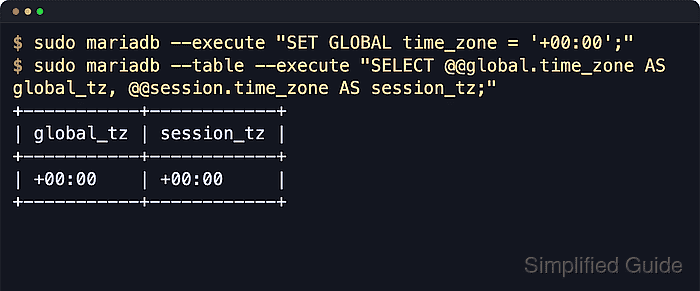
Both databases track three related values: the OS-derived @@system_time_zone, the server-wide default @@global.time_zone, and each connection's @@session.time_zone. New sessions inherit the global value, functions such as NOW() follow the session setting, and TIMESTAMP columns are converted between the session time zone and UTC while DATETIME values stay as stored.
The command path uses Linux package installs, the MariaDB client name, and systemd service units. Use mysql instead of mariadb on Oracle MySQL packages when that is the installed client. The default global value is usually SYSTEM, so the server follows the host time zone until you set an explicit override; global changes affect only new connections; named zones such as Europe/Berlin require loaded time zone tables; and replicated servers should not mix different host time zones while still relying on SYSTEM. For stable cross-region behavior, keep the database on +00:00 unless the server truly must operate in a local civil time zone.
Steps to set MySQL or MariaDB server time zone:
- Open a terminal on the database host with an account that can administer server variables.
In current MySQL releases, SET GLOBAL time_zone requires SYSTEM_VARIABLES_ADMIN or the deprecated SUPER privilege. Current MariaDB documentation lists SUPER for the same operation. If the local root account does not use Unix socket authentication, connect with mariadb --user=root --password or mysql --user=root --password instead of sudo mariadb.
- Check the current global, session, and OS-derived time zone values.
$ sudo mariadb --table --execute "SELECT @@global.time_zone AS global_tz, @@session.time_zone AS session_tz, @@system_time_zone AS system_tz;"
+-----------+------------+-----------+
| global_tz | session_tz | system_tz |
+-----------+------------+-----------+
| SYSTEM    | SYSTEM     | UTC       |
+-----------+------------+-----------+
- Set the runtime server default to UTC.
$ sudo mariadb --table --execute "SET GLOBAL time_zone = '+00:00'; SELECT @@global.time_zone AS global_tz;"
+-----------+
| global_tz |
+-----------+
| +00:00    |
+-----------+
SET GLOBAL changes the default only for new connections. Existing sessions keep their current session time zone until they reconnect or run SET SESSION time_zone = ... themselves.
- Open a fresh connection and confirm that new sessions inherit the server default.
$ sudo mariadb --table --execute "SELECT @@global.time_zone AS global_tz, @@session.time_zone AS session_tz, NOW() AS now_session, UTC_TIMESTAMP() AS now_utc;"
+-----------+------------+---------------------+---------------------+
| global_tz | session_tz | now_session         | now_utc             |
+-----------+------------+---------------------+---------------------+
| +00:00    | +00:00     | 2026-06-06 20:38:12 | 2026-06-06 20:38:12 |
+-----------+------------+---------------------+---------------------+
UTC_TIMESTAMP() does not follow the session time zone, so matching NOW() and UTC_TIMESTAMP() confirms the session is using UTC.
- Create a dedicated server override file in the active package include directory.
$ sudoedit /etc/mysql/mariadb.conf.d/99-time-zone.cnf
MariaDB packages on Debian and Ubuntu commonly read /etc/mysql/mariadb.conf.d/. Oracle MySQL packages commonly read /etc/mysql/mysql.conf.d/. If your package uses a different layout, locate the included server option directory first. Related: How to locate and modify MySQL and MariaDB configuration files
- Add the startup default time zone to the server option file.
[mysqld]
default-time-zone = '+00:00'
A typo or a bad option group can stop the database server from starting. Keep the change in a small dedicated override file so it is easy to remove if startup fails.
- Confirm the option file is visible to the server defaults reader.
$ sudo my_print_defaults mysqld
--default-time-zone=+00:00
[mysqld] is the safest cross-compatible option group. In option files, MySQL and MariaDB treat dashes and underscores in option names as equivalent, so default-time-zone and default_time_zone are interchangeable spellings.
- Restart the active database service so the on-disk setting becomes the startup default.
$ sudo systemctl restart mariadb
Replace mariadb with mysql or mysqld when that is the active service name for your package. Related: How to manage MySQL or MariaDB service with systemctl in Linux
- Confirm the service is running after the restart.
$ systemctl is-active mariadb
active
- Confirm the persisted setting from a new client connection after the restart.
$ sudo mariadb --table --execute "SELECT @@global.time_zone AS global_tz, @@session.time_zone AS session_tz, @@system_time_zone AS system_tz;"
+-----------+------------+-----------+
| global_tz | session_tz | system_tz |
+-----------+------------+-----------+
| +00:00    | +00:00     | UTC       |
+-----------+------------+-----------+
Use a named time zone
- Check whether the time zone tables are loaded before setting an IANA zone name.
$ sudo mariadb --table --execute "SELECT COUNT(*) AS zone_rows FROM mysql.time_zone_name;"
+-----------+
| zone_rows |
+-----------+
|       498 |
+-----------+
A count greater than zero means named zones are available. A count of 0 means the tables exist but are not populated yet.
- Load the system zoneinfo database into the time zone tables if the count is 0.
$ sudo mariadb-tzinfo-to-sql /usr/share/zoneinfo | sudo mariadb mysql
MySQL documentation recommends restarting the server after loading or reloading the time zone tables so cached time zone data is refreshed. A restart is also the safest cross-engine choice before retrying a named zone.
On Oracle MySQL packages, use mysql_tzinfo_to_sql and pipe the output to mysql.
- Restart the same database service after loading or reloading time zone tables.
$ sudo systemctl restart mariadb
- Set the named zone and confirm the runtime default.
$ sudo mariadb --table --execute "SET GLOBAL time_zone = 'Europe/Berlin'; SELECT @@global.time_zone AS global_tz;"
+---------------+
| global_tz     |
+---------------+
| Europe/Berlin |
+---------------+
Use a named zone only when the server must follow local daylight-saving rules automatically. Otherwise, staying on +00:00 is usually simpler and safer. For a persistent named-zone default, use the same value in default-time-zone and restart the service.
Troubleshooting
- If ERROR 1298 (HY000): Unknown or incorrect time zone appears, the named zone tables are not loaded yet, the server has not been restarted after a reload, or the zone name is misspelled.
- If new connections still show SYSTEM after a restart, the setting is in the wrong option file, under the wrong option group, or overridden later in the include chain. Recheck the effective options with sudo my_print_defaults mysqld, matching the [mysqld] group used above.
- If existing applications continue showing the old local time after SET GLOBAL time_zone, reconnect them or set the session value explicitly because running sessions keep their current @@session.time_zone.

Mohd Shakir Zakaria is a cloud architect with deep roots in software development and open-source advocacy. Certified in AWS, Red Hat, VMware, ITIL, and Linux, he specializes in designing and managing robust cloud and on-premises infrastructures.


