Password-based access to the MySQL or MariaDB root account can be necessary for local automation, non-interactive maintenance, or console sessions where administrative SQL access is needed without switching to the operating system root user.
Many Linux package installs bind the database root account to local socket authentication instead of a reusable database password. MySQL commonly uses the auth_socket plugin for that mapping, while MariaDB commonly allows root@localhost to authenticate through unix_socket on Debian or Ubuntu packages. In both cases, the server trusts the operating system user identity that connects through the local socket file.
Current Ubuntu packages still make the starting state different between server families. MySQL can show auth_socket for root@localhost, while MariaDB can show a mixed definition that includes both mysql_native_password and unix_socket until the account is rewritten explicitly. Current MySQL releases use caching_sha2_password for password authentication, while MariaDB commonly switches root to mysql_native_password. Keep root limited to 'localhost', use a strong password, and prefer a separate administrative user when shared automation does not need the built-in root account.
Steps to access MySQL or MariaDB root without sudo:
- Open a local shell that has sudo access.
Socket-authenticated root logins usually require the first session to start as the operating system root user.
- Start the database client as the operating system root user.
$ sudo mysql
Welcome to the MySQL monitor.  Commands end with ; or \g.
Your MySQL connection id is 11
Server version: 8.4.9-0ubuntu0.26.04.1 (Ubuntu)

Type 'help;' or '\h' for help. Type '\c' to clear the current input statement.

mysql>
If the client binary is mariadb instead of mysql, run sudo mariadb.
- Inspect the current authentication definition for 'root'@'localhost'.
mysql> SHOW CREATE USER 'root'@'localhost'\G
*************************** 1. row ***************************
CREATE USER for root@localhost: CREATE USER `root`@`localhost` IDENTIFIED WITH 'auth_socket' REQUIRE NONE PASSWORD EXPIRE DEFAULT ACCOUNT UNLOCK PASSWORD HISTORY DEFAULT PASSWORD REUSE INTERVAL DEFAULT PASSWORD REQUIRE CURRENT DEFAULT
MariaDB packages commonly show IDENTIFIED VIA mysql_native_password USING 'invalid' OR unix_socket instead. Use SHOW CREATE USER for this check because MariaDB can keep unix_socket active even when the plugin column shows mysql_native_password.
- For MySQL, change the root account to password authentication.
mysql> ALTER USER 'root'@'localhost' IDENTIFIED WITH caching_sha2_password BY 'NEW_PASSWORD';
Query OK, 0 rows affected (0.00 sec)
Switching root away from socket-only authentication makes the account usable from any local shell that knows the password, so keep the password out of scripts, history files, and shared option files.
- If the server is MariaDB, use the MariaDB password syntax instead.
MariaDB [(none)]> ALTER USER 'root'@'localhost' IDENTIFIED BY 'NEW_PASSWORD';
Query OK, 0 rows affected (0.00 sec)
On MariaDB 10.4 and later, rewriting the account without unix_socket in the authentication clause removes socket authentication for that account.
- Exit the database shell.
mysql> exit
Bye
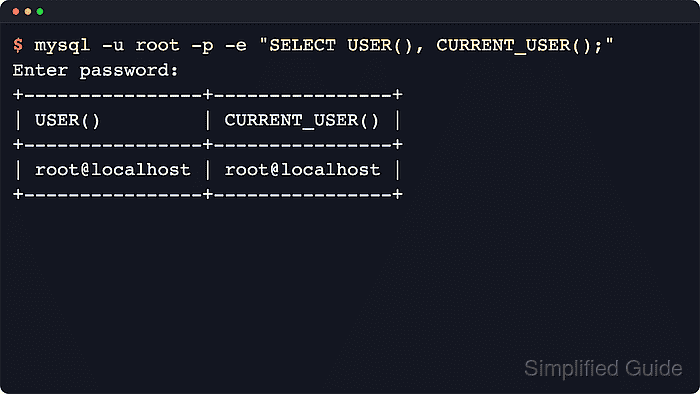
- Confirm that password authentication works without sudo.
$ mysql -u root -p -e "SELECT USER(), CURRENT_USER();"
Enter password:
+----------------+----------------+
| USER()         | CURRENT_USER() |
+----------------+----------------+
| root@localhost | root@localhost |
+----------------+----------------+
If the installed client is mariadb, replace mysql with mariadb.
- Check that root remains local and uses a password plugin.
$ mysql -u root -p -e "SELECT user, host, plugin FROM mysql.user WHERE user = 'root';"
Enter password:
+------+-----------+-----------------------+
| user | host      | plugin                |
+------+-----------+-----------------------+
| root | localhost | caching_sha2_password |
+------+-----------+-----------------------+
If the installed client is mariadb, replace mysql with mariadb. MariaDB should show mysql_native_password in the plugin column after the password-only rewrite.
Remove or lock any root entry for '%', an IP address, or another hostname before relying on password-based root access.

Mohd Shakir Zakaria is a cloud architect with deep roots in software development and open-source advocacy. Certified in AWS, Red Hat, VMware, ITIL, and Linux, he specializes in designing and managing robust cloud and on-premises infrastructures.


