Checking a database's default character set and collation prevents new tables from quietly inheriting the wrong text encoding or sort rules, which can later surface as broken emoji storage, inconsistent comparisons, or unexpected index behavior.
In MySQL and MariaDB, each database stores its own default CHARACTER SET and COLLATE values in metadata. When CREATE TABLE omits those clauses, new tables inherit the database defaults, so inspecting the database definition is the fastest way to confirm what new objects will use.
Results are limited by the connected account's privileges, and current defaults differ by product and version. MySQL 8.4 commonly shows utf8mb4_0900_ai_ci for new utf8mb4 databases, while MariaDB 11.8 commonly shows utf8mb4_uca1400_ai_ci. The @@character_set_database and @@collation_database variables reflect only the current database for the active connection, so information_schema.schemata is the safer way to inspect arbitrary schemas.
Steps to view database character set and collation in MySQL or MariaDB:
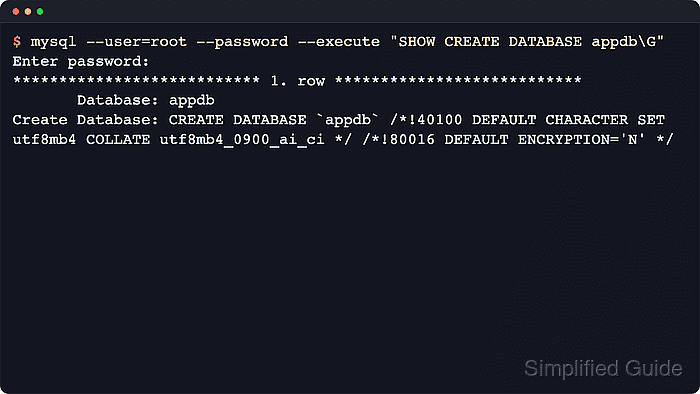
- Run SHOW CREATE DATABASE to see the full database definition, including its default character set and collation.
$ mysql --user=root --password --execute "SHOW CREATE DATABASE appdb\G"
Enter password:
*************************** 1. row ***************************
       Database: appdb
Create Database: CREATE DATABASE `appdb` /*!40100 DEFAULT CHARACTER SET utf8mb4 COLLATE utf8mb4_0900_ai_ci */ /*!80016 DEFAULT ENCRYPTION='N' */
Replace appdb with the target database name. On MariaDB systems, the client binary may be named mariadb instead of mysql, and current MariaDB 11.8 output commonly shows utf8mb4_uca1400_ai_ci for new utf8mb4 databases without the MySQL encryption comment.
- Query information_schema.schemata when checking one or more specific databases without changing session context.
$ mysql --table --user=root --password --execute "SELECT schema_name AS database_name, default_character_set_name AS charset, default_collation_name AS collation FROM information_schema.schemata WHERE schema_name IN ('appdb','legacydb') ORDER BY schema_name;"
Enter password:
+---------------+---------+--------------------+
| database_name | charset | collation          |
+---------------+---------+--------------------+
| appdb         | utf8mb4 | utf8mb4_0900_ai_ci |
| legacydb      | latin1  | latin1_swedish_ci  |
+---------------+---------+--------------------+
Replace the WHERE clause with the schema names to inspect, or remove it entirely to list every visible database.
- List all visible database defaults when auditing a server or comparing system schemas against application schemas.
$ mysql --table --user=root --password --execute "SELECT schema_name AS database_name, default_character_set_name AS charset, default_collation_name AS collation FROM information_schema.schemata ORDER BY schema_name;"
Enter password:
+--------------------+---------+--------------------+
| database_name      | charset | collation          |
+--------------------+---------+--------------------+
| appdb              | utf8mb4 | utf8mb4_0900_ai_ci |
| information_schema | utf8mb3 | utf8mb3_general_ci |
| legacydb           | latin1  | latin1_swedish_ci  |
| mysql              | utf8mb4 | utf8mb4_0900_ai_ci |
| performance_schema | utf8mb4 | utf8mb4_0900_ai_ci |
| sys                | utf8mb4 | utf8mb4_0900_ai_ci |
+--------------------+---------+--------------------+
The result set is privilege-scoped, so missing schemas usually mean the account cannot view them rather than that they do not exist.
- Check the defaults for the current connection's selected database through the server variables.
$ mysql --table --user=root --password --database=appdb --execute "SELECT @@character_set_database AS charset, @@collation_database AS collation;"
Enter password:
+---------+--------------------+
| charset | collation          |
+---------+--------------------+
| utf8mb4 | utf8mb4_0900_ai_ci |
+---------+--------------------+
This reports only the current database for that connection. On MySQL 8.4, the global character_set_database and collation_database variables are deprecated and remain server-managed, so use this as a session check rather than as a configuration method.

Mohd Shakir Zakaria is a cloud architect with deep roots in software development and open-source advocacy. Certified in AWS, Red Hat, VMware, ITIL, and Linux, he specializes in designing and managing robust cloud and on-premises infrastructures.


