Setting an explicit server default character set and collation keeps new databases and tables from drifting between environments, which prevents broken emoji storage, inconsistent comparisons, and sort-order surprises when schema DDL omits CHARACTER SET or COLLATE clauses.
In MySQL and MariaDB, the server-level defaults come from character_set_server and collation_server. New databases inherit those values unless CREATE DATABASE sets its own defaults, and new tables inherit from the database unless CREATE TABLE overrides them.
Default choices vary by engine, release, and distribution package. MySQL documents utf8mb4 plus utf8mb4_0900_ai_ci as its server default, current MariaDB documentation uses utf8mb4 plus utf8mb4_uca1400_ai_ci, and older MariaDB packages can still start with latin1 plus latin1_swedish_ci. Setting both values explicitly keeps new objects predictable, and the chosen collation must exist for the selected character set or the server may fail to start after restart.
Steps to set MySQL or MariaDB default character set and collation:
- Record the current server version plus defaults.
$ mysql --table -u root -p --execute "SELECT @@version AS version, @@character_set_server AS character_set_server, @@collation_server AS collation_server;"
+-----------------------------------+----------------------+-------------------+
| version                           | character_set_server | collation_server  |
+-----------------------------------+----------------------+-------------------+
| 10.11.14-MariaDB-0ubuntu0.24.04.1 | latin1               | latin1_swedish_ci |
+-----------------------------------+----------------------+-------------------+
On socket-authenticated installs, sudo mysql or sudo mariadb often replaces password-based root access.
- Confirm the target utf8mb4 collation exists on the server before writing it into an option file.
$ mysql --table -u root -p --execute "SHOW COLLATION WHERE Charset='utf8mb4' AND Collation='utf8mb4_unicode_ci';"
+--------------------+---------+------+---------+----------+---------+
| Collation          | Charset | Id   | Default | Compiled | Sortlen |
+--------------------+---------+------+---------+----------+---------+
| utf8mb4_unicode_ci | utf8mb4 |  224 |         | Yes      |       8 |
+--------------------+---------+------+---------+----------+---------+
For mixed MySQL and MariaDB fleets, utf8mb4 plus utf8mb4_unicode_ci is a conservative shared baseline because both current engines support it. For MySQL-only servers, utf8mb4_0900_ai_ci matches the current MySQL default. For MariaDB-only servers that should follow current MariaDB behavior, use utf8mb4_uca1400_ai_ci after confirming the server supports it.
- Display the option files that the server reads at startup.
$ mysqld --verbose --help
mysqld  Ver 9.7.0 for Linux on aarch64 (MySQL Community Server - GPL)
##### snipped #####
Default options are read from the following files in the given order:
 /etc/my.cnf /etc/mysql/my.cnf /usr/etc/my.cnf ~/.my.cnf
##### snipped #####
The safest place for custom defaults is a dedicated late-loading override file instead of editing a vendor-managed base config.
On MariaDB systems where the server binary is named mariadbd, run mariadbd --verbose --help instead.
- Create or edit a dedicated server override file in the last-loaded include directory.
$ sudoedit /etc/mysql/mysql.conf.d/99-character-set.cnf
Common locations are /etc/mysql/mysql.conf.d/99-character-set.cnf on MySQL packages, /etc/mysql/mariadb.conf.d/99-character-set.cnf on MariaDB packages, and /etc/my.cnf.d/99-character-set.cnf on many RHEL-family systems.
- Add the server default character set and collation under [mysqld].
[mysqld]
character-set-server = utf8mb4
collation-server = utf8mb4_unicode_ci
The collation must belong to the chosen character set. A typo or unsupported collation name can prevent the service from starting.
- Search the active option-file tree for older charset directives that could override the new values.
$ sudo grep --recursive --line-number --ignore-case --extended-regexp 'character-set-server|collation-server' /etc/my.cnf /etc/my.cnf.d /etc/mysql 2>/dev/null
/etc/mysql/mysql.conf.d/99-character-set.cnf:2:character-set-server = utf8mb4
/etc/mysql/mysql.conf.d/99-character-set.cnf:3:collation-server = utf8mb4_unicode_ci
When the same variable appears more than once, the later-loaded file wins, so duplicate entries should be removed or reconciled before restart.
- Restart the database service so the new startup defaults load.
$ sudo systemctl restart mysql
Use the unit name exposed by the package, such as mysql.service on Debian-style MySQL installs, mysqld.service on many RHEL-family MySQL installs, or mariadb.service on MariaDB installs.
If the service does not come back, inspect the recent error log or journalctl -u mysql / journalctl -u mysqld / journalctl -u mariadb before retrying.
- Reconnect and verify the active server defaults.
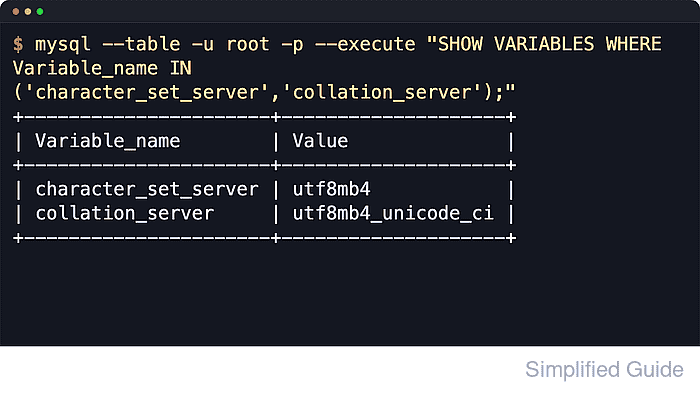
$ mysql --table -u root -p --execute "SHOW VARIABLES WHERE Variable_name IN ('character_set_server','collation_server');"
+----------------------+--------------------+
| Variable_name        | Value              |
+----------------------+--------------------+
| character_set_server | utf8mb4            |
| collation_server     | utf8mb4_unicode_ci |
+----------------------+--------------------+
- Create a temporary database to confirm new schemas inherit the server defaults.
$ mysql --table -u root -p --execute "CREATE DATABASE IF NOT EXISTS charset_test; SELECT DEFAULT_CHARACTER_SET_NAME, DEFAULT_COLLATION_NAME FROM information_schema.SCHEMATA WHERE SCHEMA_NAME='charset_test';"
+----------------------------+------------------------+
| DEFAULT_CHARACTER_SET_NAME | DEFAULT_COLLATION_NAME |
+----------------------------+------------------------+
| utf8mb4                    | utf8mb4_unicode_ci     |
+----------------------------+------------------------+
- Remove the temporary validation database if it was created only for this check.
$ mysql -u root -p --execute "DROP DATABASE IF EXISTS charset_test;"
- Update an existing database default when new tables in that database should use the new settings.
$ mysql -u root -p --execute "ALTER DATABASE appdb CHARACTER SET utf8mb4 COLLATE utf8mb4_unicode_ci;"
This changes defaults for future tables in appdb. Existing tables and existing columns keep their current encodings until explicitly converted.
- Convert an existing table when current text columns must change to the new character set and collation.
$ mysql -u root -p --execute "ALTER TABLE appdb.users CONVERT TO CHARACTER SET utf8mb4 COLLATE utf8mb4_unicode_ci;"
Table conversion can rebuild the table, can take significant time, and can fail on older schemas that still exceed index-length limits under utf8mb4.
- Confirm column-level character set and collation after a table conversion.
$ mysql --table -u root -p --execute "SELECT COLUMN_NAME, CHARACTER_SET_NAME, COLLATION_NAME FROM information_schema.COLUMNS WHERE TABLE_SCHEMA='appdb' AND TABLE_NAME='users' ORDER BY ORDINAL_POSITION;"
+-------------+--------------------+--------------------+
| COLUMN_NAME | CHARACTER_SET_NAME | COLLATION_NAME     |
+-------------+--------------------+--------------------+
| id          | NULL               | NULL               |
| username    | utf8mb4            | utf8mb4_unicode_ci |
| email       | utf8mb4            | utf8mb4_unicode_ci |
| created_at  | NULL               | NULL               |
+-------------+--------------------+--------------------+
Troubleshooting
- Use SHOW COLLATION to confirm the exact collation name before editing the option file when startup fails after a charset change.
MySQL and MariaDB do not share the same current default utf8mb4 collation name.
- Inspect recent database logs for an unsupported collation or option-file parse error.
$ sudo journalctl -u mysql -n 50 --no-pager
Swap mysql for the discovered unit name, such as mysqld or mariadb. Related: How to view the MySQL or MariaDB server error log
- Expect only new databases and new tables to inherit the server defaults. Existing databases, tables, and columns remain unchanged until ALTER DATABASE or ALTER TABLE … CONVERT TO CHARACTER SET … is run.

Mohd Shakir Zakaria is a cloud architect with deep roots in software development and open-source advocacy. Certified in AWS, Red Hat, VMware, ITIL, and Linux, he specializes in designing and managing robust cloud and on-premises infrastructures.


