When a reporting handoff, spreadsheet review, or import job needs rows from MySQL or MariaDB as a CSV file, SELECT … INTO OUTFILE writes the exact query result on the database server host without routing rows through a shell pipeline.
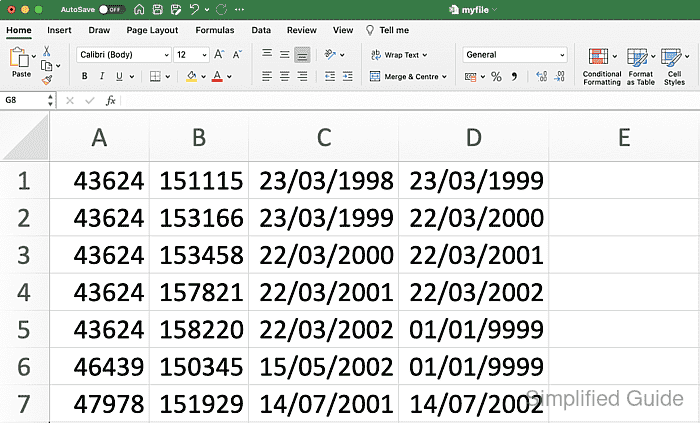
The statement can define the field delimiter, quoting, escape behavior, line ending, and character set so the exported file matches the system that will consume it. The export shown here writes comma-separated rows with quoted fields and doubled embedded quote characters, which is the layout many spreadsheet and import tools expect.
The file is created by the database server process, not by the mysql or mariadb client running in the terminal. Exporting therefore requires the FILE privilege, a destination path that the server is allowed to use, and a filename that does not already exist. Some MySQL builds restrict exports to /var/lib/mysql-files, while some MariaDB builds leave secure_file_priv blank and allow any writable path; a NULL value disables server-side import and export instead.
Steps to export MySQL or MariaDB data to CSV:
- Log in to the MySQL or MariaDB server from a shell that can also inspect files on the database host.
$ mysql -u root -p
Enter password:
Welcome to the MySQL monitor.  Commands end with ; or \g.
Your MySQL connection id is 13
Server version: 8.4.9 MySQL Community Server - GPL
##### snipped #####
mysql>
SELECT … INTO OUTFILE writes on the database server host, so a remote client session still produces the file on that server.
- Review the table columns before building the export query.
mysql> DESCRIBE orders;
+---------------+---------------+------+-----+---------+----------------+
| Field         | Type          | Null | Key | Default | Extra          |
+---------------+---------------+------+-----+---------+----------------+
| id            | int           | NO   | PRI | NULL    | auto_increment |
| customer_name | varchar(100)  | NO   |     | NULL    |                |
| total         | decimal(10,2) | NO   |     | NULL    |                |
| created_at    | datetime      | NO   |     | NULL    |                |
+---------------+---------------+------+-----+---------+----------------+
4 rows in set (0.00 sec)
An explicit column list keeps the export stable when the table schema changes later.
- Preview the exact rows that belong in the export file.
mysql> SELECT id, customer_name, total, created_at
    ->   FROM orders
    ->   ORDER BY id
    ->   LIMIT 5;
+----+---------------+--------+---------------------+
| id | customer_name | total  | created_at          |
+----+---------------+--------+---------------------+
|  1 | Alice         | 249.99 | 2026-04-09 10:00:00 |
|  2 | Bob, Inc.     |  89.50 | 2026-04-09 10:05:00 |
|  3 | Carol "Prime" | 149.00 | 2026-04-09 10:10:00 |
+----+---------------+--------+---------------------+
3 rows in set (0.00 sec)
Add WHERE, ORDER BY, or LIMIT clauses here before writing anything to disk.
- Confirm the current SQL account has the FILE privilege needed for INTO OUTFILE.
mysql> SHOW GRANTS FOR CURRENT_USER();
##### snipped #####
GRANT SELECT, INSERT, UPDATE, DELETE, CREATE, DROP, FILE, ... ON *.* TO `root`@`localhost` WITH GRANT OPTION
##### snipped #####
If the grants do not include FILE or ALL PRIVILEGES, the export fails with ERROR 1227 (42000) until an administrator grants the privilege.
- Check the active secure_file_priv setting before choosing the output path.
mysql> SHOW VARIABLES LIKE 'secure_file_priv';
+------------------+-----------------------+
| Variable_name    | Value                 |
+------------------+-----------------------+
| secure_file_priv | /var/lib/mysql-files/ |
+------------------+-----------------------+
1 row in set (0.00 sec)
A directory value restricts exports to that directory, a blank value leaves server-side file paths unrestricted by secure_file_priv, and NULL disables server-side import and export.
- Export the result set to a new CSV file.
mysql> SELECT id, customer_name, total, created_at
    ->   FROM orders
    ->   ORDER BY id
    ->   INTO OUTFILE '/var/lib/mysql-files/orders-export.csv'
    ->   CHARACTER SET utf8mb4
    ->   FIELDS TERMINATED BY ','
    ->   ENCLOSED BY '"'
    ->   ESCAPED BY '"'
    ->   LINES TERMINATED BY '\n';
Query OK, 3 rows affected (0.00 sec)
CHARACTER SET utf8mb4 keeps the file encoding explicit, while ENCLOSED BY \" plus ESCAPED BY \" doubles embedded quote characters in a CSV-friendly way.
The target file must not already exist, and an export outside the allowed directory fails with errors such as ERROR 1086 (HY000) or ERROR 1290 (HY000).
- Print the exported sample file on the database host.
$ sudo cat /var/lib/mysql-files/orders-export.csv
"1","Alice","249.99","2026-04-09 10:00:00"
"2","Bob, Inc.","89.50","2026-04-09 10:05:00"
"3","Carol ""Prime""","149.00","2026-04-09 10:10:00"
SELECT … INTO OUTFILE does not add a header row, so create one separately when the receiving tool expects column names.
- Count the exported lines to confirm the file contains the expected number of rows.
$ sudo wc -l /var/lib/mysql-files/orders-export.csv
3 /var/lib/mysql-files/orders-export.csv
If secure_file_priv is blank or points somewhere else, replace the example path with the directory that the server actually allows.

Mohd Shakir Zakaria is a cloud architect with deep roots in software development and open-source advocacy. Certified in AWS, Red Hat, VMware, ITIL, and Linux, he specializes in designing and managing robust cloud and on-premises infrastructures.


