A headless model server needs to return after a machine reboots, without waiting for someone to log in. An llmster startup service uses systemd on Linux to start LM Studio's daemon, load a model, and bring up its HTTP server automatically.
The service runs under the same ordinary account that owns the llmster installation and downloaded models. systemd needs administrator access to install and enable the unit, but the daemon and model runtime do not run as root.
The package preparation uses APT on Ubuntu or Debian. A small SmolLM2 model keeps CPU memory needs modest, and a loopback listener makes the API available only to local clients. Larger models need enough memory to load during boot.
Steps to create an llmster startup service on Linux:
- Refresh the APT package index.
$ sudo apt update
- Install the download tools and native runtime dependencies.
$ sudo apt install --assume-yes curl ca-certificates libatomic1 libgomp1 less
libatomic1 is required by the installer, libgomp1 supports the CPU runtime, and less displays the installer before execution. On other systemd-based distributions, the equivalent packages come from their package manager.
Related: How to install cURL on Ubuntu - Download the official llmster installer.
$ curl -fsSL https://lmstudio.ai/install.sh -o llmster-install.sh
- Review the downloaded installer before executing it.
$ less llmster-install.sh
The q key closes less. The script executes vendor code, downloads the native package, and configures the current user's shell profiles. Its source is linked from LM Studio's standalone installation instructions.
- Install llmster under the ordinary account that will run the service.
$ TMPDIR="$HOME" PATH="$PATH:/usr/sbin:/sbin" bash llmster-install.sh
TMPDIR keeps the large download and extraction on the home filesystem instead of a potentially small memory-backed /tmp. The temporary PATH addition lets the installer find ldconfig on Ubuntu and Debian. An existing standalone installation can satisfy this prerequisite without reinstalling it.
- Remove the downloaded installer script.
$ rm llmster-install.sh
- Add lms to the current shell's command path.
$ export PATH="$HOME/.lmstudio/bin:$PATH"
The installer also configures future shells. The service uses absolute paths because it does not read the interactive shell's profile.
- Start the llmster daemon under your ordinary account.
$ lms daemon up
- Download the public SmolLM2-135M-Instruct GGUF model.
$ lms get https://huggingface.co/lmstudio-community/SmolLM2-135M-Instruct-GGUF --gguf --yes
The full Hugging Face repository URL selects this small model, and --yes accepts the recommended quantization. The Q8_0 file is about 145 MB. It needs no Hugging Face sign-in.
- Confirm that smollm2-135m-instruct appears in the local model inventory. Example output:
$ lms ls
You have 2 models, taking up 228.92 MB of disk space.

LLM                      PARAMS    ARCH     SIZE         DEVICE
smollm2-135m-instruct    135M      Llama    144.81 MB    Local

##### snipped #####
A bundled embedding model can also appear. The service definition uses the downloaded language model's key.
- Stop the manually started daemon before handing it to systemd.
This stops the account's running models and API server, interrupting any clients using them. The new service will own subsequent starts and stops.
$ lms daemon down
- Identify the ordinary account name for the unit. Example output:
$ id -un
sgreader
- Check the account's home directory. Example output:
$ echo "$HOME"
/home/sgreader
- Create the lmstudio.service unit in /etc/systemd/system using your text editor.
$ sudoedit /etc/systemd/system/lmstudio.service
If a unit with this name already exists, preserve a backup before changing it. This system-wide unit starts at boot without an interactive login.
- Enter the service definition with YOUR_USERNAME and /home/YOUR_USERNAME replaced by your account name and actual home directory.
- /etc/systemd/system/lmstudio.service
[Unit]
Description=LM Studio Server

[Service]
Type=oneshot
RemainAfterExit=yes
User=YOUR_USERNAME
Environment="HOME=/home/YOUR_USERNAME"
ExecStartPre=/home/YOUR_USERNAME/.lmstudio/bin/lms daemon up
ExecStartPre=/home/YOUR_USERNAME/.lmstudio/bin/lms load smollm2-135m-instruct --gpu off --context-length 2048 --identifier startup-model --yes
ExecStart=/home/YOUR_USERNAME/.lmstudio/bin/lms server start --bind 127.0.0.1 --port 1234
ExecStop=/home/YOUR_USERNAME/.lmstudio/bin/lms daemon down

[Install]
WantedBy=multi-user.target
User and HOME select the account's installation and models. The two ExecStartPre commands run in order before the server starts. --gpu off selects CPU execution, --context-length 2048 limits context memory, and startup-model gives the API a stable model identifier. The oneshot service remains active after its start command exits because RemainAfterExit is enabled. This follows LM Studio's Linux startup service pattern.
The explicit 127.0.0.1 binding keeps the unauthenticated API on this machine. Changing it to 0.0.0.0 would expose it to the network and requires separate access controls.
- Save the unit file in your editor.
- Validate the unit's syntax and executable paths.
$ sudo systemd-analyze verify /etc/systemd/system/lmstudio.service
No output means the unit passed validation. A missing executable or invalid directive needs correction before the service starts. Warnings naming other services do not identify an error in lmstudio.service.
- Reload systemd's unit definitions.
$ sudo systemctl daemon-reload
- Enable lmstudio.service for future boots.
$ sudo systemctl enable lmstudio.service
- Start lmstudio.service immediately.
$ sudo systemctl start lmstudio.service
A load failure prevents the server start. Failure details are available with journalctl -u lmstudio.service -b --no-pager. To undo automatic startup, sudo systemctl disable --now lmstudio.service stops this service and disables it without deleting downloaded models.
- Confirm that the service is enabled. Example output:
$ systemctl is-enabled lmstudio.service
enabled
- Reboot the machine to exercise automatic startup.
Rebooting interrupts every session and service on this machine. An SSH connection closes; reconnect after boot before continuing.
$ sudo reboot
- Check the service state after boot. Example output:
$ systemctl status lmstudio.service --no-pager
● lmstudio.service - LM Studio Server
     Loaded: loaded (/etc/systemd/system/lmstudio.service; enabled; preset: enabled)
     Active: active (exited) since Fri 2026-11-13 10:13:58 +08; 7s ago
##### snipped #####
active (exited) is normal for this oneshot unit. The daemon runs in the background; an active unit alone does not prove the model is loaded or the API is responding. A failed unit needs its journal checked before relying on startup.
- Confirm that llmster is running under the service account. Example output:
$ lms daemon status
llmster v0.0.27+1 is running (PID: 1409)
The version and process ID vary.
- Confirm that startup-model is loaded in memory. Example output:
$ lms ps
IDENTIFIER       MODEL                    STATUS    SIZE         CONTEXT    PARALLEL    LOAD CONFIG    DEVICE    TTL
startup-model    smollm2-135m-instruct    IDLE      144.81 MB    2048       4           LM Studio      Local
The model list must include startup-model with the configured context length of 2048. A model merely appearing in lms ls proves it is downloaded, not loaded.
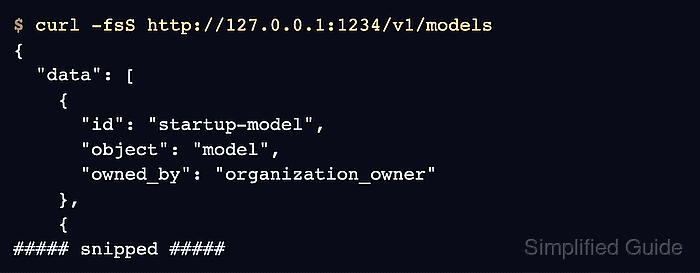
- Request the local server's model list after boot. Example output:
$ curl -fsS http://127.0.0.1:1234/v1/models
{
  "data": [
    {
      "id": "startup-model",
      "object": "model",
      "owned_by": "organization_owner"
    },
    {
      "id": "smollm2-135m-instruct",
      "object": "model",
      "owned_by": "organization_owner"
    },
    {
      "id": "text-embedding-nomic-embed-text-v1.5",
      "object": "model",
      "owned_by": "organization_owner"
    }
  ],
  "object": "list"
}
The response must contain “id”: “startup-model”. A connection error or missing identifier means automatic startup has not delivered the loaded model and listening API.