Some workflow decisions should not be left to code alone, such as approving a refund or checking generated text before it goes out. Human-in-the-loop input lets a LlamaIndex workflow stop at that decision, wait for a person's answer, and continue to its final result with the answer in hand.
The pause is built from two events. A step returns InputRequiredEvent to publish a prompt on the event stream, and the run stays open until the caller sends HumanResponseEvent back through the workflow handler. That response starts the step listening for it, so the work after the pause sits in a separate step from the work before it.
Waiting still counts against the workflow timeout, which defaults to 45 seconds, so a run that waits for a person needs a timeout setting that fits how long the person may take. The waiting run also lives in the memory of the Python process that started it. A web application that receives the answer in a different process can save the workflow context and restore it there.
Steps to add human-in-the-loop input to a LlamaIndex workflow:
- Install the standalone LlamaIndex Workflows package in the active project environment.
$ python3 -m pip install --upgrade llama-index-workflows
The package requires Python 3.10 or newer. Tested with llama-index-workflows 2.26.1 on Python 3.12 on Linux.
Related: How to install LlamaIndex with pip - Create a file named refund_review.py in your project directory using your text editor.
- Enter the following imports at the top of refund_review.py.
- refund_review.py
import asyncio

from workflows import Context, Workflow, step
from workflows.events import (
    HumanResponseEvent,
    InputRequiredEvent,
    StartEvent,
    StopEvent,
)
- Add the RefundReview class below the imports with a step that asks for approval.
class RefundReview(Workflow):
    @step
    async def request_approval(
        self, ctx: Context, ev: StartEvent
    ) -> InputRequiredEvent:
        await ctx.store.set("order_id", ev.order_id)
        prompt = f"Approve refund for {ev.order_id}? [yes/no]: "
        return InputRequiredEvent(prefix=prompt)
Returning InputRequiredEvent publishes it on the event stream, and no other step has to consume it. The answer reaches a different step, so ctx.store keeps the order ID for that step.
- Add the step that resumes the run at the end of the RefundReview class.
    @step
    async def apply_decision(
        self, ctx: Context, ev: HumanResponseEvent
    ) -> StopEvent:
        order_id = await ctx.store.get("order_id")
        approved = ev.response.strip().lower() == "yes"
        decision = "approved" if approved else "declined"
        result = f"Refund {decision} for {order_id}"
        return StopEvent(result=result)
HumanResponseEvent starts this step, so none of it runs before the answer arrives. Any answer other than yes declines the refund.
- Add a main() function below the class to start the run with no timeout.
async def main() -> None:
    workflow = RefundReview(timeout=None)
    handler = workflow.run(order_id="A-1042")
With the default 45-second timeout, a slower answer ends the run with WorkflowTimeoutError. timeout=None lets the run wait until the person answers. A number of seconds sets a limit on the whole run, including the wait.
- Add the prompt loop and the script entry point at the end of refund_review.py.
    async for event in handler.stream_events():
        print(f"Stream event: {type(event).__name__}")
        if isinstance(event, InputRequiredEvent):
            text = await asyncio.to_thread(input, event.prefix)
            done = handler.is_done()
            print(f"Run finished before the answer: {done}")
            reply = HumanResponseEvent(response=text)
            await handler.send_event(reply)

    print(f"Final result: {await handler}")


if __name__ == "__main__":
    asyncio.run(main())
asyncio.to_thread() reads the answer outside the event loop, which keeps the loop running during the prompt, where a plain input() call would stop it. handler.is_done() then reports whether the run ended on its own, and handler.send_event() delivers the answer.
- Save refund_review.py.
- Run refund_review.py from your project directory.
$ python3 refund_review.py
Stream event: InputRequiredEvent
Approve refund for A-1042? [yes/no]:
The prompt comes from the InputRequiredEvent on the stream.
- Wait one minute at the prompt without answering.
One minute is longer than the 45-second default timeout, so a missing timeout=None shows up at the next step.
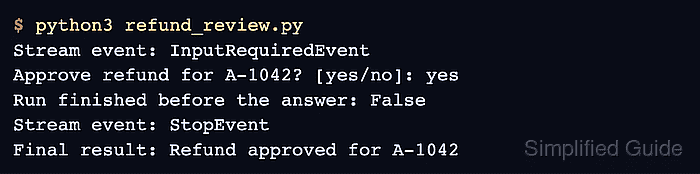
- Enter yes at the prompt to resume the run.
Approve refund for A-1042? [yes/no]: yes
Run finished before the answer: False
Stream event: StopEvent
Final result: Refund approved for A-1042
False shows that the run was still open after the wait. True means it had already ended, either by finishing without waiting or by timing out.
- Repeat the run with the answer no to confirm that the response decides the final result.
$ python3 refund_review.py
Stream event: InputRequiredEvent
Approve refund for A-1042? [yes/no]: no
Run finished before the answer: False
Stream event: StopEvent
Final result: Refund declined for A-1042