PDF files keep a document's visual layout, but applications need accessible text to work with their contents. LlamaIndex can load a local PDF into one Document object per page, with the extracted text and source metadata kept together.
PDFReader uses pypdf to extract text already embedded in the PDF. Image-only scans need OCR first, and multi-column layouts or tables may lose their reading order during extraction. Selectable text is a better starting point than a scanned page image.
Loading runs locally without an LLM, embedding model, or API key. The reader retains the PDF's page labels and filename for later ingestion; it does not create an index or answer questions about the contents. The packages need Python 3.10 or newer, and a project virtual environment keeps them apart from other Python work.
Steps to load a PDF document in LlamaIndex:
- Install the file-reader integration in your activated project environment.
$ python -m pip install llama-index-readers-file
The file-reader package brings in pypdf and the LlamaIndex core dependency, so the full quickstart package is unnecessary for PDF loading. Tested with llama-index-readers-file 0.7.0 on Linux with Python 3.10, 3.12, and 3.14.
Related: Create a Python virtual environment
Related: Activate a Python virtual environment - Select a local text-based PDF with a known page count.
The example uses a two-page file named handbook.pdf in the project directory.
- Create load_pdf.py in your text editor with the imports and pdf_path set to your PDF.
- load_pdf.py
from pathlib import Path

from llama_index.readers.file import PDFReader

pdf_path = Path("handbook.pdf")
- Append the page-loading section at the end of load_pdf.py.
reader = PDFReader()
documents = reader.load_data(file=pdf_path)
PDFReader returns one Document per page by default; return_full_document=True would join the PDF into one Document without a page_label. Each item in documents contains the page text in text and the source details in metadata.
- Append the text and metadata preview at the end of load_pdf.py.
print(f"Documents: {len(documents)}")
for document in documents:
    print(
        f"\nPage {document.metadata['page_label']} | "
        f"{document.metadata['file_name']}"
    )
    print(document.text.strip())
page_label comes from the PDF and can contain Roman numerals or other labels rather than consecutive numbers. A visibly nonempty page with no extracted text may be an image-only scan.
- Save load_pdf.py in the project directory.
- Check the extracted pages by running load_pdf.py.
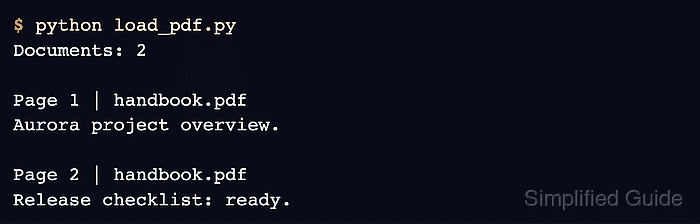
$ python load_pdf.py
Documents: 2

Page 1 | handbook.pdf
Aurora project overview.

Page 2 | handbook.pdf
Release checklist: ready.
The output above comes from a two-page PDF containing those sentences. The document count should match your PDF's page count, each text block should match its source page, and page_label and file_name should identify that page and file. A count alone does not prove that readable text was extracted.