LoRA adapters let a llama.cpp server apply fine-tuned weights on top of a loaded GGUF base model without merging a separate model file. Each adapter has a scale that controls its contribution, and the server can change that global scale without reloading the model.
An adapter must match the base model it was trained for, including its architecture and tensor dimensions. Both the base model and adapter must already be in GGUF format. A PEFT adapter directory or safetensors file needs conversion before llama-server can load it.
The global scale is the default for later requests from every client. A /completion request can supply its own lora array with id and scale values to override that default for the request. Requests using different LoRA configurations are not batched together, which can reduce throughput on busy servers.
Steps to set llama.cpp server LoRA adapter scales:
- Start llama-server with a compatible GGUF base model and adapter.
The local listener serves both inference and adapter management. Binding to 127.0.0.1 keeps it on the local machine but does not authenticate local clients.
$ llama-server \
  --host 127.0.0.1 \
  --port 8080 \
  -m models/base-model.gguf \
  --ctx-size 2048 \
  --alias local-lora \
  --lora-scaled adapters/test-adapter.gguf:0.0
The starting requirements are llama-server on the command path, curl, the matching files, and an unused port 8080. The server stays in the foreground while API requests run from a second terminal on the same machine. The --lora-scaled option loads the adapter at the explicit startup scale, with 0 disabling its contribution. The --lora option starts an adapter at scale 1. An instance that already has the required adapter loaded can continue at the health check.
- Check that the server has finished loading.
$ curl -fsS http://127.0.0.1:8080/health {"status":"ok"} - Save the current adapter scales for recovery.
$ curl -fsS http://127.0.0.1:8080/lora-adapters > lora-before.json
- Read the loaded adapter IDs and starting scales.
$ cat lora-before.json
[{"id":0,"path":"adapters/test-adapter.gguf","scale":0.0,"task_name":"","prompt_prefix":""}]
The POST body identifies adapters by id rather than filename. An empty list means no adapters are loaded. A missing file or incompatible adapter must be resolved at server startup before its scale can be changed.
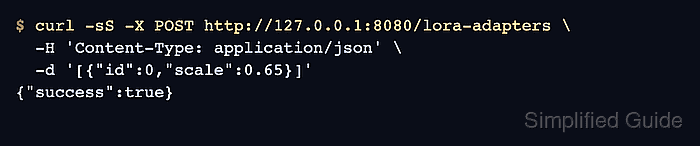
- Set adapter 0 to the global scale 0.65.
This changes defaults for later requests from all clients. Any loaded adapters omitted from the posted list are disabled, so a server with several adapters needs every intended active ID and scale in the body. The saved lora-before.json records the previous values for recovery.
$ curl -fsS -X POST http://127.0.0.1:8080/lora-adapters \
  -H 'Content-Type: application/json' \
  -d '[{"id":0,"scale":0.65}]'
{"success":true}
Posting the same IDs with their saved previous scales restores the defaults. A restart reapplies the startup scales rather than preserving runtime changes.
- Verify the adapter scale after the update.
$ curl -fsS http://127.0.0.1:8080/lora-adapters
[{"id":0,"path":"adapters/test-adapter.gguf","scale":0.6499999761581421,"task_name":"","prompt_prefix":""}]
A displayed value such as 0.6499999761581421 is the server's floating-point representation of the requested 0.65 scale.
- Generate a completion using the global adapter default.
$ curl -fsS http://127.0.0.1:8080/completion \
  -H 'Content-Type: application/json' \
  -d '{"prompt":"The sky is","n_predict":8,"temperature":0,"response_fields":["content","tokens_predicted","stop"]}'
{"content":"\neram lived a know and,","tokens_predicted":8,"stop":true}
The request omits lora so the global setting applies. Nonempty content, a positive tokens_predicted value, and stop set to true show generation completed after the scale change. Wording depends on the base model and adapter; a successful request alone does not establish the adapter's output quality.