An idle language model can occupy memory long after its last reply. The llama.cpp server can release that memory automatically with an idle-sleep timeout while keeping its HTTP listener running.
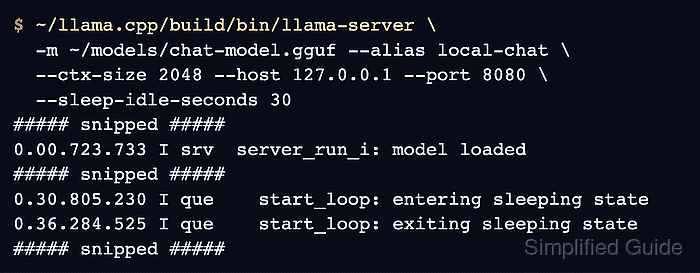
Sleep unloads the model and its KV cache from memory. The next inference request reloads the model, adding loading time to that response and losing the previous prompt cache.
A single-model server using a local GGUF file can sleep without a separate process manager. The model file must remain readable for wake-up, and health or property checks can monitor the server without keeping the model awake.
Restarting an in-use server interrupts active requests. The foreground launch needs port 8080 available.
Steps to configure idle sleep for the llama.cpp server:
- Refresh the APT package index for the HTTP and JSON tools.
$ sudo apt-get update
The package commands apply to Ubuntu and Debian. Other platforms need curl and jq from their package manager.
- Install curl and jq.
$ sudo apt-get install --assume-yes curl jq
curl sends the local HTTP requests; jq extracts the sleep state and generated message from JSON responses.
- Stop any existing foreground llama-server with Ctrl+C before reusing its port.
A service-managed instance needs to be stopped through its service manager instead.
- Start llama-server with a 30-second idle timeout and your local chat model.
$ ~/llama.cpp/build/bin/llama-server -m ~/models/chat-model.gguf \
  --alias local-chat --ctx-size 2048 \
  --host 127.0.0.1 --port 8080 --sleep-idle-seconds 30
##### snipped #####
0.00.723.733 I srv  server_run_i: model loaded
0.00.723.746 I srv  server_on_li: listening on http://127.0.0.1:8080
##### snipped #####
The binary path comes from the source build in ~/llama.cpp. Substitute your binary location and readable local chat GGUF path if they differ. The alias local-chat identifies the model in the later request; 2048 limits its context size. The explicit loopback address and port keep the unauthenticated listener on this machine at 127.0.0.1:8080 across builds with different defaults. Local clients still have no API-key protection.
Related: How to build llama.cpp from source with CMake
Related: How to run a local GGUF model with llama-cli--sleep-idle-seconds 30 unloads the model after 30 seconds without tasks. A longer interval reduces reloads between occasional requests; the default -1 disables sleep. Removing the flag on the next launch restores that default. The setting applies to this server invocation.
Related: llama.cpp idle-sleep documentation - Read the initial sleep state from a second terminal within 30 seconds of model loading.
$ curl --fail --silent --show-error http://127.0.0.1:8080/props | jq '.is_sleeping'
false
The server terminal stays open. false means the model is awake; true means the timeout has already elapsed. An HTTP error or null does not establish the sleep state. A build that rejects the sleep flag or lacks is_sleeping needs an update before continuing.
Related: How to build llama.cpp from source with CMake - Wait 35 seconds without sending inference requests.
$ sleep 35
Other clients, including an open web UI, may send requests that keep the model awake. Monitoring with GET /health, GET /props, GET /models, or GET /metrics neither resets the idle timer nor wakes the model.
- Confirm that the idle model is sleeping.
$ curl --fail --silent --show-error http://127.0.0.1:8080/props | jq '.is_sleeping'
true
true reports that the model has entered sleep; a healthy HTTP listener alone does not prove that memory has been released.
- Wake the model with a chat request. Example output:
$ curl --fail --silent --show-error http://127.0.0.1:8080/v1/chat/completions \
  --header 'Content-Type: application/json' \
  --data '{"model":"local-chat","messages":[{"role":"user","content":"What is two plus two?"}],"max_tokens":32}' \
  | jq '.choices[0].message'
{
  "role": "assistant",
  "content": "Two plus two equals four."
}
The request waits for the model to reload before generating its answer. Wording and loading time depend on the model and machine; a nonempty assistant message shows that inference resumed. A timeout or error response does not prove wake-up.
Related: How to call the llama.cpp chat completions API - Confirm that the model is awake immediately after the reply. Example output:
$ curl --fail --silent --show-error http://127.0.0.1:8080/props | jq '.is_sleeping'
false
The change from true to false together with the generated answer shows that the sleeping model reloaded and served the request. Another idle interval puts it back to sleep while the server remains running.