Embeddings turn text into numeric vectors that search, clustering, and retrieval pipelines can compare. The llama.cpp embeddings API returns one vector per input text from a local embedding-capable GGUF model.
An embedding encoder serves a different purpose from a chat model. Jina Embeddings v2 base English produces sentence vectors with mean pooling, which combines token representations into one vector for each text; its vectors have 768 dimensions.
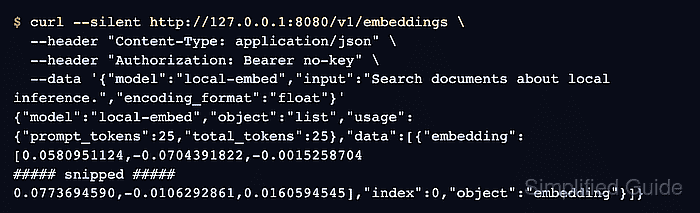
The /v1/embeddings response contains a data array, a zero-based index for each input text, and an embedding array of numbers. Texts being compared need the same model and pooling settings; equal vector lengths alone do not make embeddings from different models comparable.
Steps to call the llama.cpp embeddings API:
The starting requirements are llama-server on PATH, curl with --fail-with-body support, Python 3, and a local copy of ggml-org's Jina GGUF named models/embedding-model.gguf. The upstream file is jina-embeddings-v2-base-en-q8_0.gguf, converted from Jina AI's English encoder.
The local server has no API-key checking enabled. Binding it to 127.0.0.1 limits network access to this machine; other local processes can still submit text. Sensitive documents need an appropriate access policy before the server is exposed to other computers.
- Start llama-server with the Jina encoder on 127.0.0.1:8080.
$ llama-server -m models/embedding-model.gguf --embedding --pooling mean --alias local-embed --host 127.0.0.1 --port 8080
--pooling mean follows Jina AI's pooling recommendation. The OpenAI-compatible embeddings route requires pooling other than none. This server runs in the foreground; the HTTP requests run in another terminal.
Related: How to start the llama.cpp server - Check that the embedding server has finished loading.
$ curl --silent --show-error --fail-with-body http://127.0.0.1:8080/health
{"status":"ok"}
A loading model can return HTTP 503. The --fail-with-body option preserves the error body and makes HTTP errors return a nonzero curl exit status.
Related: How to check llama.cpp server health - Confirm the embedding model ID in the server's model list.
$ curl --silent --show-error --fail-with-body http://127.0.0.1:8080/v1/models
##### snipped #####
"id":"local-embed","aliases":["local-embed"]
##### snipped #####
The id in the data array is local-embed. Without --alias, the model ID may be its file path or loaded name.
- Save the response for a single text input in single-embedding.json.
$ curl --silent --show-error --fail-with-body http://127.0.0.1:8080/v1/embeddings \
  --header "Content-Type: application/json" \
  --data '{"model":"local-embed","input":"Search documents about local inference.","encoding_format":"float"}' \
  --output single-embedding.json
encoding_format set to float requests numeric arrays. No Authorization header is needed for this local server without API-key checking.
- Save the response for two input texts in embeddings.json.
$ curl --silent --show-error --fail-with-body http://127.0.0.1:8080/v1/embeddings \
  --header "Content-Type: application/json" \
  --data '{"model":"local-embed","input":["Search documents about local inference.","Rank passages for a local RAG query."],"encoding_format":"float"}' \
  --output embeddings.json
Each returned index maps to the corresponding position in the input array. A caller can associate that position with its own document ID before storing the vector.
- Check the saved embedding vectors for valid indexes, dimensions, and similarity.
$ python3 - <<'PY'
import json
import math

single = json.load(open("single-embedding.json"))["data"]
batch = json.load(open("embeddings.json"))["data"]
assert len(single) == 1 and single[0]["index"] == 0
assert len(batch) == 2 and [item["index"] for item in batch] == [0, 1]
vectors = [item["embedding"] for item in single + batch]
assert all(len(v) == 768 for v in vectors)
assert all(type(x) in (int, float) and math.isfinite(x) for v in vectors for x in v)
assert all(sum(x*x for x in v) > 0 for v in vectors)
a, b = (item["embedding"] for item in batch)
cosine = sum(x*y for x, y in zip(a, b)) / math.sqrt(sum(x*x for x in a) * sum(y*y for y in b))
print("Single input: index=0, dimensions=768")
print("Batch inputs: indexes=0,1, dimensions=768,768")
print("All values finite; all vectors nonzero")
print(f"Cosine similarity: {cosine:.6f}")
PY
Single input: index=0, dimensions=768 Batch inputs: indexes=0,1, dimensions=768,768 All values finite; all vectors nonzero Cosine similarity: 0.790848
An assertion failure means a response has the wrong count, indexes, dimensions, or numeric values for this encoder. Cosine similarity compares vector direction; values closer to 1 indicate more similar directions. The score varies with model and text, so 0.790848 is not a universal relevance threshold.