Removing a stale static route stops traffic for one destination network from being forced through an outdated gateway or interface. That matters when a subnet has moved, a VPN path has been retired, or a temporary route override is now sending packets away from the path Linux should normally choose.
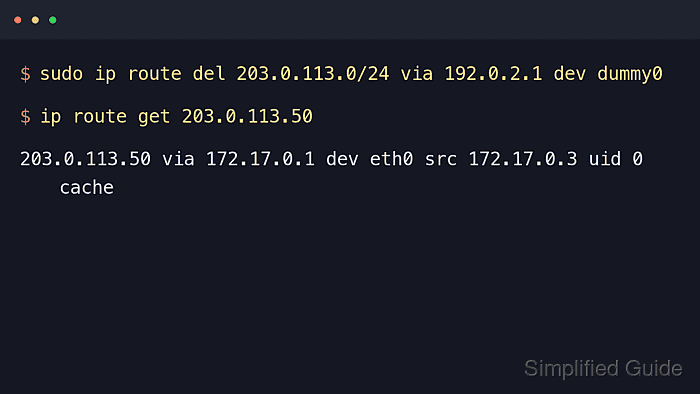
Linux keeps active routes in kernel routing tables, and ip route from iproute2 lists and deletes those entries immediately. Display the exact route first, keep any identifying fields such as via, dev, metric, or table, and pass the matching values to ip route del so Linux removes only the intended entry.
Deleting a live route requires root or sudo privileges and changes forwarding as soon as the command succeeds. Routes created by NetworkManager, netplan, systemd-networkd, or a distro network script can return after an interface reload or reboot until the persistent source is changed too.
Related: How to add a static route in Linux
Related: How to check the default route in Linux
Related: How to show routes in Linux
Tool: Static Route Commands Generator
Steps to remove a static route in Linux:
- Display the route entry that should be removed.
$ ip route show 203.0.113.0/24
203.0.113.0/24 via 192.0.2.1 dev eth0 proto static metric 20
The destination prefix selects the route. Additional fields such as via, dev, metric, and table narrow the deletion when similar entries exist.
- Delete the static route with the same identifying fields.
$ sudo ip route del 203.0.113.0/24 via 192.0.2.1 dev eth0 metric 20
Route removal takes effect immediately. Hosts that relied on that path can become unreachable until another matching route exists. If the route lives outside the main table, include table <name-or-id> in both the display and delete commands.
- Confirm that the removed prefix no longer appears in the active routing table.
$ ip route show 203.0.113.0/24
No output means the route is no longer present in the current routing table.
- Query the kernel for a destination inside the removed network.
$ ip route get 203.0.113.50
203.0.113.50 via 192.0.2.254 dev eth0 src 192.0.2.10
    cache
This lookup shows the route Linux would actually use now. After removing a more specific static route, traffic often falls back to the default gateway or another remaining matching route.
- Remove the same route from persistent network configuration if it returns after an interface reload or reboot.
Update the source that created the route, such as a NetworkManager profile, a netplan file, a systemd-networkd unit, or a distro network script, before cycling the connection.

Mohd Shakir Zakaria is a cloud architect with deep roots in software development and open-source advocacy. Certified in AWS, Red Hat, VMware, ITIL, and Linux, he specializes in designing and managing robust cloud and on-premises infrastructures.


