Shared Linux hosts often run login shells, service workers, scheduled jobs, and deployment tasks under different accounts. Viewing only one user's processes narrows a crowded process table to the account responsible for the work being checked.
The ps command reads the process table exposed through /proc and can select rows by user name or numeric user ID. The -u selector matches the effective user, which is the identity used for most permission checks, while -U matches the real user that started the process.
Most ordinary processes have the same real and effective user, so ps -u is usually enough for service accounts and login users. On systems where /proc visibility is restricted, an unprivileged account may see fewer details for other users' processes, and a header-only result means no matching process is visible in that shell context.
Related: How to view active processes in Linux
Related: How to kill a process in Linux
Steps to view Linux processes by user:
- Confirm the target account name.
$ id appuser
uid=1001(appuser) gid=1001(appuser) groups=1001(appuser)
Replace appuser with the login or service account being inspected.
- List processes whose effective user is the target account.
$ ps -u appuser -f
UID          PID    PPID  C STIME TTY          TIME CMD
appuser       53      49  0 20:57 ?        00:00:00 sleep 600
appuser       55      50  0 20:57 ?        00:00:00 sleep 600
-u selects by effective user name or ID. Use sudo ps -u appuser -f only when local /proc permissions hide process details needed for administration.
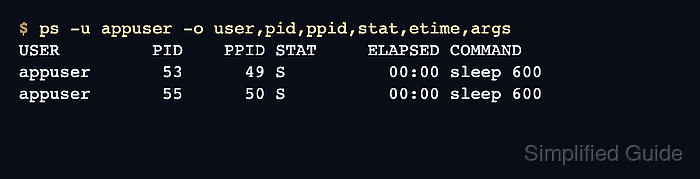
- Print a compact handoff view with the owner, PID, parent PID, state, elapsed time, and command line.
$ ps -u appuser -o user,pid,ppid,stat,etime,args
USER         PID    PPID STAT     ELAPSED COMMAND
appuser       53      49 S          00:00 sleep 600
appuser       55      50 S          00:00 sleep 600
The STAT column shows the process state, and ELAPSED shows how long the process has existed.
- Include both real-user and effective-user matches when set-user-ID behavior or privilege changes matter.
$ ps -U appuser -u appuser -o ruser,euser,pid,stat,args
RUSER    EUSER        PID STAT COMMAND
appuser  appuser       53 S    sleep 600
appuser  appuser       55 S    sleep 600
-U selects the real user, and -u selects the effective user. ps selection options are additive, so this form includes processes that match either selector.
- Compare two accounts in one process listing when ownership is being handed off or split between services.
$ ps -u appuser,deploy -o user,pid,stat,args
USER         PID STAT COMMAND
appuser       53 S    sleep 600
deploy        54 S    sleep 600
appuser       55 S    sleep 600
Separate user names or numeric IDs with commas when more than one account should appear in the same output.
- Check the empty-match case for a user with no visible processes.
$ ps -u nobody -o user,pid,args
USER         PID COMMAND
A header with no process rows means no process matched that selector in the current view. Recheck the account name with id when the result is unexpected.

Mohd Shakir Zakaria is a cloud architect with deep roots in software development and open-source advocacy. Certified in AWS, Red Hat, VMware, ITIL, and Linux, he specializes in designing and managing robust cloud and on-premises infrastructures.


