When a Linux host feels slow, rejects a handoff, or has a service that should be running, the process table shows what the kernel is actually executing. A process view gives each task a process ID, owner, state, start or elapsed time, and command name so the next action targets the right workload instead of a guess.
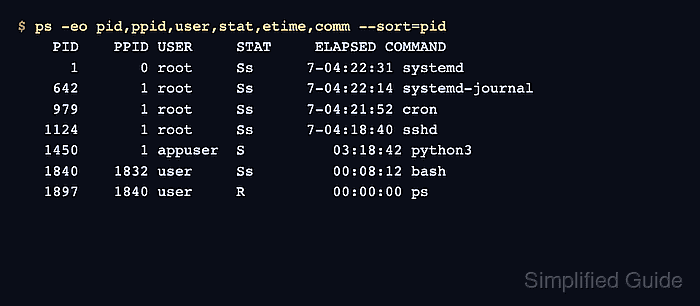
ps reads the current process table once and exits. The -e selector shows every visible process, while -f adds parent process IDs and command lines; custom -o columns keep the view narrower when a full listing is too wide for a terminal.
For a changing system, top samples the same running tasks repeatedly and sorts the display inside an interactive screen. Some hardened or containerized systems hide process details across user or namespace boundaries, so rerun the same commands with appropriate privileges or inside the target container when a process you expect to see is missing.
Steps to view active Linux processes with ps and top:
- List every process in full format.
$ ps -ef
UID          PID    PPID  C STIME TTY          TIME CMD
root           1       0  0 Jun07 ?        00:00:24 /sbin/init
root         642       1  0 Jun07 ?        00:00:03 /lib/systemd/systemd-journald
root         979       1  0 Jun07 ?        00:00:01 /usr/sbin/cron -f
root        1124       1  0 Jun07 ?        00:00:02 sshd: /usr/sbin/sshd -D [listener]
appuser     1450       1  0 09:11 ?        00:00:07 python3 -m http.server 8080
user        1840    1832  0 12:30 pts/0    00:00:00 -bash
user        1894    1840  0 12:31 pts/0    00:00:00 ps -ef
UID is the process owner, PID is the process ID, PPID is the parent process ID, and CMD is the command line that started the process.
- Show a compact process table with selected columns.
$ ps -eo pid,ppid,user,stat,etime,comm --sort=pid
    PID    PPID USER     STAT     ELAPSED COMMAND
      1       0 root     Ss      7-04:22:31 systemd
    642       1 root     Ss      7-04:22:14 systemd-journal
    979       1 root     Ss      7-04:21:52 cron
   1124       1 root     Ss      7-04:18:40 sshd
   1450       1 appuser  S          03:18:42 python3
   1840    1832 user     Ss         00:08:12 bash
   1897    1840 user     R          00:00:00 ps
STAT shows the process state, such as S for sleeping or R for running. ELAPSED shows how long the process has existed.
- Inspect one process by PID.
$ ps -p 1450 -o pid,ppid,user,stat,etime,args
    PID    PPID USER     STAT     ELAPSED COMMAND
   1450       1 appuser  S          03:18:42 python3 -m http.server 8080
Replace 1450 with a PID from the process list. The args column shows the full command line when it is visible to the current user.
- Open an updating process view with top.
$ top
top - 12:31:18 up 7 days,  4:22,  1 user,  load average: 0.18, 0.10, 0.08
Tasks: 126 total,   1 running, 125 sleeping,   0 stopped,   0 zombie
%Cpu(s):  1.0 us,  0.7 sy,  0.0 ni, 97.8 id,  0.2 wa,  0.0 hi,  0.3 si,  0.0 st
MiB Mem :   3901.5 total,   2144.7 free,    512.8 used,   1244.0 buff/cache
MiB Swap:   2048.0 total,   2048.0 free,      0.0 used.   3154.6 avail Mem

    PID USER      PR  NI    VIRT    RES    SHR S  %CPU  %MEM     TIME+ COMMAND
   1450 appuser   20   0   28784  18304  10496 S   0.7   0.5   0:07.21 python3
      1 root      20   0   22416  12660   8564 S   0.0   0.3   0:24.56 systemd
    642 root      20   0   30920  10952   9612 S   0.0   0.3   0:03.14 systemd-journal
##### snipped #####
Press q to exit top. Press P to sort by CPU use or M to sort by memory use while the interactive view is open.
- Capture a one-time top snapshot when the process view must be copied into a ticket or log.
$ top -b -n 1
top - 12:31:18 up 7 days,  4:22,  1 user,  load average: 0.18, 0.10, 0.08
Tasks: 126 total,   1 running, 125 sleeping,   0 stopped,   0 zombie
%Cpu(s):  1.0 us,  0.7 sy,  0.0 ni, 97.8 id,  0.2 wa,  0.0 hi,  0.3 si,  0.0 st
MiB Mem :   3901.5 total,   2144.7 free,    512.8 used,   1244.0 buff/cache
MiB Swap:   2048.0 total,   2048.0 free,      0.0 used.   3154.6 avail Mem

    PID USER      PR  NI    VIRT    RES    SHR S  %CPU  %MEM     TIME+ COMMAND
   1899 user      20   0   11752   4992   3072 R   6.2   0.1   0:00.03 top
   1450 appuser   20   0   28784  18304  10496 S   0.7   0.5   0:07.21 python3
      1 root      20   0   22416  12660   8564 S   0.0   0.3   0:24.56 systemd
    642 root      20   0   30920  10952   9612 S   0.0   0.3   0:03.14 systemd-journal

Mohd Shakir Zakaria is a cloud architect with deep roots in software development and open-source advocacy. Certified in AWS, Red Hat, VMware, ITIL, and Linux, he specializes in designing and managing robust cloud and on-premises infrastructures.


