A CPU-heavy job can make a shell, desktop, or service feel slow even when the process should keep running. Changing its nice value gives the Linux scheduler a clearer hint that the task should yield to more urgent work, or that an administrator has deliberately raised its CPU urgency.
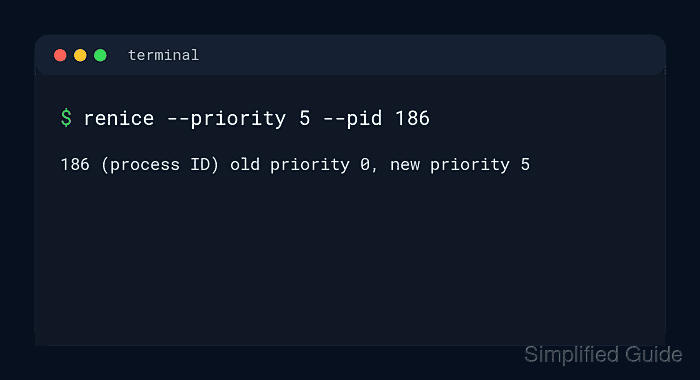
For normal processes, the nice value is the user-facing priority hint. renice changes the nice value of an existing process, nice starts a new command with an adjusted niceness, and ps shows the NI column that proves the value currently attached to a PID.
Nice values normally range from -20 through 19. Larger values make a process less urgent, while negative values increase urgency and usually require root privileges plus permission to raise scheduling priority. Nice values affect normal CPU scheduling, not I/O priority or real-time scheduling classes.
Steps to change Linux process priority with nice and renice:
- Start a safe sample process for practice.
$ sleep 600 &
[1] 214
Use the real target PID instead of 214 when adjusting a production workload.
- Check the current nice value for the PID.
$ ps -o pid,ni,comm -p 214
    PID  NI COMMAND
    214   0 sleep
NI is the nice value changed by nice and renice.
- Set a larger nice value on the running process to lower its CPU urgency.
$ renice --priority 10 --pid 214
214 (process ID) old priority 0, new priority 10
renice treats the value passed to --priority as the absolute nice value for that PID.
- Verify that the running process now has the new nice value.
$ ps -o pid,ni,comm -p 214 PID NI COMMAND 214 10 sleep - Start a new command with a higher nice adjustment when the process has not been launched yet.
$ nice --adjustment=15 sleep 600 &
[2] 215
From a normal shell at nice value 0, --adjustment=15 starts the command at nice value 15. Replace sleep 600 with the real command.
- Confirm that the new command inherited the adjusted nice value.
$ ps -o pid,ni,comm -p 215 PID NI COMMAND 215 15 sleep - Expect a permission boundary when lowering the nice value below the current value.
$ renice --priority -5 --pid 214
renice: failed to set priority for 214 (process ID): Permission denied
Use sudo renice --priority -5 --pid 214 only when higher CPU urgency is justified. Some containers and restricted services can still reject negative nice values without CAP_SYS_NICE or an equivalent limit allowance.
- Stop the sample processes when the test is finished.
$ kill 214 215
Related: How to kill a process in Linux

Mohd Shakir Zakaria is a cloud architect with deep roots in software development and open-source advocacy. Certified in AWS, Red Hat, VMware, ITIL, and Linux, he specializes in designing and managing robust cloud and on-premises infrastructures.


