Group names show the access labels a Linux host can resolve for file ownership, access control lists, service permissions, and shared directories. Listing groups before membership or ownership changes prevents commands from targeting a name or numeric GID that the system does not know.
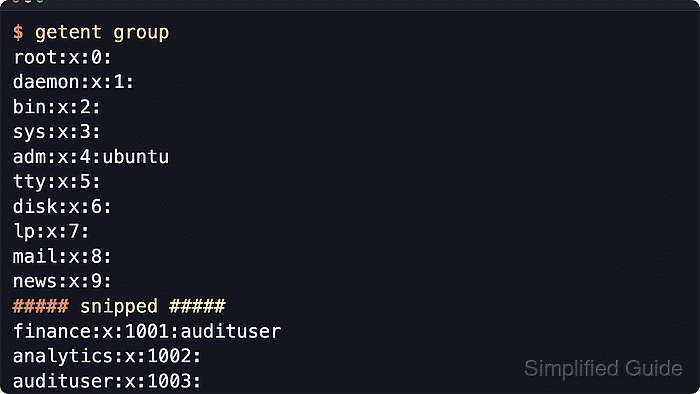
The getent group command queries the group database through the Name Service Switch instead of reading only /etc/group. That matters on hosts backed by local files, LDAP, SSSD, Active Directory, or another identity source. Each returned record has four colon-separated fields for the group name, password placeholder, numeric GID, and member list.
Group lookups are read-only and usually do not require sudo. Use getent group when the goal is the resolved group view, use /etc/group when comparing local file entries, and use a user-account or membership guide when the task is to audit one account's assigned groups.
Related: How to create a group in Linux
Related: How to delete a group in Linux
Related: How to add a user to a group in Linux
Related: How to audit local user accounts in Linux
Steps to list groups in Linux:
- List groups from the resolved group database.
$ getent group
root:x:0:
daemon:x:1:
bin:x:2:
sys:x:3:
adm:x:4:ubuntu
tty:x:5:
disk:x:6:
lp:x:7:
mail:x:8:
news:x:9:
##### snipped #####
sudo:x:27:ubuntu
users:x:100:
nogroup:x:65534:
ubuntu:x:1000:
getent enumerates group sources that support enumeration. If a directory service does not expose a full group list, query the exact group name in the next step.
- Query one group name when you need to confirm that a specific group resolves.
$ getent group adm
adm:x:4:ubuntu
Replace adm with the target group name. No output means the configured group lookup did not return that group.
- Query a numeric GID when file ownership or an access control list shows a number instead of a group name.
$ getent group 4
adm:x:4:ubuntu
The numeric field after the password placeholder is the GID that appears in commands such as ls -ln and ACL output.
- Query several candidate groups in one command when you need to compare a short list.
$ getent group adm sudo
adm:x:4:ubuntu
sudo:x:27:ubuntu
getent prints only matching group records, so a missing candidate is omitted from the output.
- Read the local group file when you need to compare local entries with the resolved NSS view.
$ cat /etc/group
root:x:0:
daemon:x:1:
bin:x:2:
sys:x:3:
adm:x:4:ubuntu
tty:x:5:
disk:x:6:
lp:x:7:
mail:x:8:
news:x:9:
##### snipped #####
sudo:x:27:ubuntu
users:x:100:
nogroup:x:65534:
ubuntu:x:1000:
If a group appears in getent group but not in /etc/group, it is being supplied by another configured identity source.

Mohd Shakir Zakaria is a cloud architect with deep roots in software development and open-source advocacy. Certified in AWS, Red Hat, VMware, ITIL, and Linux, he specializes in designing and managing robust cloud and on-premises infrastructures.


