Deleting a local Linux group retires an access label that may still be attached to accounts, shared directories, and service-owned paths. A safe removal starts by proving the group identity and moving any dependent users or files before the group name disappears from account lookups.
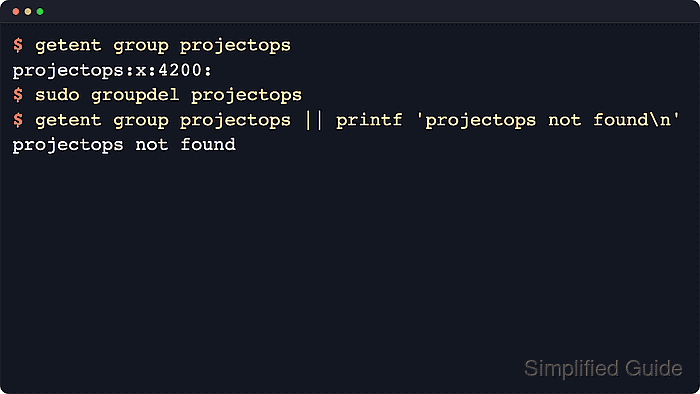
Linux resolves group records through the configured account sources, with local groups normally stored in /etc/group and /etc/gshadow. The groupdel command removes the local group entry; it does not scan filesystems or change groups supplied by LDAP, SSSD, Active Directory, or another directory service.
Delete the group only after every account and path that still depends on it has been updated. By default, groupdel refuses a group that is still the primary GID for an existing user, and usermod -g only fixes old-group ownership inside that user's home directory automatically. Files outside the home directory must be moved to a replacement group before the old name is removed.
Related: How to list groups in Linux
Related: How to create a group in Linux
Steps to delete a Linux group:
- Confirm that the target group currently resolves so the exact group name and numeric GID are known before anything is changed.
$ getent group projectops
projectops:x:4200:
The numeric field after the group name is the GID that can still appear in /etc/passwd and filesystem metadata after the group name is removed.
- Run the deletion and stop if groupdel reports a primary-group dependency.
$ sudo groupdel projectops
groupdel: cannot remove the primary group of user 'deploysvc'
Do not add --force just to bypass this message. Removing a primary group while an account still uses it can leave that account tied to an unnamed numeric GID.
- Move each affected account to an existing replacement primary group.
$ sudo usermod -g sharedops deploysvc
The replacement group such as sharedops must already exist before it can become the account's new primary group.
- Confirm the account now uses the replacement primary GID.
$ id deploysvc
uid=1001(deploysvc) gid=4201(sharedops) groups=4201(sharedops)
usermod -g updates old-group ownership inside the user's home directory automatically, but paths outside the home directory still need manual cleanup.
- Find files and directories that still use the old group ownership in the relevant data path.
$ sudo find /srv/group-delete-demo -group projectops -print
/srv/group-delete-demo
/srv/group-delete-demo/releases.txt
Search the application, project, or mount paths that actually use the group instead of scanning the entire filesystem by default.
- Change any remaining file or directory group ownership before removing the group entry.
$ sudo chgrp -R sharedops /srv/group-delete-demo
Removing the group first leaves those paths tagged only with the numeric GID, which makes later ownership review and access cleanup harder.
- Confirm the checked paths show the replacement group.
$ ls -ld /srv/group-delete-demo /srv/group-delete-demo/releases.txt
drwxr-xr-x 2 root sharedops 4096 Jun 13 11:41 /srv/group-delete-demo
-rw-r--r-- 1 root sharedops    0 Jun 13 11:41 /srv/group-delete-demo/releases.txt
- Delete the group after user and file dependencies have been moved away.
$ sudo groupdel projectops
Some distributions also provide wrappers such as delgroup, but groupdel is the common cross-distribution command for local group removal.
- Confirm that the group no longer resolves from the local account database.
$ getent group projectops || printf 'projectops not found\n'
projectops not found
If cleanup is complete, the old group name no longer resolves and the earlier data-path check no longer shows any paths owned by that group.

Mohd Shakir Zakaria is a cloud architect with deep roots in software development and open-source advocacy. Certified in AWS, Red Hat, VMware, ITIL, and Linux, he specializes in designing and managing robust cloud and on-premises infrastructures.


