A bad /etc/fstab entry can turn a small storage change into a boot-time mount failure. Checking the saved table before rebooting lets a Linux administrator catch missing mount points, unresolved UUID values, unsupported filesystem types, and option mistakes while the system is still running.
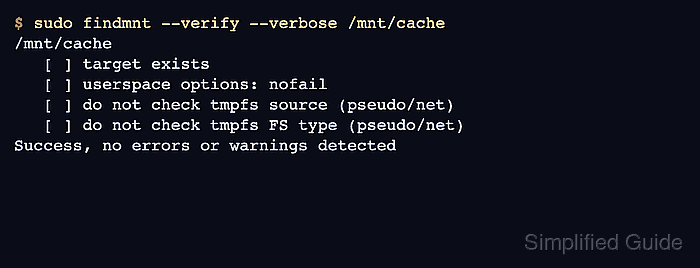
findmnt reads the fstab table through libmount and can verify either the full table or one target path. It reports parse errors and reachability problems without using a reboot as the test, while mount can then test the exact entry that should become active.
The examples use a tmpfs cache mount at /mnt/cache because it is easy to validate without a physical disk. Use the mount point from the line you changed, and treat any error or warning on a boot-critical filesystem as a stop signal until the line is corrected. On systemd hosts, reload the manager after editing /etc/fstab so generated mount units are rebuilt before the next boot.
Steps to verify fstab before rebooting in Linux:
- Back up the current fstab file before changing saved mounts.
$ sudo cp --archive /etc/fstab /etc/fstab.bak
A malformed /etc/fstab line can delay boot or leave a required filesystem unavailable. Keep console or rescue access available before changing boot-time storage entries.
- Check that the changed line uses the intended fstab fields.
tmpfs /mnt/cache tmpfs defaults,nofail 0 0
The fields are source, mount point, filesystem type, mount options, dump flag, and filesystem-check order. Replace /mnt/cache with the target path from the line being verified.
- Display the saved entry as findmnt reads it.
$ findmnt --fstab --target /mnt/cache --output TARGET,SOURCE,FSTYPE,OPTIONS
TARGET     SOURCE FSTYPE OPTIONS
/mnt/cache tmpfs  tmpfs  defaults,nofail
If this command prints nothing, the saved table does not contain an entry for that target path or the path differs from the one being checked.
- Verify the saved entry before rebooting.
$ sudo findmnt --verify --verbose /mnt/cache
/mnt/cache
   [ ] target exists
   [ ] userspace options: nofail
   [ ] do not check tmpfs source (pseudo/net)
   [ ] do not check tmpfs FS type (pseudo/net)
Success, no errors or warnings detected
Run sudo findmnt --verify --verbose without a target when the whole fstab table needs a pass before a maintenance reboot.
- Stop and correct any reported fstab error.
$ sudo findmnt --verify --verbose /mnt/archive

0 parse errors, 2 errors, 0 warnings
/mnt/archive
   [E] unreachable on boot required target: No such file or directory
   [E] unreachable on boot required source: UUID=missing-uuid
Do not reboot with unresolved required targets, missing UUID values, or filesystem type errors on entries needed during boot. Create the mount point, fix the source identifier, or add a deliberate nofail policy only when the mount is allowed to be absent.
Related: How to get a disk or partition UUID in Linux - Reload systemd after editing /etc/fstab.
$ sudo systemctl daemon-reload
This refreshes mount units generated from /etc/fstab on systemd systems. Non-systemd hosts can skip this step.
- Mount the checked entry by its target path when it is safe to attach now.
$ sudo mount /mnt/cache
mount uses the matching /etc/fstab line when only the target path is supplied. Skip this smoke test for entries that require a remote service, removable media, or a change window that is not available yet.
- Confirm that the target path mounted from the expected source.
$ findmnt --mountpoint /mnt/cache --output TARGET,SOURCE,FSTYPE,OPTIONS
TARGET     SOURCE FSTYPE OPTIONS
/mnt/cache tmpfs  tmpfs  rw,nosuid,nodev,relatime
The TARGET and FSTYPE values should match the saved fstab line, while runtime options may include kernel defaults not written explicitly in the file.

Mohd Shakir Zakaria is a cloud architect with deep roots in software development and open-source advocacy. Certified in AWS, Red Hat, VMware, ITIL, and Linux, he specializes in designing and managing robust cloud and on-premises infrastructures.


