Checksum verification belongs before extracting an archive, flashing an image, installing a package, or handing a file to another system. A match means the local bytes still line up with the published reference value, while a mismatch means the file should be replaced before it enters the next workflow.
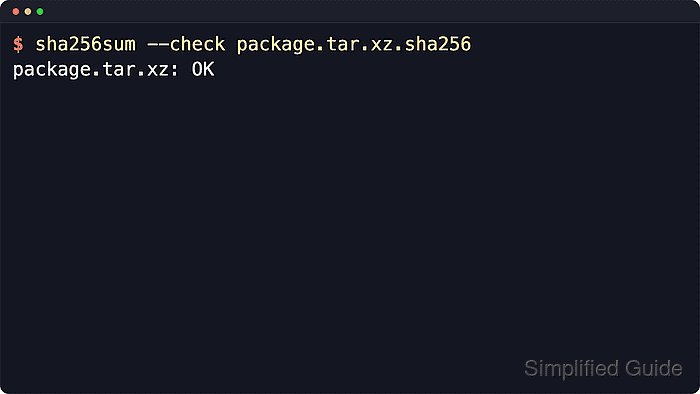
On Linux, sha256sum --check reads a checksum file, computes the SHA-256 digest of each named file, and prints whether the local file matches the recorded value. Vendor checksum files such as package.tar.xz.sha256 or SHA256SUMS normally use the same format produced by sha256sum, with the digest first and the exact filename after it.
A checksum match proves byte-for-byte integrity against that reference, not publisher identity or file safety. Use a checksum from the vendor release page, a signed checksum manifest, or another trusted release channel, and switch to the matching tool such as sha512sum when the publisher supplies a different algorithm.
Steps to verify a checksum with sha256sum in Linux:
- Change to the directory that contains the downloaded file and checksum file.
$ cd ~/Downloads/releases
sha256sum --check resolves filenames from the checksum file relative to the current directory unless the checksum file contains a path.
- Inspect the checksum file before running the check.
$ cat package.tar.xz.sha256
be110d6f8d61b5ddbd77bac7005548b01a51a7267183875866b264659d9d0753  package.tar.xz
The standard format is the hex digest, two spaces, and the exact filename. If the publisher provides only a bare digest string, place it in that format before checking it.
- Verify the file against the checksum reference.
$ sha256sum --check package.tar.xz.sha256
package.tar.xz: OK
OK means the local file content matches the recorded SHA-256 digest and the filename in the checksum file resolved successfully.
- Check a downloaded file from a larger manifest when needed.
$ sha256sum --ignore-missing --check SHA256SUMS
package.tar.xz: OK
--ignore-missing skips entries for files that are not present locally, which lets a full release manifest verify only the artifacts you downloaded.
- Stop using the file if verification fails.
$ sha256sum --check package.tar.xz.sha256
package.tar.xz: FAILED
sha256sum: WARNING: 1 computed checksum did NOT match
A failed checksum means the local bytes differ from the trusted reference. Delete the file, download or copy it again from a trusted source, and repeat the check before extracting, installing, or flashing it.

Mohd Shakir Zakaria is a cloud architect with deep roots in software development and open-source advocacy. Certified in AWS, Red Hat, VMware, ITIL, and Linux, he specializes in designing and managing robust cloud and on-premises infrastructures.


