Stale DNS answers can keep one Linux host pointed at an old address after a record change, VPN reconnect, or resolver-side repair. Flushing the local cache removes resource records that systemd-resolved is still holding, so the next lookup can be checked against the current resolver path instead of an old local answer.
systemd-resolved is the common local resolver on many current Linux distributions. It can receive per-link DNS settings from NetworkManager or systemd-networkd, expose a local stub resolver to traditional resolver clients, and keep resource-record cache entries for later lookups. The resolvectl status command identifies that active layer before any cache action.
The cache flush only clears records held by systemd-resolved on that host. Upstream recursive resolvers, browser DNS caches, application runtimes, dnsmasq, nscd, and SSSD can keep separate answers, so an unchanged result after the flush may point to a different cache layer or to an authoritative DNS record that has not changed.
Related: How to check DNS resolution in Linux
Related: How to change DNS servers in Linux
Tool: DNS Propagation Checker
Steps to flush DNS cache with systemd-resolved in Linux:
- Confirm that systemd-resolved is the active resolver layer.
$ resolvectl status
Global
         Protocols: -LLMNR -mDNS -DNSOverTLS DNSSEC=no/unsupported
  resolv.conf mode: stub

Link 2 (enp0s5)
    Current Scopes: DNS
         Protocols: +DefaultRoute -LLMNR -mDNS -DNSOverTLS DNSSEC=no/unsupported
Current DNS Server: 192.0.2.53
       DNS Servers: 192.0.2.53 192.0.2.54
        DNS Domain: example.net
The stub mode and active link DNS servers show that lookups are going through systemd-resolved. If resolvectl cannot reach the service, clear the cache for the resolver that actually owns the host's DNS path.
- Read the current resolver cache statistics.
$ resolvectl statistics
DNSSEC supported by current servers: no

Transactions
Current Transactions: 0
  Total Transactions: 48

Cache
  Current Cache Size: 17
          Cache Hits: 12
        Cache Misses: 36
##### snipped #####
The Current Cache Size value counts records currently held by systemd-resolved, not upstream resolver caches.
- Flush the local DNS resource-record cache.
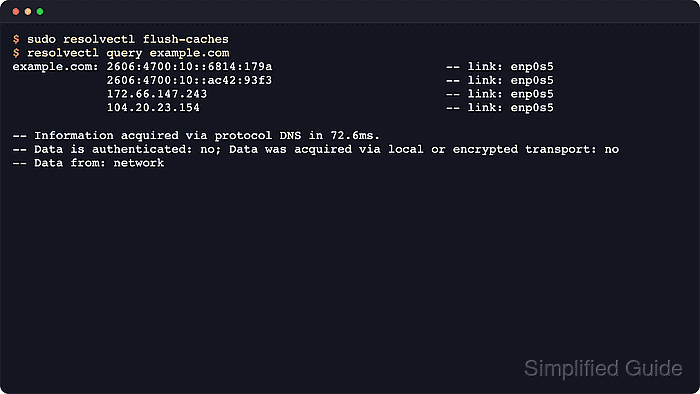
$ sudo resolvectl flush-caches
The command normally returns no output after a successful flush. systemd-resolved also clears its caches automatically when the host's network configuration changes, so a manual flush is mainly for an immediate retest.
- Verify that the local resolver cache is empty.
$ resolvectl statistics DNSSEC supported by current servers: no Transactions Current Transactions: 0 Total Transactions: 48 Cache Current Cache Size: 0 Cache Hits: 12 Cache Misses: 36 ##### snipped ##### - Query the hostname that was stale through the normal resolver path.
$ resolvectl query www.example.net
www.example.net: 203.0.113.50                              -- link: enp0s5
                 203.0.113.51                              -- link: enp0s5

-- Information acquired via protocol DNS in 78.4ms.
-- Data is authenticated: no; Data was acquired via local or encrypted transport: no
-- Data from: network
A Data from: network line on the first lookup after the flush shows that systemd-resolved fetched the answer again. If the address is still wrong, compare the upstream record and any browser or application-specific cache.

Mohd Shakir Zakaria is a cloud architect with deep roots in software development and open-source advocacy. Certified in AWS, Red Hat, VMware, ITIL, and Linux, he specializes in designing and managing robust cloud and on-premises infrastructures.


