Long-running graph executions can leave logs and user interfaces silent until the final state arrives. LangGraph can expose activity as it happens, so an application can show node progress without waiting for the graph to finish.
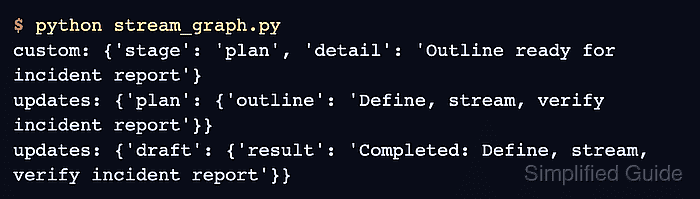
The updates mode yields state changes after each node, while custom carries application-defined payloads emitted inside a node. Selecting both modes in one graph.stream() call preserves their arrival order without adding a separate polling path.
The v2 stream format returns every item with type, ns, and data fields. A synchronous, credential-free graph keeps the stream easy to inspect; asynchronous applications use the same modes with astream() and async for.
Related: How to install LangGraph with pip
Related: How to build a state graph in LangGraph
Steps to stream LangGraph execution events:
- Create stream_graph.py with the typed graph state.
- stream_graph.py
from typing import TypedDict

from langgraph.config import get_stream_writer
from langgraph.graph import END, START, StateGraph


class State(TypedDict):
    topic: str
    outline: str
    result: str
- Append the graph node definitions shown below to stream_graph.py.
- stream_graph.py
def plan(state: State):
    writer = get_stream_writer()
    writer({"stage": "plan", "detail": f"Outline ready for {state['topic']}"})
    return {"outline": f"Define, stream, verify {state['topic']}"}


def draft(state: State):
    return {"result": f"Completed: {state['outline']}"}
get_stream_writer() sends the dictionary to custom mode before the node returns its state change to updates mode.
- Append the graph topology to stream_graph.py.
- stream_graph.py
graph = (
    StateGraph(State)
    .add_node("plan", plan)
    .add_node("draft", draft)
    .add_edge(START, "plan")
    .add_edge("plan", "draft")
    .add_edge("draft", END)
    .compile()
)
- Append the v2 stream consumer to stream_graph.py.
- stream_graph.py
for part in graph.stream(
    {"topic": "incident report"},
    stream_mode=["updates", "custom"],
    version="v2",
):
    if part["type"] == "custom":
        print(f"custom: {part['data']}")
    elif part["type"] == "updates":
        print(f"updates: {part['data']}")
The type field distinguishes each selected stream mode. The data field contains either the custom payload or a node-name-to-state-update mapping.
- Run stream_graph.py to verify the custom event and node updates arrive in execution order.
$ python stream_graph.py
custom: {'stage': 'plan', 'detail': 'Outline ready for incident report'}
updates: {'plan': {'outline': 'Define, stream, verify incident report'}}
updates: {'draft': {'result': 'Completed: Define, stream, verify incident report'}}

Mohd Shakir Zakaria is a cloud architect with deep roots in software development and open-source advocacy. Certified in AWS, Red Hat, VMware, ITIL, and Linux, he specializes in designing and managing robust cloud and on-premises infrastructures.


