Kubernetes upgrades can fail when manifests, Helm output, GitOps sources, or API clients still use API versions the target control plane no longer serves. A pre-upgrade API review finds those blockers before the maintenance window and separates must-fix removals from warnings that can be scheduled for later cleanup.
Removed APIs and deprecated APIs need different treatment. Server-side dry run catches manifests that the target API server rejects, while live API warnings show clients and scripts that still request served-but-deprecated endpoints.
Use a cluster that matches the Kubernetes minor version being upgraded to whenever possible. When that target cluster is not available, compare rendered manifests with the official Kubernetes deprecation guide first, then repeat the server-side dry run when a staging or pre-production API server reaches the target version.
Steps to check Kubernetes deprecated APIs:
- Confirm the Kubernetes API server version used for the check.
$ kubectl version
Client Version: v1.36.2
Kustomize Version: v5.8.1
Server Version: v1.36.1
Use a staging cluster, temporary kind cluster, or vendor test cluster that matches the target control-plane minor version. A lower-version cluster can miss API versions removed in the upgrade target.
- Prepare the exact rendered manifest that will be applied.
For Helm, Kustomize, or GitOps, scan the rendered YAML, not only source templates or values files. Store it as release.yaml or another release-specific filename.
- Run a server-side dry run against the rendered manifest.
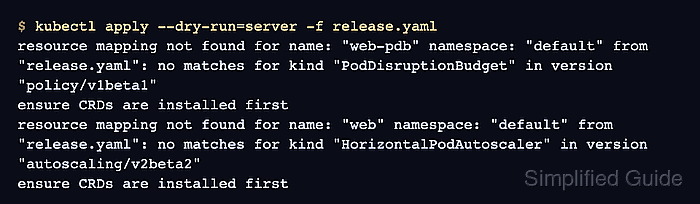
$ kubectl apply --dry-run=server -f release.yaml
resource mapping not found for name: "web-pdb" namespace: "default" from "release.yaml": no matches for kind "PodDisruptionBudget" in version "policy/v1beta1"
ensure CRDs are installed first
resource mapping not found for name: "web" namespace: "default" from "release.yaml": no matches for kind "HorizontalPodAutoscaler" in version "autoscaling/v2beta2"
ensure CRDs are installed first
For built-in resources such as PodDisruptionBudget and HorizontalPodAutoscaler, a missing apiVersion and kind mapping means the target API server no longer serves that API version.
- Map each rejected apiVersion and kind to the supported replacement.
https://kubernetes.io/docs/reference/using-api/deprecation-guide/

policy/v1beta1 PodDisruptionBudget -> policy/v1 PodDisruptionBudget
autoscaling/v2beta2 HorizontalPodAutoscaler -> autoscaling/v2 HorizontalPodAutoscaler
Do not change only the version string when the migration notes mention required fields, renamed fields, or changed defaults. For example, policy/v1 PodDisruptionBudget handles an empty spec.selector differently from policy/v1beta1.
- Update the source manifest, chart, overlay, or API client that produced each rejected object.
Fix the source that will be applied again during rollback or GitOps reconciliation, not only an exported copy from the cluster.
- Re-run the server-side dry run after the API replacements are in place.
$ kubectl apply --dry-run=server -f release.yaml
poddisruptionbudget.policy/web-pdb created (server dry run)
horizontalpodautoscaler.autoscaling/web created (server dry run)
The dry run contacts the API server and does not save the objects.
- Check live deprecated API warnings from scripts or manual commands.
$ kubectl get endpoints kubernetes
Warning: v1 Endpoints is deprecated in v1.33+; use discovery.k8s.io/v1 EndpointSlice
NAME         ENDPOINTS         AGE
kubernetes   172.25.0.2:6443   15s
Warnings identify served-but-deprecated API requests. Fix clients and automation separately from manifest files because a clean manifest dry run does not prove runtime callers stopped using deprecated endpoints.
- Query the supported replacement API for the warned resource.
$ kubectl get endpointslice -l kubernetes.io/service-name=kubernetes
NAME         ADDRESSTYPE   PORTS   ENDPOINTS    AGE
kubernetes   IPv4          6443    172.25.0.2   15s
EndpointSlices can have multiple rows for one Service, especially for dual-stack Services, changing ports, or large endpoint sets.

Mohd Shakir Zakaria is a cloud architect with deep roots in software development and open-source advocacy. Certified in AWS, Red Hat, VMware, ITIL, and Linux, he specializes in designing and managing robust cloud and on-premises infrastructures.


