Helm manages Kubernetes applications as named releases, with each release holding the chart, values, and revision history for the installed resources. When an application is already under Helm, a chart update, image change, replica count, service setting, or environment-specific override should move through a release upgrade instead of direct kubectl edits.
Helm records each successful upgrade as a new release revision in the target namespace. The release name and chart argument must still point to the application being managed, while --reuse-values carries the last release values forward before applying the new overrides.
An upgrade can replace workloads, run chart hooks, and create a rollback point, but it does not undo application data migrations or persistent-volume changes if the new release behaves badly. Keep the previous revision visible in history and run a workload-level smoke test before widening traffic.
Steps to upgrade a Helm release on Kubernetes:
- Open a terminal with kubectl access to the target cluster and Helm available on PATH.
- Check the values currently saved on the release.
$ helm get values web --namespace web
USER-SUPPLIED VALUES:
fullnameOverride: web
image:
  repository: nginx
  tag: 1.27.5-alpine
replicaCount: 1
Use the release name and namespace that match your installed chart. Release web starts with one replica and uses a local chart path named ./web-chart.
- Record the current release history before changing the release.
$ helm history web --namespace web
REVISION	UPDATED                 	STATUS  	CHART          	APP VERSION	DESCRIPTION
1       	Fri Jun 26 20:50:08 2026	deployed	web-chart-0.1.0	1.16.0     	Install complete
Revision 1 is the rollback point if the upgrade needs to be reversed.
- Upgrade the release and wait for supported resources to become ready.
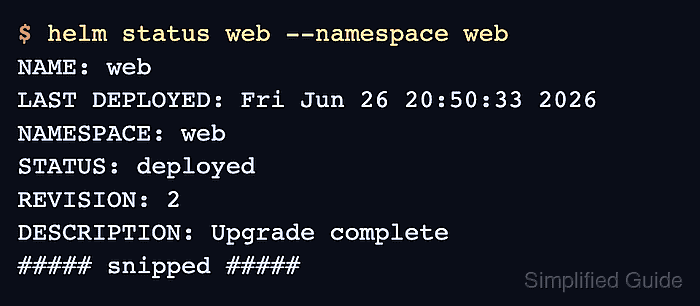
$ helm upgrade web ./web-chart --namespace web --reuse-values --set replicaCount=2 --wait --timeout 5m
Release "web" has been upgraded. Happy Helming!
NAME: web
LAST DEPLOYED: Fri Jun 26 20:50:33 2026
NAMESPACE: web
STATUS: deployed
REVISION: 2
DESCRIPTION: Upgrade complete
##### snipped #####
--reuse-values carries forward prior custom values, --set changes only replicaCount, and --wait waits up to --timeout for supported resources to become ready.
Prepare the application rollback or data restore path before upgrading charts that run migrations, change persistent storage, or modify external services.
- Confirm that Helm recorded a new deployed revision.
$ helm history web --namespace web
REVISION	UPDATED                 	STATUS    	CHART          	APP VERSION	DESCRIPTION
1       	Fri Jun 26 20:50:08 2026	superseded	web-chart-0.1.0	1.16.0     	Install complete
2       	Fri Jun 26 20:50:33 2026	deployed  	web-chart-0.1.0	1.16.0     	Upgrade complete
- Check release status for the upgraded resource state.
$ helm status web --namespace web
NAME: web
LAST DEPLOYED: Fri Jun 26 20:50:33 2026
NAMESPACE: web
STATUS: deployed
REVISION: 2
DESCRIPTION: Upgrade complete
RESOURCES:
==> v1/Deployment
NAME   READY   UP-TO-DATE   AVAILABLE   AGE
web    2/2     2            2           25s
##### snipped #####
The Deployment row confirms the release resources reflect the upgraded replica count.
- Wait for the Deployment rollout to complete.
$ kubectl rollout status deployment/web --namespace web --timeout=180s
deployment "web" successfully rolled out
- List the release-owned workload objects.
$ kubectl get deployment,pod --namespace web --selector app.kubernetes.io/instance=web
NAME                  READY   UP-TO-DATE   AVAILABLE   AGE
deployment.apps/web   2/2     2            2           25s

NAME                       READY   STATUS    RESTARTS   AGE
pod/web-86d897f6ff-5kqs7   1/1     Running   0          1s
pod/web-86d897f6ff-mk6sz   1/1     Running   0          22s
Both Pods running under the release selector confirm the values change reached Kubernetes and the upgraded workload converged.

Mohd Shakir Zakaria is a cloud architect with deep roots in software development and open-source advocacy. Certified in AWS, Red Hat, VMware, ITIL, and Linux, he specializes in designing and managing robust cloud and on-premises infrastructures.


