Application models in Keras package trained image-classification architectures with downloadable weights, so a local photo can pass through a production-shaped inference path without training a model first. MobileNetV2 keeps that first prediction small while retaining the image loading, model-specific preprocessing, and ImageNet decoding required by larger application models.
The TensorFlow backend must be selected before importing Keras. MobileNetV2 expects an RGB image resized to 224 by 224 pixels, a batch dimension, and its matching preprocess_input() transformation before inference.
Decoded labels apply only to the original ImageNet classifier head loaded with weights=“imagenet” and the default include_top=True. Feature extractors and models with custom classifier heads need their own label mapping instead of decode_predictions().
Related: How to install Keras with pip
Related: How to run transfer learning in Keras
Steps to run prediction with a pretrained Keras application model:
- Save a recognizable RGB photo as sample.jpg in the project directory.
Keras also accepts JPEG, PNG, BMP, and non-animated GIF inputs through load_img(), but the filename passed to the script must match the saved image.
- Create predict_mobilenet.py with the backend selection and application imports.
- predict_mobilenet.py
import os
import sys

os.environ["KERAS_BACKEND"] = "tensorflow"

import numpy as np
import keras
from keras.applications.mobilenet_v2 import (
    MobileNetV2,
    decode_predictions,
    preprocess_input,
)
Keras reads KERAS_BACKEND during import, so the assignment must remain above import keras.
- Append the model and image preprocessing block to predict_mobilenet.py.
image_path = sys.argv[1] if len(sys.argv) > 1 else "sample.jpg"

model = MobileNetV2(weights="imagenet")
image = keras.utils.load_img(
    image_path,
    color_mode="rgb",
    target_size=(224, 224),
)
image_array = keras.utils.img_to_array(image)
image_batch = np.expand_dims(image_array, axis=0)
model_input = preprocess_input(image_batch.copy())
The first model construction downloads the pretrained weights to the local Keras model cache. Copying the batch prevents preprocess_input() from overwriting the original floating-point image array.
- Append the inference and tensor-shape checks to predict_mobilenet.py.
predictions = model.predict(model_input, verbose=0)

print(f"model input shape: {model_input.shape}")
print(f"prediction shape: {predictions.shape}")
- Append the top-three ImageNet decoding loop to predict_mobilenet.py.
for rank, (_, label, score) in enumerate(
    decode_predictions(predictions, top=3)[0],
    start=1,
):
    print(f"{rank}. {label}: {score:.3f}")
- Compare the completed predict_mobilenet.py with the consolidated file.
- predict_mobilenet.py
import os
import sys

os.environ["KERAS_BACKEND"] = "tensorflow"

import numpy as np
import keras
from keras.applications.mobilenet_v2 import (
    MobileNetV2,
    decode_predictions,
    preprocess_input,
)

image_path = sys.argv[1] if len(sys.argv) > 1 else "sample.jpg"

model = MobileNetV2(weights="imagenet")
image = keras.utils.load_img(
    image_path,
    color_mode="rgb",
    target_size=(224, 224),
)
image_array = keras.utils.img_to_array(image)
image_batch = np.expand_dims(image_array, axis=0)
model_input = preprocess_input(image_batch.copy())

predictions = model.predict(model_input, verbose=0)

print(f"model input shape: {model_input.shape}")
print(f"prediction shape: {predictions.shape}")

for rank, (_, label, score) in enumerate(
    decode_predictions(predictions, top=3)[0],
    start=1,
):
    print(f"{rank}. {label}: {score:.3f}")
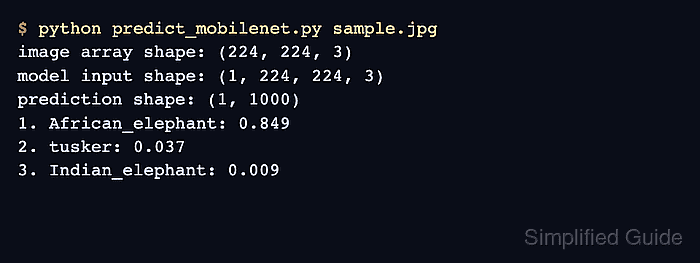
- Verify pretrained MobileNetV2 inference by running the completed script with the saved image.
$ python predict_mobilenet.py sample.jpg
model input shape: (1, 224, 224, 3)
prediction shape: (1, 1000)
1. daisy: 0.715
2. bee: 0.067
3. orange: 0.008
The shown prediction used a red sunflower photo. Scores and labels change with the image, while the one-image input batch and 1000-class output shape remain the same for this ImageNet configuration.

Mohd Shakir Zakaria is a cloud architect with deep roots in software development and open-source advocacy. Certified in AWS, Red Hat, VMware, ITIL, and Linux, he specializes in designing and managing robust cloud and on-premises infrastructures.


