HTTPS recording in Apache JMeter depends on a temporary local certificate authority that signs the certificates shown to the browser during a recording session. The browser must trust that JMeter CA before it can load HTTPS pages through the HTTP(S) Test Script Recorder without certificate warnings.
JMeter creates ApacheJMeterTemporaryRootCA.crt when the recorder starts for the first time and stores it in the JMeter launch directory by default. Importing that certificate into a dedicated Firefox or NSS profile with certutil keeps the trust change away from the normal browsing profile.
A JMeter recorder CA should be treated as temporary test infrastructure. Remove it from the browser profile after recording, and keep proxyserver.jks private because anyone with the keystore and its stored passwords could create certificates trusted by that profile until the CA expires or is deleted.
Related: How to start the JMeter GUI
Steps to install the JMeter recorder certificate in a Firefox profile:
- Open the test plan in the JMeter GUI.
- Start the HTTP(S) Test Script Recorder once.
JMeter generates the recorder CA when the recorder Start button is pressed. Certificate generation can briefly freeze the GUI while proxyserver.jks and ApacheJMeterTemporaryRootCA.crt are created.
- Close the certificate information dialog after checking that it names the local JMeter recorder CA.
- Confirm that JMeter exported the recorder CA certificate.
$ ls -l "$JMETER_HOME/bin/ApacheJMeterTemporaryRootCA.crt"
-rw-r--r-- 1 user user 1663 Jun 30 07:44 /opt/apache-jmeter-5.6.3/bin/ApacheJMeterTemporaryRootCA.crt
Replace $JMETER_HOME with the JMeter install path when the variable is not set. If proxy.cert.directory is configured, use that directory instead of /bin.
- Refresh the Ubuntu package index.
$ sudo apt update
- Install the NSS certificate tools on Ubuntu.
$ sudo apt install --assume-yes libnss3-tools
certutil manages the certificate database used by Firefox profiles. On another operating system, install the package that provides certutil for NSS.
- Create a dedicated Firefox profile directory for recorder sessions.
$ mkdir -p "$HOME/.mozilla/firefox/jmeter-recording"
- Initialize an empty NSS certificate database in the profile directory.
$ certutil -N -d sql:$HOME/.mozilla/firefox/jmeter-recording --empty-password
Use a fresh profile directory for this command. For an existing Firefox profile, skip database initialization and import the CA into that profile's existing certificate database.
- Import the JMeter CA as a trusted SSL certificate authority.
$ certutil -A -d sql:$HOME/.mozilla/firefox/jmeter-recording -n "Apache JMeter temporary recorder CA" -t "C,," -i "$JMETER_HOME/bin/ApacheJMeterTemporaryRootCA.crt"
Import only the CA generated by the local JMeter recorder session you control. Do not install an unknown ApacheJMeterTemporaryRootCA.crt from another machine or shared folder.
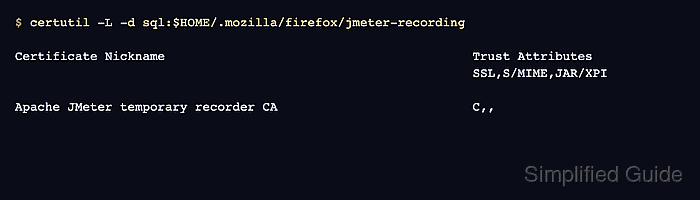
- Verify that the profile trusts the JMeter CA for SSL certificates.
$ certutil -L -d sql:$HOME/.mozilla/firefox/jmeter-recording Certificate Nickname Trust Attributes SSL,S/MIME,JAR/XPI Apache JMeter temporary recorder CA C,, - Start Firefox with the recording profile when configuring the browser proxy for JMeter.
$ firefox --profile "$HOME/.mozilla/firefox/jmeter-recording" --no-remote
Point the browser proxy at the HTTP(S) Test Script Recorder host and port for the recording session. Keep normal browsing in a separate profile.
Related: How to record HTTP and HTTPS traffic in JMeter - Remove the JMeter CA after the recording session.
$ certutil -D -d sql:$HOME/.mozilla/firefox/jmeter-recording -n "Apache JMeter temporary recorder CA"
- Confirm that the CA no longer appears in the profile database.
$ certutil -L -d sql:$HOME/.mozilla/firefox/jmeter-recording

Certificate Nickname                                         Trust Attributes
                                                             SSL,S/MIME,JAR/XPI

Mohd Shakir Zakaria is a cloud architect with deep roots in software development and open-source advocacy. Certified in AWS, Red Hat, VMware, ITIL, and Linux, he specializes in designing and managing robust cloud and on-premises infrastructures.


