Dynamic HTML pages often hide request values inside forms, links, and data attributes. The JMeter CSS Selector Extractor reads an HTML sampler response with browser-style selectors, so a load test can reuse a CSRF token, generated ID, link target, or page value without matching raw markup with a regular expression.
The extractor runs as a post-processor after the sampler in its scope. A selector such as form#checkout input[name=csrf] locates one or more nodes in the response data, and the Attribute field decides whether JMeter stores an attribute value such as value or the matched element's text content.
Keep the extractor close to the sampler that returns the HTML, set a default value that makes misses visible during debugging, and prove the variable in a later sampler before running a larger load test. A short checkout-token smoke test can capture the token and check that the next sampler sends the same value.
Steps to extract an HTML value with a JMeter CSS Selector Extractor:
- Open the test plan in the JMeter GUI and select the sampler that returns the HTML response.
- Add the extractor under that sampler from Add → Post Processors → CSS Selector Extractor.
- Name the extractor for the value it captures, such as Extract checkout CSRF token.
- Keep Apply to set to Main sample only for a normal HTTP response.
Use Sub-samples only or Main sample and sub-samples only when the target value is in an embedded-resource result, mail result, transaction child sample, or another generated sub-sample.
- Set CSS Selector implementation to JSoup.
- Enter csrf_token in Name of created variable.
- Enter form#checkout input[name=csrf] in CSS/JQuery expression.
This selector matches an input element named csrf inside the checkout form.
- Set Attribute to value.
Leave Attribute empty only when the wanted value is the matched element's text content.
- Set Match No. to 1.
Use 0 only when any matching node is acceptable. Use a negative value only when a later ForEach Controller will process all matches through variables such as csrf_token_1 and csrf_token_matchNr.
- Set Default Value to TOKEN_NOT_FOUND.
Leave Use empty default value disabled while debugging so a missed selector does not look like a deliberately blank token.
- Use the extracted variable in the later sampler that submits or reuses the HTML value.
Name: csrf Value: ${csrf_token} - Save the test plan.
- Run a short CLI smoke test.
$ jmeter -n -t css-selector-extractor-demo.jmx -l results.jtl -j jmeter.log
Creating summariser <summary>
Created the tree successfully using css-selector-extractor-demo.jmx
Starting standalone test @ 2026 Jun 29 22:20:26 GMT
Waiting for possible Shutdown/StopTestNow/HeapDump/ThreadDump message on port 4445
summary =      2 in 00:00:00 =    4.3/s Avg:   200 Min:    76 Max:   324 Err:     0 (0.00%)
Tidying up ...
... end of run
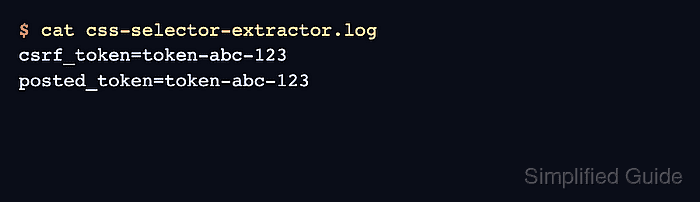
- Check the downstream sampler or request log for the captured value.
$ cat css-selector-extractor.log
csrf_token=token-abc-123
posted_token=token-abc-123
The extracted variable and the posted value should match. If the value is TOKEN_NOT_FOUND, inspect the response body and selector in a small debug run before increasing thread count.
Related: How to add a Debug Sampler in JMeter

Mohd Shakir Zakaria is a cloud architect with deep roots in software development and open-source advocacy. Certified in AWS, Red Hat, VMware, ITIL, and Linux, he specializes in designing and managing robust cloud and on-premises infrastructures.


