Live load-test telemetry matters when a run is too long or too visible to wait for the final .jtl file. Apache JMeter can stream sampler metrics to InfluxDB through a Backend Listener, giving QA engineers and SREs a running view of throughput, latency, and errors while the test is still active.
The built-in InfluxdbBackendListenerClient sends line-protocol metrics over HTTP. For InfluxDB 2.x, the listener URL points at the write endpoint and includes the organization and bucket query parameters, while the token travels as a listener parameter instead of being embedded in the URL.
Use a bucket dedicated to load-test telemetry and a write-scoped token for the JMeter run. Keep the token out of source-controlled .jmx files by passing it at runtime with a -J property, then verify the bucket with a separate read-capable token or dashboard account.
Steps to send JMeter live metrics to InfluxDB:
- Prepare the InfluxDB endpoint and token scope for the test run.
InfluxDB write URL:
http://influxdb:8086/api/v2/write
?org=load-team&bucket=jmeter

JMeter write token:
write access to the jmeter bucket

Verification token:
read access to the jmeter bucket

Application tag:
checkout-api
Replace the host, organization, bucket, and application name with values from the environment that owns the load-test dashboard.
- Add a Backend Listener to the test plan with the InfluxDB client and HTTP sender settings.
Backend Listener implementation:
InfluxdbBackendListenerClient

influxdbMetricsSender=HttpMetricsSender
influxdbUrl=${__P(influxdbUrl)}
influxdbToken=${__P(influxdbToken)}
application=checkout-api
measurement=jmeter
summaryOnly=false
samplersRegex=checkout-.*
percentiles=90;95;99
testTitle=checkout smoke
eventTags=env=staging
The GUI may display fully qualified class names for the implementation and sender fields. Choose the built-in InfluxDB client and the JMeter HTTP metrics sender.
- Store the write and read tokens in the shell that will start JMeter and verify the bucket.
$ export INFLUXDB_WRITE_TOKEN='paste-write-token-here'
$ export INFLUXDB_READ_TOKEN='paste-read-token-here'
Do not commit tokens into the .jmx file, CI configuration, or shared result artifacts. Pass them from a secret manager, protected CI variable, or local shell environment.
- Run the test plan in non-GUI mode and pass the listener values as JMeter properties.
$ jmeter -n \
  -t checkout-load-test.jmx \
  -l checkout-load-test.jtl \
  -JinfluxdbUrl='http://influxdb:8086/api/v2/write?org=load-team&bucket=jmeter' \
  -JinfluxdbToken="$INFLUXDB_WRITE_TOKEN"
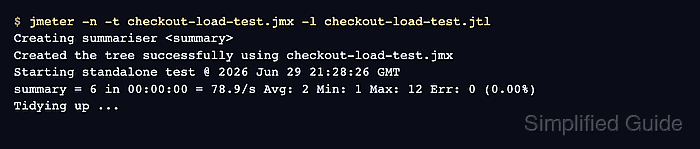
Creating summariser <summary>
Created the tree successfully using checkout-load-test.jmx
Starting standalone test @ 2026 Jun 29 21:28:26 GMT
summary = 6 in 00:00:00 = 78.9/s Avg: 2 Min: 1 Max: 12 Err: 0 (0.00%)
Tidying up ...
The summary confirms that JMeter ran the plan and finished without failed samples. The Backend Listener flushes its final metrics at the end of the run.
- Query InfluxDB for the sampler count rows written by the Backend Listener.
$ influx query --raw \
  --org load-team \
  --token "$INFLUXDB_READ_TOKEN" '
from(bucket:"jmeter")
  |> range(start: -30m)
  |> filter(fn: (r) => r.application == "checkout-api")
  |> filter(fn: (r) => r.transaction == "checkout-home")
  |> filter(fn: (r) => r._field == "count")
'
#group,false,false,false,true,true,true,true
#datatype,string,long,double,string,string,string,string
#default,_result,,,,,,
,result,table,_value,_field,application,statut,transaction
,,0,6,count,checkout-api,all,checkout-home
,,1,6,count,checkout-api,ok,checkout-home
Rows with application=checkout-api and transaction=checkout-home prove that the Backend Listener wrote metrics for the running test plan, not only that JMeter produced a local result file.
- Clear the temporary shell tokens after the run is verified.
$ unset INFLUXDB_WRITE_TOKEN INFLUXDB_READ_TOKEN

Mohd Shakir Zakaria is a cloud architect with deep roots in software development and open-source advocacy. Certified in AWS, Red Hat, VMware, ITIL, and Linux, he specializes in designing and managing robust cloud and on-premises infrastructures.


