Copy buttons let a web page move a known value into the user's system clipboard after an explicit click. The Clipboard API is a good fit for share links, invite codes, generated tokens, and other short text that the user would otherwise have to select and copy manually.
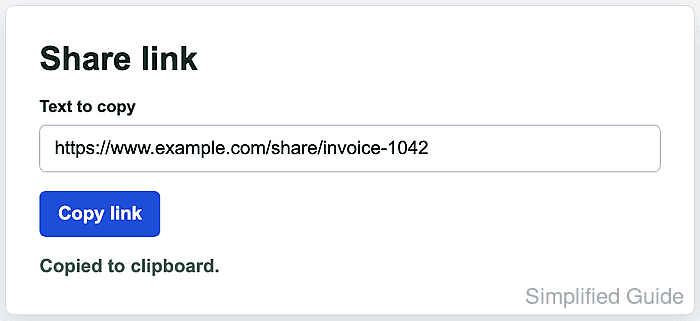
The browser exposes clipboard access through navigator.clipboard, and writeText() writes a string asynchronously. Because clipboard access can affect another application after paste, browsers restrict writes to secure contexts such as HTTPS or trusted local development origins, and Firefox and Safari require transient user activation for writes.
A copy control should always report what happened. When a browser blocks the write, a permissions policy disables clipboard access, or the API is unavailable, selecting the original field and showing a manual-copy message gives the user a clear fallback without relying on the deprecated document.execCommand(“copy”) path.
Steps to copy text to the clipboard with JavaScript:
- Add a visible text field, copy button, and live status element.
<label for="share-link">Text to copy</label>
<input id="share-link" value="https://www.example.com/share/invoice-1042" readonly>

<button id="copy-share-link" type="button">Copy link</button>
<p id="copy-status" role="status" aria-live="polite"></p>
The role=“status” and aria-live=“polite” attributes let assistive technology announce the copy result without moving focus.
- Attach an asynchronous click handler to the button.
const shareLink = document.querySelector("#share-link");
const copyButton = document.querySelector("#copy-share-link");
const status = document.querySelector("#copy-status");

copyButton.addEventListener("click", async () => {
  const text = shareLink.value;

  try {
    if (!navigator.clipboard?.writeText) {
      throw new Error("Clipboard API unavailable");
    }

    await navigator.clipboard.writeText(text);
    status.textContent = "Copied to clipboard.";
  } catch (error) {
    shareLink.focus();
    shareLink.select();
    status.textContent = "Press Ctrl+C or Command+C to copy the selected text.";
  }
});
Keep navigator.clipboard.writeText() inside the click handler. Delaying the call until after unrelated asynchronous work can lose the user activation required by some browsers.
- Load the page from HTTPS or a trusted local origin such as http://localhost.
Plain HTTP pages outside trusted local origins are not secure contexts, so navigator.clipboard may be unavailable or writes may be rejected.
- Click the copy button and confirm the success status.
Copied to clipboard.
- Paste into a temporary field and confirm the copied text.
https://www.example.com/share/invoice-1042
- Test the fallback branch in a browser profile or frame where clipboard writes are blocked.
Press Ctrl+C or Command+C to copy the selected text.
A restrictive Permissions-Policy such as clipboard-write=() should reach the catch block instead of leaving the button silent.

Mohd Shakir Zakaria is a cloud architect with deep roots in software development and open-source advocacy. Certified in AWS, Red Hat, VMware, ITIL, and Linux, he specializes in designing and managing robust cloud and on-premises infrastructures.


